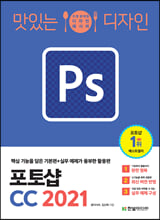
[도서] 맛있는 디자인 포토샵 CC 2021

2021-02-24 KENNETH 0

[도서] 맛있는 디자인 포토샵 CC 2021 분야별 신상품 – 국내도서 – 컴퓨터와 인터넷 [도서]맛있는 디자인 포토샵 CC 2021 윤이사라,김신애 공저 | 한빛미디어 | 2021년 03월 판매가 18,900원 (10%할인) | YES포인트 1,050원(5%지급) 포토샵의 모든 기능을 제대로 배우는 가장 완벽한 레시피! 핵심 기능을 담은 기본편과 실무 예제가 풍부한 활용편, 두 권으로 쉽고 빠르게 익혀 바로 써먹는다! 《맛있는 디자인 포토샵 CC 2021》은 그래픽 디 Source: [도서] 맛있는 디자인 포토샵 CC 2021

No Image

USN-4745-1: OpenSSL vulnerabilities

2021-02-24 KENNETH 0

USN-4745-1: OpenSSL vulnerabilities David Benjamin discovered that OpenSSL incorrectly handled comparing certificates containing a EDIPartyName name type. A remote attacker could possibly use this issue to cause OpenSSL to crash, resulting in a denial of service. (CVE-2020-1971) Tavis Ormandy discovered that OpenSSL incorrectly handled parsing issuer fields. A remote attacker could possibly use this issue to cause OpenSSL to crash, resulting in a denial of service. (CVE-2021-23841) Source: USN-4745-1: OpenSSL vulnerabilities

No Image

Releasing Windows Feature Experience Pack 120.2212.3030.0 to the Beta Channel

2021-02-24 KENNETH 0

Releasing Windows Feature Experience Pack 120.2212.3030.0 to the Beta Channel Hello Windows Insiders, Today, we are releasing Windows Feature Experience Pack 120.2212.3030.0 to Windows Insiders in the Beta Channel. This update is only available to Windows Insiders in the Beta Channel who are still on 20H2 (Build 19042.662 or higher). If you chose to move to 21H1 last week, you will not receive this Windows Feature Experience Pack update. We will be releasing Windows Feature Experience Pack updates for Insiders on 21H1 soon. This update includes the following improvement: We are improving the reliability of the handwriting input panel. These Windows Feature Experience Pack updates are delivered to Insiders through Windows Update just like builds and cumulative updates are. Insiders in the Beta Channel can go to Settings > Update & Security > Windows Update and check for updates to [ more… ]

No Image

Six time-saving tips for using the DevTools Console

2021-02-24 KENNETH 0

Six time-saving tips for using the DevTools Console Microsoft Edge DevTools engineer Patrick Brosset recently collected some of the web development community’s favorite tips for getting the most out of one of the most popular features of browser DevTools: the humble Console. We’ve collected a few highlights from Patrick’s blog post, as well as a few tips of our own, that can help you be more productive in the DevTools. But first: What is Console? In the Microsoft Edge DevTools, the Console tool has two main functions. The first is outputting messages and errors logged from a website’s Javascript. For example, if your website code has a line of Javascript that reads console.log(`My code is running!`);, you would expect to get the following output in the Console tab of DevTools. Console’s second function is serving as a Javascript REPL, meaning [ more… ]

No Image

What to know before you accept that cookie

2021-02-24 KENNETH 0

What to know before you accept that cookie The “accept cookies” pop-up is a familiar sight as we browse the internet. How do you know which are safe? And are they even necessary? The Windows Resource Center has broken cookies down into their main ingredients so you can make the best call. A new blog posts summarizes why cookies can be a good thing, helping your favorite websites get to know you so they can offer what you want and make browsing and shopping experiences smooth. It also shows how cookies can be bad, and points you to tools to help keep your private information private as you navigate sites that use cookies. Head on over to the blog post, and safe surfing to you! Source: What to know before you accept that cookie