No Image

USN-6130-1: Linux kernel vulnerabilities

2023-06-02 KENNETH 0

USN-6130-1: Linux kernel vulnerabilities Patryk Sondej and Piotr Krysiuk discovered that a race condition existed in the netfilter subsystem of the Linux kernel when processing batch requests, leading to a use-after-free vulnerability. A local attacker could use this to cause a denial of service (system crash) or possibly execute arbitrary code. (CVE-2023-32233) Gwangun Jung discovered that the Quick Fair Queueing scheduler implementation in the Linux kernel contained an out-of-bounds write vulnerability. A local attacker could use this to cause a denial of service (system crash) or possibly execute arbitrary code. (CVE-2023-31436) Reima Ishii discovered that the nested KVM implementation for Intel x86 processors in the Linux kernel did not properly validate control registers in certain situations. An attacker in a guest VM could use this to cause a denial of service (guest crash). (CVE-2023-30456) It was discovered that the Broadcom [ more… ]

Updated Paint app for Windows 11 begins rolling out to Windows Insiders with dark mode and zoom improvements

2023-06-02 KENNETH 0

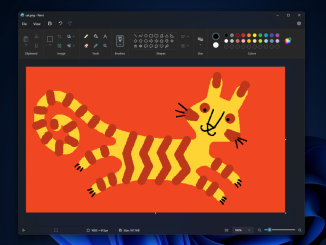
Updated Paint app for Windows 11 begins rolling out to Windows Insiders with dark mode and zoom improvements Hello Windows Insiders, today we are beginning to roll out an update to the Paint app for Windows 11 to Windows Insiders in the Canary and Dev Channels (version 11.2304.17.0). This update includes a good set of changes and improvements we think the community will enjoy! With this update, we are introducing support for dark mode in Paint. By default, Paint will adapt to your system theme preferences, but you can change this option yourself on the brand-new settings page. We are also rolling out improvements to the zoom controls as well to give you more flexibility and control over the view of your content on the canvas. The classic presets are still available, but you can now also zoom in and [ more… ]

No Image

Announcing Windows 11 Insider Preview Build 22621.1830 and 22631.1830

2023-06-02 KENNETH 0

Announcing Windows 11 Insider Preview Build 22621.1830 and 22631.1830 Hello Windows Insiders, today we are releasing Windows 11 Insider Preview Build 22621.1830 and Build 22631.1830 (KB5026443) to the Beta Channel. Build 22631.1830 = New features rolling out. Build 22621.1830 = New features off by default. REMINDER: Insiders who were previously on Build 22624 will automatically get moved to Build 22631 via an enablement package. The enablement package artificially increments the build number for the update with new features getting rolled out and turned on to make it easier to differentiate from devices with the update with features off by default. This approach is being used for the Beta Channel only and is not indicative of any changes or plans for final feature rollouts. Insiders who landed in the group with new features turned off by default (Build 22621.xxxx) can check for [ more… ]

No Image

Announcing Windows 11 Insider Preview Build 23471

2023-06-02 KENNETH 0

Announcing Windows 11 Insider Preview Build 23471 Hello Windows Insiders, today we are releasing Windows 11 Insider Preview Build 23471 to the Dev Channel. What’s new in Build 23471 Add Phone Photos in File Explorer Gallery Accessing your phone’s camera roll from your PC is an important everyday task that is now easier with File Explorer Gallery. There is a new button in the Command Bar titled “Add Phone Photos” that will help with setting up your PC to be ready to show these photos in Gallery. Clicking this button today will open a URL with a QR code that you can scan with your phone to get started. NOTE: Users may need to opt into OneDrive’s Insider Program to get a version of the OneDrive sync client that handles the protocol invoked when clicking this button. To join the [ more… ]

Dev Drive: Performance, Security and Control for Developers

2023-06-02 KENNETH 0

Dev Drive: Performance, Security and Control for Developers We are excited to introduce Dev Drive! A new storage volume optimized for developer workloads that delivers performance, security, and control. Dev Drive is built on the Resilient File System (ReFS) and combined with the new performance mode capability of Microsoft Defender Antivirus, provides up to 30% better performance for overall build times compared to current, in-market Windows 11 (22H2). Performance and Security We received feedback from developers that slow file io performance was disruptive to their workflow. In response, we analyzed the file system to understand where the bottlenecks were. Benchmarks were created across multiple end-to-end developer scenarios and across multiple languages. We then made optimizations to the file system and introduced a new performance capability for Microsoft Defender Antivirus. Now available in public preview, this new capability provides asynchronous scanning [ more… ]