Enhancing Non-packaged Desktop Apps using Windows Runtime Components

2019-05-01 KENNETH 0

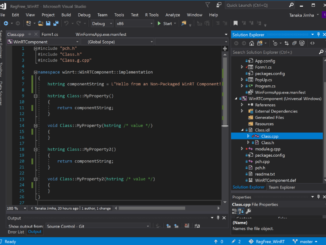
Enhancing Non-packaged Desktop Apps using Windows Runtime Components Windows 10 Version 1903, May 2019 Update adds support for non-packaged desktop apps to make use of user-defined (3rd party) Windows Runtime (WinRT) Components. Previously, Windows only supported using 3rd party Windows Runtime components in a packaged app (UWP or Desktop Bridge). Trying to call a user-defined Windows Runtime Component in a non-packaged app would fail because of the absence of package identity in the app, no way to register the component with the System and in turn no way for the OS to find the component at runtime. The restrictions blocking this application scenario have now been lifted with the introduction of Registration-free WinRT (Reg-free WinRT). Similar to the classic Registration-free COM feature, Reg-Free WinRT activates a component without using a registry mechanism to store and retrieve information about the component. [ more… ]

No Image

Ask NGINX | April 2019

2019-05-01 KENNETH 0

Ask NGINX | April 2019 Every month, we take a moment to share the expertise of our team, and answer a number of great questions we’ve received from both our customers and open source users. These questions range from how to use our products in a variety of use cases to how to effectively integrate third‑party tools and platforms with NGINX. These answers come from our experts including technical architects, systems engineers, and our award‑winning customer support specialists. Does NGINX Plus work with Diffie‑Hellman? Yes. For those who don’t know: Diffie‑Hellman is a protocol used to create a secret key shared by two parties (this operation is commonly referred to as the SSL/TLS “handshake”). The two parties then use the key to encrypt subsequent communication between them. A more precise answer is that NGINX Open Source and NGINX Plus work with [ more… ]

Announcing Windows Vision Skills (Preview)

2019-05-01 KENNETH 0

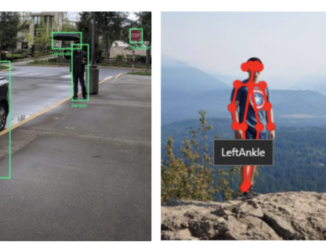
Announcing Windows Vision Skills (Preview) Today, we’re announcing the preview of Windows Vision Skills, a set of NuGet packages that make it easy for application developers to solve complex computer vision problems using a simple set of APIs. Figure 1- From left to right, you are seeing in action the Object Detector, Skeletal Detector, and Emotion Recognizer skills. With Windows Vision Skills, An app developer can use out-of-box WinRT APIs to add pre-built vision skills like object detection, skeletal detection and face sentiment analysis in their Windows applications (.NET, Win32, and UWP). A computer vision developer can leverage hardware acceleration frameworks on Windows devices by packaging their solution as a Vision Skill – without worrying about low-level APIs. All Windows Vision Skills inherit the base classes and interfaces in Microsoft.AI.Skills.SkillInterfacePreview. This open framework can easily be extended to work with [ more… ]

No Image

USN-3962-1: libpng vulnerability

2019-05-01 KENNETH 0

USN-3962-1: libpng vulnerability libpng1.6 vulnerability A security issue affects these releases of Ubuntu and its derivatives: Ubuntu 18.10 Ubuntu 18.04 LTS Summary libpng be made to crash or run programs if it opened a specially crafted file. Software Description libpng1.6 – PNG (Portable Network Graphics) file library Details It was discovered that libpng incorrectly handled certain memory operations. If a user or automated system were tricked into opening a specially crafted PNG file, a remote attacker could use this issue to cause libpng to crash, resulting in a denial of service, or possibly execute arbitrary code. Update instructions The problem can be corrected by updating your system to the following package versions: Ubuntu 18.10 libpng16-16 – 1.6.34-2ubuntu0.1 Ubuntu 18.04 LTS libpng16-16 – 1.6.34-1ubuntu0.18.04.2 To update your system, please follow these instructions: https://wiki.ubuntu.com/Security/Upgrades. In general, a standard system update will make [ more… ]

Dell announces latest additions to its portfolio

2019-05-01 KENNETH 0

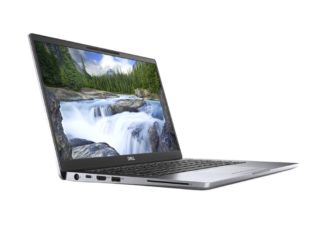
Dell announces latest additions to its portfolio At Dell Technologies World 2019, Dell announced the launch of the latest additions to its portfolio: 10th generation of Latitude commercial PCs, the Dell Precision 3540 and 3541 mobile workstations, as well as two new Vostro laptops. Dell Latitude 7400 Devices in the Latitude line — which run on Windows 10 Pro – have been completely reimagined to address the needs of the evolving workforce. The new portfolio of Dell mobile business PCs is designed with IT departments in mind and aims to get business users productive faster and keep them productive longer, no matter when, where or how they work. The Latitude series includes next-gen biometric sign-in and Multi-Factor Authentication (MFA) security options, as well as Express technology options to boost employee productivity. Designed for students and professionals with heavy Excel workbook, [ more… ]