Amazon SageMaker 기반 컨테이너를 활용한 Scikit-Learn 모델 훈련 및 호스팅 방법

2018-06-14 KENNETH 0

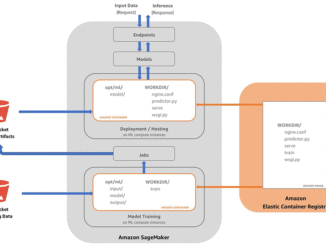
Amazon SageMaker 기반 컨테이너를 활용한 Scikit-Learn 모델 훈련 및 호스팅 방법 지난 re:Invent 2017에서 처음 소개된 Amazon SageMaker는 원하는 규모의 머신 러닝 모델의 빌드, 훈련, 배포를 할 수 있는 서버리스(serverless) 데이터 사이언스용 환경을 제공하고 있습니다. 이를 통해 scikit-learn 처럼 폭넓게 사용되고 있는 프레임워크를 이용한 작업도 가능해졌습니다. 이 블로그에서는 2가지를 주제로 소개하려고 합니다: 첫번째는, 모델을 훈련(Training)시키고 호스팅하기 위해 Amazon SageMaker에서 컨테이너를 어떻게 사용하는지에 대해 알아봅니다. 그리고 두 번째는 Amazon SageMaker에서 Scikit 모델을 훈련시키고 호스팅하기 위한 도커(Docker) 컨데이너를 빌드하는 방법에 대해 설명합니다. 우선 모델의 훈련과 호스팅을 위해 Amazon ECS (Elastic Container Service)에서 Amazon SageMaker로 불러온 도커 이미지를 실행하는 방법부터 알아보겠습니다. 아울러 훈련코드와 추론(inference) 코드를 포함한 SageMaker 도커 이미지 등 관련 용어에 대해 간략히 설명합니다. Amazon SageMaker에서 Scikit 모델의 빌드, 훈련, 배포에 대해서만 관심이 있으신 분들은 앞부분에 설명할 개요는 건너뛰어도 됩니다. 그리고 최소한의 노력으로 SageMaker에서 Scikit 모델을 컨테이너로 만드는 방법에 대해 실습을 통해 [ more… ]
Amazon Kinesis Data Firehose 서울 리전 출시!

2018-06-14 KENNETH 0

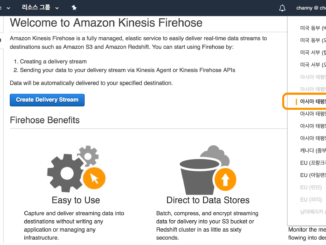
Amazon Kinesis Data Firehose 서울 리전 출시! Amazon Kinesis Data Firehose는 실시간 데이터를 저장소에 저장하거나 분석 도구를 바로 활용할 수 있는 서비스로서 오늘 서울 리전에 출시하였습니다. Kinesis Data Firehose를 사용하면, 실시간 데이터 소스를 지속적으로 데이터를 변환 및 다양한 위치로 보내서 기존에 사용하고 있는 기존 비즈니스 인텔리전스 도구 및 대시보드를 통해 준 실시간으로 분석할 수 있습니다. Kinesis Data Firehose는 데이터 처리량에 맞춰 자동으로 규모가 조정되며 지속적인 관리가 필요 없는 완전관리형 서비스입니다. 또한, 데이터를 로드하기 전에 배치 처리, 압축, 변환 및 암호화하여 대상 스토리지의 사용량을 최소화하고 보안을 강화할 수 있습니다. 기존 Kinesis Stream 뿐만 아니라 Firehose PUT APIs, Kinesis Agent, AWS IoT, CloudWatch Logs, CloudWatch Events 등에서 데이터를 전달 받을 수 있습니다. 이렇게 전달 받은 데이터는 중간에서 다양한 방법으로 데이터 변환도 가능합니다. 예를 들어, AWS Lambda 함수를 통해 데이터 형식을 바꾸거나, AWS Glue 서비스를 통해 Apache Parquet, Apache ORC 포맷으로 전환 가능합니다. [ more… ]

Windows Template Studio 2.2 released!

2018-06-14 KENNETH 0

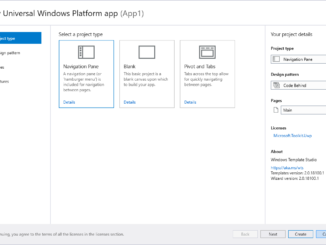
Windows Template Studio 2.2 released! We’re extremely excited to announce the Windows Template Studio 2.2!  For the next few releases, we are doing smaller updates to add in new pages and fixes. The reason being is we are working toward multi-project solution support for 3.0 and adjusting our templates to support that. This is a large sum of work but want to be sure we are still improving where we can now. As always, we love how the community is helping. If you’re interested, please head over to head over to WTS’s Github. What’s new: For the full list of adjustments in the 2.2 release, WTS’s Github has a full changelog. Included in this version: 3D Launcher feature Wizard enhancements Improved documentation Improved testing Bug fixes Dev platform updates: Updated Microsoft.NETCore.UniversalWindowsPlatform to 6.15 Updated Newtonsoft.Json to 11.0.2 Updated Microsoft.Toolkit.Uwp, Microsoft.Toolkit.Uwp.Notifications [ more… ]

E3 2018: Six Lenovo gaming PCs powered by Windows 10 announced this week

2018-06-14 KENNETH 0

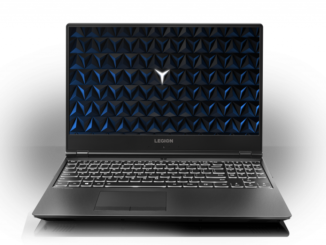
E3 2018: Six Lenovo gaming PCs powered by Windows 10 announced this week This week at E3, Lenovo announced six new gaming devices powered by Windows 10 that arrive with simple, built-in Mixer streaming for low-latency, interactive moments for viewers and streamers to engage with other gamers, plus the latest in gaming technology from Intel and NVIDIA. With Xbox Play Anywhere, you can buy a game once and play it on both your Xbox One and any of these Windows 10 PCs. Let’s take a closer look at these devices: Lenovo Legion Y530 Laptop Between 24.2mm to 25.2mm thin and 2.3 kg light, up to the latest generation Intel processors, NVIDIA GPUs, DDR4 memory and more, the Lenovo Legion Y530 Laptop is thermally optimized to run cooler and quieter while being perfectly balanced between performance and portability. The 15″ FHD display with optional 144 [ more… ]

No Image

Three user experience updates Office announced today

2018-06-13 KENNETH 0

Three user experience updates Office announced today For an overview of these changes, check out this video by Jon Friedman, our Chief Designer for Office.  Here are some highlights from their post: “Office is used by more than a billion people every month, so while we’re excited about these changes, we also recognize how important it is to get things right.  These updates are exclusive to Office.com and Office 365 – the always up-to-date versions of our apps and services. But they won’t happen all at once. Instead, over the next several months we will deploy new designs to select customers in stages and carefully test and learn. We’ll move them into production only after they’ve made it through rigorous rounds of validation and refinement. The initial set of updates includes three changes.  Simplified Ribbon.  A new, updated version of the ribbon is designed to help users focus on their work and collaborate naturally with others.  People who prefer to dedicate more screen space to the commands will still be able to expand the ribbon to the classic 3-line view. The first app to get this [ more… ]