
Windows 10 Tip: Write on the web with Microsoft Edge

2016-10-04 KENNETH 0

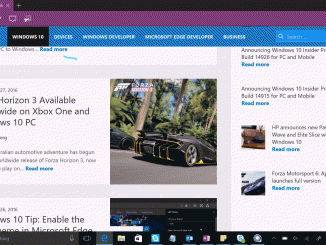
Windows 10 Tip: Write on the web with Microsoft Edge Did you know you can write directly on web pages in Microsoft Edge and easily save or share what you’ve marked up with friends and colleagues? Microsoft Edge is the only browser with the built-in functionality that lets you take notes, write, doodle and highlight directly on webpages. You can do this with your finger if you’re using a touch-enabled device, with a pen or with your mouse or trackpad. Here’s how to write on webpages in Microsoft Edge: To start marking up a webpage, launch Microsoft Edge and click the pen icon. When you hover over it, you’ll see it says, “Make a Web Note.” Choose either Pen, Highlight or Type, and start writing. When you’ve finished marking up a page, click or touch Save or Share in the [ more… ]
UWP Hosted Web App on Xbox One (App Dev on Xbox series)

2016-10-01 KENNETH 0

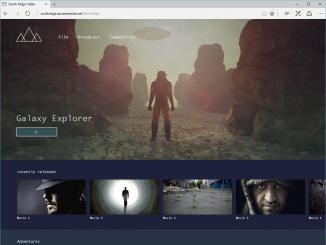
UWP Hosted Web App on Xbox One (App Dev on Xbox series) For the fourth installment in the series, we are open sourcing yet another sample app: South Ridge Video, an open source video app developed as a hosted web application built with React.js and hosted on a web server. South Ridge can easily be converted to a UWP application that takes advantage of native platform capabilities and can be distributed through the Windows Store as any other UWP app. The source code is available on GitHub right now, so make sure to check it out. If you missed the previous blog post from last week on Background Audio and Cross Platform Development with Xamarin, make sure to check it out. We covered how to build a cross-device music experience using Xamarin and how to support background audio on the [ more… ]

No Image

USN-3090-2: Pillow regresssion

2016-10-01 KENNETH 0

USN-3090-2: Pillow regresssion Ubuntu Security Notice USN-3090-2 30th September, 2016 Pillow regression A security issue affects these releases of Ubuntu and its derivatives: Ubuntu 14.04 LTS Software description pillow – Python Imaging Library compatibility layer Details USN-3090-1 fixed vulnerabilities in Pillow. The patch to fix CVE-2014-9601caused a regression which resulted in failures when processing certainpng images. This update temporarily reverts the security fix for CVE-2014-9601pending further investigation. We apologize for the inconvenience. Original advisory details: It was discovered that a flaw in processing a compressed text chunk ina PNG image could cause the image to have a large size when decompressed,potentially leading to a denial of service. (CVE-2014-9601) Andrew Drake discovered that Pillow incorrectly validated input. A remoteattacker could use this to cause Pillow to crash, resulting in a denialof service. (CVE-2014-3589) Eric Soroos discovered that Pillow incorrectly handled certain [ more… ]

No Image

RHEA-2016:1982-1: tzdata enhancement update

2016-10-01 KENNETH 0

RHEA-2016:1982-1: tzdata enhancement update Red Hat Enterprise Linux: Updated tzdata packages that add various enhancements are now available for Red Hat Enterprise Linux 4 Extended Life Cycle Support, Red Hat Enterprise Linux 5.6 Long Life, Red Hat Enterprise Linux 5.9 Advanced Update Support, Red Hat Enterprise Linux 5.11, Red Hat Enterprise Linux 6.2 Advanced Update Support, Red Hat Enterprise Linux 6.4 Advanced Update Support, Red Hat Enterprise Linux 6.5 Advanced Update Support, Red Hat Enterprise Linux 6.6 Extended Update Support, Red Hat Enterprise Linux 6.7, Red Hat Enterprise Linux 7.1 Extended Update Support, Red Hat Enterprise Linux 7.1 Little Endian Extended Update Support, and Red Hat Enterprise Linux 7.2. Source: RHEA-2016:1982-1: tzdata enhancement update

No Image

Just released – Windows developer virtual machines – September 2016 build

2016-10-01 KENNETH 0

Just released – Windows developer virtual machines – September 2016 build Today I’m happy to announce the first release of a developer ready, non-expiring (licensed) virtual machines. Last year, we released the evaluation VMs and we took the feedback to heart that you wanted a fully configured Windows 10 development environment that won’t expire. With these new VMs, all you need to do is insert your Windows 10 Pro license key and instantly can start developing without having to worry about installing all the tooling. The VMs come in Hyper-V, Parallels, VirtualBox, and VMWare flavors. These installs contain: Windows 10 Pro, Version 1607 Visual Studio 2015 Community Update 3 (Build 14.0.25425.01) Windows developer SDK and tools (Build 14393) Microsoft Azure SDK for .NET (Build 2.9.5) Windows Bridge for iOS (Build 0.2.160914) Windows UWP samples (September 2016) Windows Bridge for iOS [ more… ]