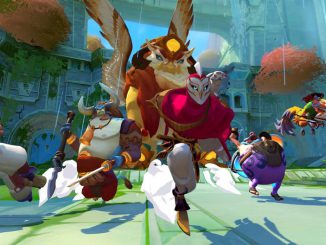
Gigantic launches on Windows 10 and Xbox One

2017-07-22 KENNETH 0

Gigantic launches on Windows 10 and Xbox One We at Motiga and Perfect World Entertainment couldn’t be more excited to get our unique hero-shooter into the hands of gamers across the globe. The development team has been working for years to create a visually stunning and strategic experience featuring massive Guardians, creatures to summon, and a diverse roster of heroes. One of the best aspects of gaming is that it offers experiences for all types of gamers. With Gigantic, we’re proud to offer 19 heroes (with many more on the way) that each have their own playstyles, diverse skill sets, and varied skill trees to fine-tune your gameplay for each match. Even in the heat of battle, hero skills can be upgraded depending on the friendly or enemy team composition, the state of map control, or if you feel like [ more… ]

No Image

Three Reasons Your Boss Should Send You to nginx.conf 2017

2017-07-22 KENNETH 0

Three Reasons Your Boss Should Send You to nginx.conf 2017 Dear #BestBossEver, We’re overwhelmed with work, of course  – and I’ve identified something that will help. nginx.conf 2017 is being held Monday, September 6th, through Friday, September 8th in Portland. This will be the fourth annual showcase for NGINX, Inc., which runs more than 52% of the top 100,000 busiest sites on the Web. NGINX is used with AWS, Docker, microservices, DevOps, and more. Here are 3 reasons why I should go  – and why you’re welcome to join me: New product launches! NGINX will be launching two new products, which will run applications faster and make large NGINX installations easier to manage. nginx.conf 2017 will be the public debut of both products, and I  – or we (see boss discount below)  – can learn how to get the most [ more… ]

How to Add Wallarm to Protect Your NGINX Plus Installation

2017-07-21 KENNETH 0

How to Add Wallarm to Protect Your NGINX Plus Installation Why a WAF? If you are developing applications based on a high‑performance application server such as NGINX Plus, you need to consider security implications, especially if your web application accepts requests from outside the company perimeter. A web application firewall (WAF) is a security module focused on applications themselves, providing highly granular and customizable logic for protecting both web applications and the underlying data. For example, many of the vulnerabilities a WAF protects from are common across many web applications. These types of vulnerabilities are well documented in Open Web Application Security Project (OWASP) and include SQL injection, cross‑site scripting, field/cookie validation, and others. Together, NGINX Plus and WAF: Inspect traffic at Layer 7 Protect web applications from OWASP vulnerabilities Can be configured with security rules based on signatures, specific to the web [ more… ]

This Week on Windows: New LinkedIn app, organize your photos and more

2017-07-21 KENNETH 0

This Week on Windows: New LinkedIn app, organize your photos and more We hope you enjoyed today’s episode of This Week on Windows! Head over here to learn all about the new LinkedIn app for Windows 10 PCs, check out the Apps to Study and Play Collection, read this week’s Windows 10 Tip on getting started with the Photos app and Sway – or, keep reading for what’s new in the Windows Store. In case you missed it: Learn how indie games are providing a platform to showcase creativity and diversity in the latest episode of our .future podcast We recently launched .future, a new podcast about making the future happen. In this week’s episode, we’re talking about the ‘Moonlights’ and ‘Napoleon Dynamites’ – the indie games that are breaking out, changing paradigms and making a case for independence in gaming. [ more… ]

Windows Template Studio 1.2 released!

2017-07-21 KENNETH 0

Windows Template Studio 1.2 released! We’re extremely excited to announce the Windows Template Studio 1.2. What makes this release even more special is we’ve been accepted into the .NET Foundation! We are extremely excited to be accepted in. In this release, our major new feature is adding content into an existing application with Right-click add. We’ve grown up past only File->New .NET Foundation: We are also happy to say that we’ve been accepted into the .NET Foundation. Great open source projects like .NET Core, Roslyn, UWP Community Toolkit–and now Windows Template Studio–will be as well! What’s new: For the full list of adjustments in the 1.2 release, head over to WTS’s Github. Improvements to the Wizard: Add new content to existing WTS generated projects in your solution window via right-click We will be working toward seeing how we can enable [ more… ]