Voodoo Vince: Remastered launches today on Windows 10 and Xbox One

2017-04-19 KENNETH 0

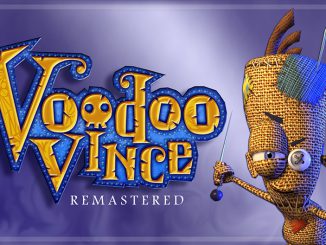
Voodoo Vince: Remastered launches today on Windows 10 and Xbox One “13 years, 6 month and 25 days. That’s how much time has passed since Voodoo Vince first appeared on the original Xbox in September of 2003. The half-life of a game is unbelievably short. A game doesn’t get much time before it’s relegated to the past. The march of technology and player demographics weren’t on our side in 2003. Voodoo Vince was quickly lost in the shuffle and seemed like it would remain in obscurity. This revival of Vince would have been far less likely without the encouragement of Phil Spencer and the amazing team over at ID@Xbox. ID@Xbox made it possible for a small team to publish a game independently. Phil reminded me of what a game can mean to players when he described playing Voodoo Vince with [ more… ]


No Image

A week with Microsoft Edge: How to organize the web

2017-04-19 KENNETH 0

A week with Microsoft Edge: How to organize the web Yesterday, we introduced you to a series of blog posts we’re publishing throughout this week about Microsoft Edge. Each day we’ll be sharing a new video and blog post to introduce you to the best of Microsoft Edge. Today, we’re showing you the Microsoft Edge features that can help you keep the web organized. We all spend a lot of time browsing the web, and it’s more important than ever to have the tools you need to stay organized, productive, and focused on the web. With the Windows 10 Creators Update, we’ve added new features to make this easier than ever – including the new tab preview bar and a simple way to set your tabs aside. You can catch up on yesterday’s blog post about getting started with Microsoft [ more… ]

CHOICE Humanitarian partners with Microsoft Edge to launch Accent digital literacy tool

2017-04-18 KENNETH 0

CHOICE Humanitarian partners with Microsoft Edge to launch Accent digital literacy tool CHOICE Humanitarian is a non-profit organization with a vision to free the world from the ravages of extreme poverty, where all people are treated with dignity and valued for who they are and the unique contribution they bring. They have been working to eliminate extreme poverty, defined by the World Bank as living on an average of $1.90 USD a day, for 35 years. Today, we are excited to share a new web-based learning tool we have created with the Microsoft Edge team, called Accent. “The CHOICE partnership offered the Microsoft Edge team a remarkable opportunity to take our browser technology and create an education solution to meet the unique literacy needs of communities worldwide. Working with CHOICE, we utilized the native support for touch and inking in [ more… ]

No Image

Now available: Windows Developer training course on Desktop Bridge

2017-04-18 KENNETH 0

Now available: Windows Developer training course on Desktop Bridge We are happy to announce that the Microsoft Virtual Academy training course, Developer’s Guide to the Desktop Bridge, is now available on demand. This video course, delivered by the Desktop Bridge Program Management team, aims to help developers understand the concepts and benefits of the Desktop Bridge tooling in the Windows 10 Universal Windows Platform. Watch the video and find the relevant sample code here to start bringing your desktop apps to the Windows Store and to take advantage of new Windows 10 features of the Universal Windows Platform in your WPF, WinForms, MFC or other type of Win32 apps. Do you want to distribute your desktop application in the Windows Store? We cover that in the course. Do you want to take advantage of modern Windows 10 app-to-app features in your existing desktop application? We [ more… ]

Windows 10 Tip: Five ways to get started with Paint 3D

2017-04-18 KENNETH 0

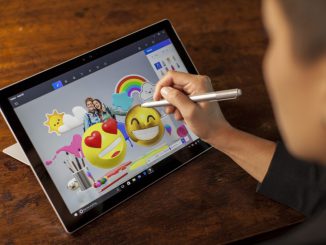
Windows 10 Tip: Five ways to get started with Paint 3D In the Windows 10 Creators Update, you have a new, free, built-in app called Paint 3D that allows you to unleash your creativity. Anyone can experience, create, and share in a new dimension. Make 3D masterpieces or 2D scenes, all with a stroke of your digital pen.  You can also access an online 3D community, Remix 3D, to pull and remix models from within the Paint 3D app! Today, we’re going to show you a couple ways you can get started with Paint 3D: Easily create a scene in 3D With pre-made 3D models and objects, it’s easy to get started right away and begin personalizing. Click on 3D objects in the top task bar Select one of the pre-made 3D models from the tool bar on the right, [ more… ]