No Image

Download TV shows and movies from Netflix to your Windows 10 PC

2017-04-05 KENNETH 0

Download TV shows and movies from Netflix to your Windows 10 PC Download your favorite TV shows and movies like Dave Chappelle, Stranger Things, The Crown, Narcos, Master of None, BoJack Horseman and more. Here’s how to get started: If you haven’t already downloaded the Netflix app for Windows 10, you can do that here. Once you’ve launched the app you can check out all the downloadable titles in “Available for Download” from the Netflix menu, or look for the download icon next to a specific movie or TV show. Tap the download icon next to a movie or episode of a TV show, and you’ll find them in the My “Downloads” section of the app. *Downloadable content can vary by country Source: Download TV shows and movies from Netflix to your Windows 10 PC
High-DPI Scaling Improvements for Desktop Applications in the Windows 10 Creators Update

2017-04-05 KENNETH 0

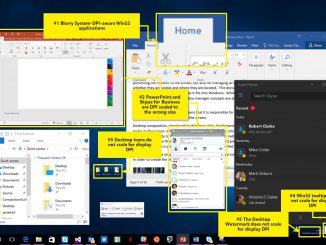
High-DPI Scaling Improvements for Desktop Applications in the Windows 10 Creators Update In the previous blog post about High-dots-per-inch (DPI) scaling improvements, we talk about how desktop applications can be blurry or sized incorrectly when run on high-DPI displays. This is especially noticeable when docking and undocking or when using remoting technologies such as Remote Desktop Protocol (RDP). In the Windows 10 Anniversary Update we chipped away at this problem by introducing mixed-mode DPI scaling and other high-DPI-related APIs. These APIs made it less expensive for developers to update desktop applications to handle dynamic DPI situations (situations where desktop applications are expected to detect and respond to DPI changes at runtime). We’re still working on improving the high-DPI story for you and in this article we’ll go over some of the improvements coming in the Windows 10 Creators Update. Before [ more… ]

No Image

2018년 스웨덴 신규 리전 개설 계획 발표

2017-04-04 KENNETH 0

2018년 스웨덴 신규 리전 개설 계획 발표 작년에 우리는 캐나다, 인도, 한국, 영국 (런던) 및 미국 (오하이오))에서 새로운 AWS 리전을 시작했으며, 프랑스(파리) 및 중국 (닝샤)에 올해 신규 리전 개설을 발표했습니다. 오늘 2018 년 스웨덴 스톡홀름에 AWS 신규 리전을 개설 할 계획을 알려드리게 되어 기쁘게 생각합니다. 본 리전은 북유럽 지역 즉, 덴마크, 핀란드, 아이슬란드, 노르웨이 및 스웨덴의 AWS 파트너 및 고객에게 더 빠르게 서비스를 제공할 수 있습니다. 북유럽은 활기찬 창업 커뮤니티와 매우 혁신적인 비즈니스 환경으로 유명합니다. ASSA ABLOY, IKEA, Scania 와 같은 성공적인 글로벌 기업과 함께 Bambora, Supercell, Tink, Trustpilot와 같이 급성장하는 신생 기업의 경우 Forbes는 스웨덴을 비즈니스를 위한 최고의 나라로 꼽았습니다. 유럽 위원회는 스웨덴을 EU에서 가장 혁신적인 국가로 선정하기도 했습니다. 북유럽 리전은 EU (아일랜드), EU (런던), EU (프랑크푸르트) 및 프랑스와 함께 유럽의 5 번째 AWS 리전이 될 예정입니다. 이와 함께 고객에게 총 13 개의 가용 영역 (AZ)을 제공하고 데이터를 EU에 [ more… ]

Monetizing your app: Use Interactive Advertising Bureau ad sizes

2017-04-04 KENNETH 0

Monetizing your app: Use Interactive Advertising Bureau ad sizes Are you looking for ways to better monetize your app using ads? App developers can boost their ad revenue using simple optimizations while building and managing their app. In a series of blogs, including this one, we will offer tips that will help you better monetize your app. Tip #1: Use Interactive Advertising Bureau (IAB) sizes for your ad. As an app developer, you can choose the size of your ad based on the look and feel of the app itself. You should have an ad experience that blends well with your app – ads that do not fit in with the rest of the app experience perform poorly and yield low revenue for the developer. Also, you can choose to have multiple ads on a single page. This, however, has [ more… ]

Announcing UWP Community Toolkit 1.4

2017-04-04 KENNETH 0

Announcing UWP Community Toolkit 1.4 The UWP Community Toolkit is on its fourth release today. The previous version was packed with new controls, so we decided to focus on stabilizations and improvements on existing controls and services in version 1.4. Among the improvements: better accessibility for all controls according to our contribution rules. Now every control can be used with keyboard, mouse and touch inputs. We also ensured that the controls provide enough information for Narrator to make them compatible with screen readers. We also introduced a new project (and a new NuGet package) called Microsoft.Toolkit.Uwp.DeveloperTools. The goal of this project is to provide support tools for developers. For this first version of the project we started with two controls: FocusTracker: Can be used in your application to display information about the current focused control (name, type, etc.). This is [ more… ]