AWS 12월 온라인 세미나 – 개발자를 위한 AWS 총정리

2016-11-24 KENNETH 0

AWS 12월 온라인 세미나 – 개발자를 위한 AWS 총정리 AWS 한국팀에서도 AWS 클라우드를 아껴주시는 한국 고객 분들을 위해 지속적으로 AWS 월간 웨비나 시리즈를 진행하고 있습니다. 올해 마지막 12월 웨비나에서는 한 해를 마무리 하면서 ‘개발자를 위한 AWS 총정리’ 시간을 마련하였습니다. 이번 웨비나는 AWS 테크에반젤리스트인 윤석찬님이 올해 개발자 커뮤니티 사이의 핫(Hot) 토픽이었던, 서버리스(Serverless), 마이크로서비스(Microservices), 인공 지능(Artficial Intelligence) 등을 AWS 클라우드 서비스 관점에서 소개하는 시간을 가집니다. 관심 있는 개발자 여러분의 많은 참여를 바랍니다. ※ 참고. 개별 강의에 모두 참가하고 싶으신 분은 1회 등록 후, 로그인하여 기존 입력 정보를 통해 참가 신청 하시면 됩니다. 기존에 AWS 웨비나에 참가하시고, 아이디가 있으신 분은 오른족 맨 위의 “이전에 등록한 경우 여기를 클릭하십시오.” 링크를 통해 로그인 하시기 바랍니다. 등록을 완료하시면, 메일을 통해 온라인 세미나에 접속할 수 있는 참여 URL을 보내 드립니다. 1. 파이선(Python) 개발자를 위한 세 가지 AWS 활용 방법 – 일시: 2016년 12월 14일 (수) 오전 10:00 [ more… ]
AWS 하이브리드 렌더팜 아키텍처를 위한 스토리지 캐시 설계

2016-11-23 KENNETH 0

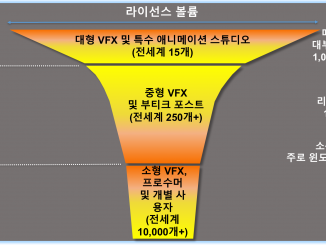
AWS 하이브리드 렌더팜 아키텍처를 위한 스토리지 캐시 설계 클라우드 컴퓨팅은 새로운 기준(New Norma)이 되었습니다.  컴퓨팅 리소스가 필요한 산업군 어디에서나 이제는 클라우드를 먼저 생각합니다. 미디어 및 엔터테인먼트 시장도 예외는 아닙니다. 특히 컴퓨팅 자원이 많이 필요한 렌더링 분야에서 빠르게 성장하고 있습니다. 사용자들은 점점 4K 영상과 같은 더 높은 해상도를 원하고 있으며 이에 따라 데이터와   콘텐트 셋의 크기도 더 커지고 있습니다.  이런 데이터를 렌더링하기 위해서는 더 높은 성능과 더 많은 컴퓨팅 자원이 필요합니다. 하지만, 자체 렌더팜에 대한 TCO는 매우 높습니다. 프로듀서나 렌더팜 운영 담당자는 일반적으로 프로젝트를 진행한 후 얼마 지나지 않아 곧 보유한 용량보다 더 많은 컴퓨팅 자원이 필요한 것을 깨닫게 됩니다. 그리고 이런 일들은 새로운 프로젝트가 진행될 때마다 반복됩니다. 반면에 컴퓨팅 자원을 탄력적으로 확보하고 확장하는 것은 매우 어렵고 비용도 많이 듭니다. 클라우드를 통한 동영상 렌더링 요구 사항 이런 요구에 대한 해결 방법으로 제3의 공급자 솔루션을 찾거나 렌더팜 대여 업체를 통하면 해결 가능할 [ more… ]

No Image

Windows at Microsoft Connect(); // 2016

2016-11-23 KENNETH 0

Windows at Microsoft Connect(); // 2016 During the Connect(); // 2016, the Windows team talked about the Universal Windows Platform and about some of the great tooling improvements that have happened in recent months. Kevin Gallo, VP and Program Manager Director of the Windows Platform team, was joined by Mazhar Mohammed and Dave Alles for an hour-long panel discussion and Q&A on Channel 9. Mazhar is the Director of Partner Services of for the Windows Store team, and Dave is the Group Program Manager for the team that created the Maps app for Windows. Check out the video below to see the interesting conversation between leaders of the teams that create the Windows Platform and the Store, and one of the teams that uses both in creating a major Windows app. Kevin talks about why developers should target UWP, while Mazhar [ more… ]

Balancing user-friendliness and developer convenience

2016-11-23 KENNETH 0

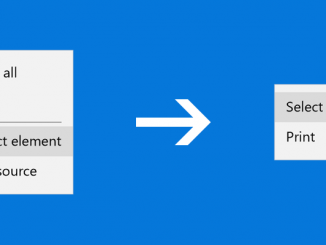
Balancing user-friendliness and developer convenience As a part of our mission to make the web a better experience for all Windows customers, we spend a lot of time looking for ways to improve the Microsoft Edge user experience for end users and developers alike. Introducing a “soft developer mode” for Microsoft Edge Starting with the Windows 10 Anniversary Update, we introduced a change to how developer items are represented in the Microsoft Edge context menu. This change is designed to reduce end user confusion and accidental invocation of the F12 Developer Tools, while preserving full fidelity for developers and minimizing the need for settings toggles. The Windows 10 Anniversary Update introduces a “soft developer mode,” which disables context menu entries for the F12 Developer Tools by default. Developer-specific options like “View Source”, and “Inspect Element” are hidden, but developers will [ more… ]

Windows Ink 2: Digging Deeper with Ink and Pen

2016-11-23 KENNETH 0

Windows Ink 2: Digging Deeper with Ink and Pen In the last post, we explored a brief history of pen computing and introduced you to how easy it is to get started with Windows Ink in your Universal Windows Platform app. You saw that you can enable inking by adding a single line of code, an InkCanvas, to your app to enable inking. You also saw that adding another single line of code, the InkToolbar, gives the user additional pen-related tools like pen-stroke color and stroke type. In this post, we’ll dig deeper into how we can further customize the pen and ink experience to make your application a delightful inking experience for the user. Let’s build a Coloring Book application! Customizing The Inking Experience Getting Started To get started, let’s put in an InkCanvas on the page: <InkCanvas x:Name="myInkCanvas"/> [ more… ]