No Image

MySQL 8.0: Now documented with Doxygen!

2016-09-14 KENNETH 0

MySQL 8.0: Now documented with Doxygen! Starting with MySQL release 8.0.0, the source code is now commented using the Doxygen documentation generation tool. This project is long overdue … it has been a very well-worn issue, or an ever recurring wish, for the last 10 years. Well, not any more.… Source: MySQL 8.0: Now documented with Doxygen!

Accessibility and your app design

2016-09-14 KENNETH 0

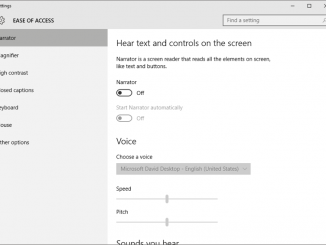
Accessibility and your app design Accessibility is about making your app usable to the largest possible audience. For some apps, accessibility is required by law. For others, it’s part of the service you are offering to a specific audience and a way to make your app more generally appealing. Choosing to incorporate accessibility features is a good idea no matter what your motivation. Thinking about accessibility, in turn, will help you to become a better designer because you will be considering the user experience much more broadly for a greater variety of users. Be accessible Accessibility options include features relating to mobility, vision, color perception, hearing, speech, cognition and literacy. However, you can address most requirements by providing: support for keyboard interactions and screen readers support for user customization, such as font, zoom setting (magnification), color, and high-contrast settings alternatives [ more… ]

No Image

MySQL 8.0: Improvements to Information_schema

2016-09-14 KENNETH 0

MySQL 8.0: Improvements to Information_schema Coinciding with the new native data dictionary in MySQL 8.0, we have made a number of useful enhancements to our INFORMATION_SCHEMA subsystem design in MySQL 8.0. In this post I will first go through our legacy implementation as it has stood since MySQL 5.1, and then cover what’s changed.… Source: MySQL 8.0: Improvements to Information_schema

Blocking out-of-date Flash ActiveX controls

2016-09-14 KENNETH 0

Blocking out-of-date Flash ActiveX controls Note: Customers running Windows Server 2012R2, Windows 8.1, and Windows 10 are not impacted by this change. By default, Windows Update will automatically install important Flash updates as they become available for Internet Explorer and Microsoft Edge on those systems. Starting on October 11, 2016, we’re expanding the out-of-date ActiveX control blocking feature to include outdated versions of Adobe Flash Player. This update notifies you when a Web page tries to load a Flash ActiveX control older than (but not including): Adobe Flash Player version 21.0.0.198 Adobe Flash Player Extended Support Release version 18.0.0.241 You can continue to view the complete list of out-of-date ActiveX controls being blocked by this feature here. Supported configurations and scope of out-of-date Flash ActiveX control blocking Unlike out-of-date Java and Silverlight blocking, the following caveats are additionally applicable to out-of-date [ more… ]

Blocking out-of-date Flash ActiveX controls on IE11

2016-09-14 KENNETH 0

Blocking out-of-date Flash ActiveX controls on IE11 Note: Customers running Windows Server 2012 R2, Windows 8.1, and Windows 10 are not impacted by this change. By default, Windows Update will automatically install important Flash updates as they become available for Internet Explorer and Microsoft Edge on those systems. Starting on October 11, 2016, we’re expanding the out-of-date ActiveX control blocking feature to include outdated versions of Adobe Flash Player. This update notifies you when a Web page tries to load a Flash ActiveX control older than (but not including): Adobe Flash Player version 21.0.0.198 Adobe Flash Player Extended Support Release version 18.0.0.241 You can continue to view the complete list of out-of-date ActiveX controls being blocked by this feature here. Supported configurations and scope of out-of-date Flash ActiveX control blocking Unlike out-of-date Java and Silverlight blocking, the following caveats are additionally [ more… ]