Windows 10 Tip: Get started with Microsoft Edge extensions

2016-08-16 KENNETH 0

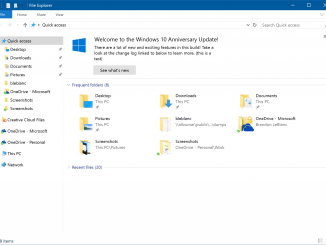
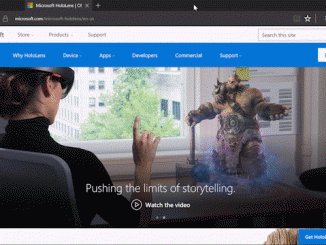
Windows 10 Tip: Get started with Microsoft Edge extensions Happy Monday, everyone! In our first Windows 10 Tip last week, we shared the dark theme personalization setting. Today, we’re going to show you how you can personalize your browsing experience with a great new feature in the Windows 10 Anniversary Update: Microsoft Edge extensions! Extensions are web ad-ons you can use to customize your browser. Many popular extensions including AdBlock, Adblock Plus, Amazon Assistant, Evernote Web Clipper, Pinterest Save Button, Office Online and more are available in the Windows Store. Here’s how to get started with extensions: Start by opening Microsoft Edge and clicking on the Options Menu. Scroll down and click “Extensions,” then “Get Extensions from the Store.” From there, you can browse all the extensions available now from popular brands. Check out the entire collection of extensions for [ more… ]
New Surface Special Edition NFL Type Covers Available to Kick Off the Season

2016-08-15 KENNETH 0

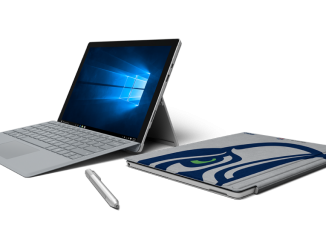
New Surface Special Edition NFL Type Covers Available to Kick Off the Season We try lots of things out with Surface, and have mocked up a lot of different types of Type Covers for Surface Pro. One that I thought was really cool was a Seattle Seahawks keyboard that someone on our team made in the model shop. I had a chance to meet Paul Allen, gave it to him, and he tweeted a picture. The response we got was exciting – on Twitter and from coaches and players. So we started to dig in on how we can do this for all the teams and NFL fans. It’s a natural place to explore given our relationship with the NFL and how Surface Pro is used on sidelines, in the coaches’ booth, and by many teams for playbooks etc. Oh, and [ more… ]

No Image

Choosing the Right Load Balancer on Amazon: AWS Application Load Balancer vs. NGINX Plus

2016-08-13 KENNETH 0

Choosing the Right Load Balancer on Amazon: AWS Application Load Balancer vs. NGINX Plus Anyone running highly-available, scalable applications on Amazon Web Services (AWS) now can choose between load balancing with NGINX or NGINX Plus; AWS Elastic Load Balancer, now called Classic Load Balancer; and the new Application Load Balancer, described by Amazon as an option for Elastic Load Balancer. The new option is described in a blog post and product documentation. In this post, we will review the new features in Amazon Load Balancer, then compare its pricing and features to NGINX open source and NGINX Plus. We will also describe the role of Classic Load Balancer with respect to these alternatives. Note: See our previous blog post for a direct comparison of NGINX Plus and AWS Classic Load Balancer. That blog post includes a matrix comparing the features [ more… ]

This Week on Windows: Emoji, Summer Games, and Windows Hello  

2016-08-13 KENNETH 0

This Week on Windows: Emoji, Summer Games, and Windows Hello   Last week, we celebrated the Windows 10 Anniversary Update by launching a new video series, This Week on Windows, where we’ll bring you the latest in Windows news, apps, and tips from experts here at Microsoft. Enjoy this week’s episode, and catch up on everything that’s new with Windows this week! Study and Play Collection  Summer isn’t over, but we’re getting ready for fall so you’re all set when it arrives. Our Study and Play collection, now available in the Windows Store through August 15, is full of apps, games and entertainment for a successful, well-rounded new year in class. It includes learning and productivity apps including Dropbox and Duolingo, as well as great movies, TV shows, and music. Plus, keep your study break game strong with titles like Quantum [ more… ]

Announcing Windows 10 Insider Preview Build 14901 for PC

2016-08-12 KENNETH 0

Announcing Windows 10 Insider Preview Build 14901 for PC Hello Windows Insiders! THANK YOU for helping us release the Windows 10 Anniversary Update to our customers last week! We couldn’t have done it without you. Now that the Windows 10 Anniversary Update (Build 14393) has been released to our customers, it has replaced the Windows 10 November Update (Build 10586) in the Current Branch. We’re now ready to start releasing new builds from our Development Branch again. Today we are releasing Windows 10 Insider Preview Build 14901 for PC to Windows Insiders in the Fast ring. NOTE: It may take a couple of hours for this build to show up for some Windows Insiders as updated device targeting needs to roll out. I know a lot of Insiders are wondering about Mobile. Just like we did after the release of [ more… ]