Amazon CloudFront 서버 타이밍 헤더를 통한 동작 및 성능 모니터링하기

2022-07-21 KENNETH 0

Amazon CloudFront 서버 타이밍 헤더를 통한 동작 및 성능 모니터링하기 Amazon CloudFront는 서버 타이밍 헤더(Server Timing Headers)라는 새로운 기능을 출시했습니다. 이 기능은 요청을 수신한 시점에 콘텐츠가 캐시로부터 제공되었는지, 그 요청이 어떻게 CloudFront 엣지 위치로 라우팅이 되었는지, 그리고 연결과 응답 과정의 각 단계 동안에 얼마만큼의 시간이 흘렀는지 등과 같은 자세한 성능 정보를 제공합니다. 서버 타이밍 헤더는 뷰어(viewer)의 응답에서 HTTP 헤더의 형태로 추가적인 메타 데이터를 제공하며, 클라이언트-측 애플리케이션 코드에서 이 헤더를 사용하거나 조사할 수 있습니다. 서버 타이밍 헤더를 사용하여 CloudFront의 성능 문제를 해결할 때 더 자세한 통찰력을 얻거나, CloudFront의 행동을 조사하거나, 사용자-요청 트랜잭션 (캐시 미스, 첫번째 바이트에 대한 지연 그리고 마지막 바이트에 대한 지연 등과 같은)에 대한 통계 수치를 수집하고 통합하는데 사용할 수 있습니다. 이 글을 통해, 서버 타이밍 헤더를 활성화하는 방법을 배우고 이 기능의 사용을 통해 사용자 경험 개선을 증진시킬 수 있는 일반적인 사례에 대해 더 많이 이해를 하실 수 있습니다. Amazon [ more… ]
AWS 주간 소식 모음 – AWS NY Summit 소식 등 :: 2022년 7월 셋째주

2022-07-21 KENNETH 0

AWS 주간 소식 모음 – AWS NY Summit 소식 등 :: 2022년 7월 셋째주 지난 주 AWS Summit 뉴욕이 수천 명의 참석자와 100명이 넘는 스폰서 및 파트너가 참석한 가운데 재비츠 센터에서 대면 행사로 개최되었습니다. 기조 연설에서 AWS 수석 개발자 대표인 Martin Beeby는 클라우드 인프라의 혁신을 통해 고객이 과제에 적응하고 새로운 기회를 포착하는 방법에 대해 이야기했습니다. 여기에는 Honeycomb의 AWS Graviton에 대한 Liz Fong-Jones의 훌륭한 마이그레이션 사례와, Capsule의 AWS 분석 및 기계 학습 서비스를 사용해 약국 환경을 개선한 Elliott Cordo의 이야기가 포함되었습니다. 전체 기조 연설 비디오를 시청하세요! AWS Summit 뉴욕 발표 요약 기조 연설을 하는 동안 몇 가지 신규 서비스의 일반 출시를 발표했습니다. Amazon Redshift 서버리스 – 이 서버리스 옵션은 데이터 웨어하우스 인프라를 관리할 필요 없이 모든 규모의 분석을 실행합니다. 이제 네임스페이스와 워크그룹을 사용하여 AWS 계정 및 리전당 여러 개의 서버리스 엔드포인트를 생성할 수 있으며, 프리뷰 대비 서버리스 컴퓨팅 비용을 절감할 수 [ more… ]

No Image

Announcing Windows 11 Insider Preview Build 25163

2022-07-21 KENNETH 0

Announcing Windows 11 Insider Preview Build 25163 Hello Windows Insiders, today we are releasing Windows 11 Insider Preview Build 25163 to the Dev Channel. TL;DR We have a few new features including a new taskbar overflow experience and some improvements for sharing files. As always, this build includes a good set of fixes too. We are rolling out a new Microsoft Store update with some improvements – details below. What’s new Taskbar Overflow We’re reintroducing taskbar overflow, with a newly designed experience for Windows 11. This taskbar experience has been thoughtfully crafted to offer you a more productive switching and launching experience when space is constrained. Your taskbar will automatically transition into this new overflow state when it has hit its maximum capacity. In this state, taskbar will offer an entry point to an overflow menu that allows you to [ more… ]

Gaming opens doors to hosting and streaming for OMEN Squad’s CupAhNoodle

2022-07-21 KENNETH 0

Gaming opens doors to hosting and streaming for OMEN Squad’s CupAhNoodle Bewildered. That’s the word Kason Patterson uses to describe her parents, who a few years ago couldn’t quite believe that she was quitting a stable job to pursue a self-employed career as CupAhNoodle, an online content creator focusing on gaming and pop culture. But Patterson, an LA native, had grown up playing video games with both her dad and older brother. “All I used to hear is, ‘there you go, playing them little video games.’ Fast forward to cut off ‘them little video games’ when I played too much. And now, what do I do for a living? Play them little video games,” laughs Patterson, who uses the CupAhNoodle gamertag bestowed on her as a joke by her brother. She had to explain to her parents, who were born [ more… ]

Announcing Windows 11 Insider Preview Build 22621.436 and 22622.436

2022-07-20 KENNETH 0

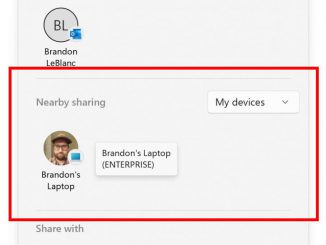
Announcing Windows 11 Insider Preview Build 22621.436 and 22622.436 Hello Windows Insiders, today we are releasing Windows 11 Insider Preview Build 22621.436 and Build 22622.436 (KB5015888) to the Beta Channel. We’re also kicking of a Bug Bash for the Beta Channel starting tomorrow – details below! Build 22622.436 = New features rolling out. Build 22621.436 = New features off by default. As a reminder, Insiders who landed in the group with new features turned off by default (Build 22621.xxxx) can check for updates and choose to install the update that will have features rolling out (Build 22622.xxx). What’s new in Build 22622.436 Improved nearby sharing The discovery of devices under nearby share when sharing a local file from the desktop, File Explorer, Photos, Snipping Tool, Xbox, and other apps that use the built-in Windows share window has been enhanced by [ more… ]