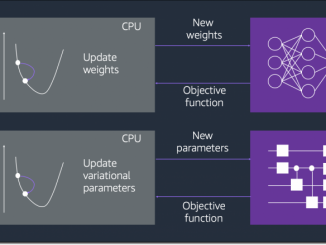
Amazon Braket Hybrid Jobs 소개 — 하이브리드 양자 클래식 워크로드를 설정, 모니터링 및 효율적으로 실행

2021-12-08 KENNETH 0

Amazon Braket Hybrid Jobs 소개 — 하이브리드 양자 클래식 워크로드를 설정, 모니터링 및 효율적으로 실행 양자 컴퓨팅은 매력적입니다! 가장 간단한 수준에서, 0 또는 1 값을 가지는 비트의 개념을 두 개의 서로 다른 (양자) 상태의 조합을 가질 수 있는 퀀텀 비트 또는 큐비트로 확장합니다. 큐비트를 정말 흥미롭게 만드는 두 가지 특성: 큐비트의 값은, 그 상태가 어떻게 결합하는지에 따라 확률이 달라지는 두 가지 가능한 상태 중 하나만 얻을 수 있습니다. 여러 큐비트를 함께 ‘연결’할 수 있으므로 (양자 얽힘이라고 함) 하나의 상태를 변경하여 값을 읽는 것 만으로도 다른 큐비트의 상태를 변경할 수 있습니다. 이러한 특성은 저수준 속성에서 비롯되며, 원자 및 아원자 규모에서 자연의 물리적 특성을 설명하는 물리학의 기본 이론인 양자 역학으로 설명할 수 있습니다. 다행히도 일반 컴퓨터를 사용하기 위해 반도체 전문가가 될 필요는 없듯이 양자 컴퓨팅을 사용하기 위해 양자 역학의 학위가 필요하지는 않습니다. 연구자들은 큐비트를 사용하여 기존 컴퓨터보다 훨씬 빨리 작업을 처리할 가능성을 [ more… ]

No Image

WordPress 5.9 Beta 2

2021-12-08 KENNETH 0

WordPress 5.9 Beta 2 WordPress 5.9 Beta 2 is now available for testing! This software version is still under development. Please do not run this software on a production site. Instead, install it on a test site, where you can try out the newest features to get a feel for how they will work on your site. You can test the WordPress 5.9 Beta 2 in three ways: Option 1: Install and activate the WordPress Beta Tester plugin (select the “Bleeding edge” channel and “Beta/RC Only” stream). Option 2: Direct download the beta version here (zip). Option 3: When using WP-CLI to upgrade from Beta 1 to Beta 2 on a case-insensitive filesystem, please use the following command sequence:Command 1: wp core update –version=5.9-beta1Command 2: wp core update –version=5.9-beta2 –force The current target for the final release of 5.9 is [ more… ]

No Image

Redesigned Notepad for Windows 11 begins rolling out to Windows Insiders

2021-12-08 KENNETH 0

Redesigned Notepad for Windows 11 begins rolling out to Windows Insiders Hello Windows Insiders, today we are beginning to roll out the redesigned Notepad for Windows 11 to all Windows Insiders in the Dev Channel. We are very excited to introduce to all of you the redesigned Notepad for Windows 11, which includes a number of changes we think the community will enjoy! First, you will notice a completely updated UI that aligns with the new visual design of Windows 11, including rounded corners, Mica, and more. We know how important Notepad is to so many of your daily workflows, so we designed this modern spin on the classic app to feel fresh, but familiar. Our favorite new feature is dark mode. This has been a top community ask, and we hope you love this gorgeous new theme as much [ more… ]

Cloud Site List Management experience for IE mode in Microsoft Edge now generally available

2021-12-08 KENNETH 0

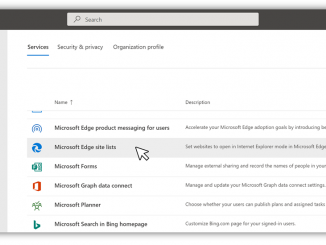
Cloud Site List Management experience for IE mode in Microsoft Edge now generally available   With a little over 6 months left until the Internet Explorer 11 (IE11) desktop application retires on June 15, 2022, customers around the world like you are making the transition from the legacy IE11 browser to the more modern and secure Microsoft Edge browser with Internet Explorer (IE) mode. Microsoft Edge gives your organizations—and importantly, your users—a dual engine advantage that supports both legacy and modern websites. In fact, Microsoft Edge is the only browser that offers built-in support for legacy Internet Explorer-based websites and applications. To help with the transition—and to help manage IE mode moving forward—we’ve been hard at work on new ways to simplify IE mode management. To that end, we are excited to announce that the Cloud Site List Management experience [ more… ]

새로운 기능 — Amazon CloudWatch Evidently 기반 A/B 테스트 및 기능 관리

2021-12-07 KENNETH 0

새로운 기능 — Amazon CloudWatch Evidently 기반 A/B 테스트 및 기능 관리 개발자로서 Amazon CloudWatch Evidently의 출시를 발표하게 되어 기쁩니다. 이는 개발자가 애플리케이션 코드에 실험 및 기능 관리를 쉽게 도입할 수 있게 해주는 새로운 Amazon CloudWatch 기능입니다. CloudWatch Evidently는 유사하지만 서로 다른 두 가지 사용 사례에 사용할 수 있습니다. 즉, 기능 플래그라고도 하는 다크 출시 구현과 A/B 테스트입니다. 기능 플래그는 코드를 배포할 필요 없이 기능을 활성화하거나 비활성화할 수 있는 소프트웨어 개발 기술입니다. 이 기능은 릴리스에서 기능 배포를 분리합니다. 코드의 기능은 실제 릴리스 전에 배포됩니다. 이는 if-then-else 문 뒤에 숨겨져 있습니다. 런타임 시 애플리케이션 코드는 원격 서비스를 쿼리합니다. 이 서비스는 새 기능에 노출된 사용자의 비율을 결정합니다. 일부 특정 고객(예: 베타 테스터)에 대한 애플리케이션 동작을 구성할 수도 있습니다. 기능 플래그를 사용하면 출시 전에 새 코드를 배포할 수 있습니다. 그런 다음 일부 고객에게 점진적으로 새로운 기능을 도입할 수 있습니다. 출시할 때 기술 지표 [ more… ]