
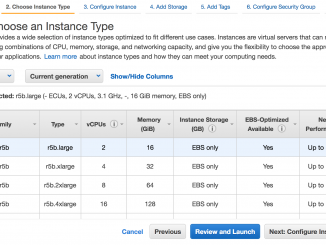
Amazon EBS io2 Block Express 볼륨 및 Amazon EC2 R5b 인스턴스 정식 출시

2021-07-22 KENNETH 0

Amazon EBS io2 Block Express 볼륨 및 Amazon EC2 R5b 인스턴스 정식 출시 AWS re:Invent 2020에서 AWS는 클라우드용으로 구축된 최초의 SAN을 제공하는 차세대 서버 스토리지 아키텍처인 Amazon EBS io2 Block Express 볼륨 평가판을 발표했습니다. Block Express는 Microsoft SQL Server, Oracle, SAP HANA 및 SAS Analytics on AWS의 가장 크고 가장 I/O 집약적인 미션 크리티컬 배포 요구 사항을 충족하도록 설계되었습니다. Amazon EC2에서 최고의 네트워크 연결 스토리지 성능을 제공하는 Amazon EBS io2 Block Express 볼륨과 AWS Nitro System 기반 Amazon EC2 R5b 인스턴스가 정식 출시합니다. io2 Block Express 볼륨은 이제 다중 연결 및 탄력적 볼륨과 같은 io2 기능도 지원합니다. 이전에는 단일 볼륨 이상의 성능을 얻기 위해 여러 볼륨을 하나로 스트라이핑해야 했습니다. 현재의 io2 볼륨은 미션 크리티컬 성능 집약적 애플리케이션의 요구 사항을 스트라이핑 및 이로 인한 관리 오버헤드 없이 충족할 수 있습니다. io2 Block Express를 사용하면 io2 볼륨보다 4배 더 높은 처리량, IOPS [ more… ]

No Image

What Are Namespaces and cgroups, and How Do They Work?

2021-07-22 KENNETH 0

What Are Namespaces and cgroups, and How Do They Work? p.quote { margin-left: 20px; font-style: italic; } Recently, I have been investigating NGINX Unit, our open source multi-language application server. As part of my investigation, I noticed that Unit supports both namespaces and cgroups, which enables process isolation. In this blog, we’ll look at these two major Linux technologies, which also underlie containers. Containers and associated tools like Docker and Kubernetes have been around for some time now. They have helped to change how software is developed and delivered in modern application environments. Containers make it possible to quickly deploy and run each piece of software in its own segregated environment, without the need to build individual virtual machines (VMs). Most people probably give little thought to how containers work under the covers, but I think it’s important to understand the [ more… ]

Amazon RDS MySQL 및 Amazon Aurora for MySQL에 대한 데이터베이스 활동에 대한 감사 로그 구성

2021-07-21 KENNETH 0

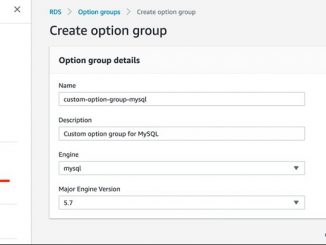
Amazon RDS MySQL 및 Amazon Aurora for MySQL에 대한 데이터베이스 활동에 대한 감사 로그 구성 기업 내에서 Well-Architected 프레임워크를 따르고 프로비저닝하는지 확인하기위해 데이터베이스 규정 감사를 통해 보안 및 추적 상태를 개선합니다. 보안 팀과 데이터베이스 관리자는 종종 데이터베이스의 데이터 또는 메타 데이터에 대한 액세스 및 수정 패턴에 대한 심도있는 분석을 수행합니다. 규정 감사를 위해 다음 질문을 제기 할 수 있습니다: 누가 데이터에 액세스하거나 수정 했습니까? 데이터에 액세스하거나 수정 한시기는 언제입니까? 특정 사용자가 데이터에 액세스하는 방법은 무엇입니까? 변경이 이루어지기 전에 데이터베이스 테이블에 대한 변경이 승인 되었습니까? 권한있는 사용자가 수퍼 유저 권한을 남용하고 있습니까? 규정 감사 중에 이러한 종류의 질문에 답하려면 조직에 Amazon CloudWatch와 같이 외부 시스템에서 사용할 수있는 형식으로 충분한 데이터 로깅이 있는지 모니터링하고 확인하는 시스템이 있어야합니다. 데이터베이스 감사를 위해 Amazon RDS MySQL는 MariaDB 감사 플러그인을 지원하고 Amazon Aurora MySQL은 고급 감사를 지원합니다: QUERY_DML과 같은 단일 이벤트에 대한 감사 활성화 CONNECT, QUERY [ more… ]

No Image

Releasing Windows 10 Build 19043.1149 (21H1) to Release Preview Channel

2021-07-21 KENNETH 0

Releasing Windows 10 Build 19043.1149 (21H1) to Release Preview Channel Hello Windows Insiders, today we’re releasing 21H1 Build 19043.1149 (KB5004296) to the Release Preview Channel for those Insiders who are on 21H1. NOTE: Windows Insiders in the Beta Channel on 21H1 will not receive this update. We will be flighting Windows 11 Insider Preview builds to these Insiders soon! This update includes the following change in addition to all the improvements listed as part of Build 19043.1147: We added a new policy that creates generic strings and removes branding-specific terms, such as “Windows” or “PC”, for IoT Enterprise editions. For example, we changed “computer” to “device”. Instead of “Getting Windows ready,” we changed that to “Getting things ready” and so on. These generic strings are displayed on a user’s screen when an update is in progress. Thanks, The Windows Insider [ more… ]

No Image

Announcing Windows 10 Insider Preview Build 19044.1149 (21H2)

2021-07-21 KENNETH 0

Announcing Windows 10 Insider Preview Build 19044.1149 (21H2) Hello Windows Insiders, today we are releasing Windows 10, version 21H2 Build 19044.1149 (KB5004296) to the Release Preview Channel. As a reminder, this update will apply to Windows Insiders in Release Preview already on Windows 10, version 21H2 (Build 19044.1147) and Insiders who were moved from the Beta Channel to the Release Preview Channel because their PC did not meet the hardware requirements for Windows 11. For those Insiders already on Windows 10, version 21H2, this update will come through automatically via Windows Update. For Insiders not yet on 21H2, if this update is available for you, it will be offered via our “seeker” experience which means these Insiders will need to go to Settings > Update & Security > Windows Update and choose to download and install Windows 10, version 21H2. [ more… ]