신규 AWS Snowball Edge 스토리지 최적화 디바이스 – 더 많은 스토리지와 대역폭 제공

2023-06-02 KENNETH 0

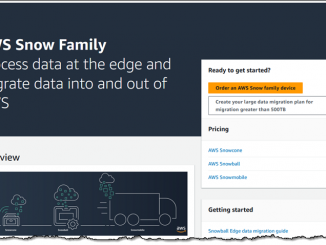
신규 AWS Snowball Edge 스토리지 최적화 디바이스 – 더 많은 스토리지와 대역폭 제공 AWS Snow Family 제품군 디바이스는 비용 효율적으로 데이터를 클라우드로 이동하고 엣지에서 데이터를 처리하는 데 사용됩니다. 향상된 Snowball Edge 스토리지 최적화 디바이스는 페타바이트 규모의 데이터 마이그레이션 프로젝트용으로 설계되었으며, 210TB의 NVMe 스토리지와 초당 최대 1.5GB의 데이터를 전송할 수 있는 기능을 갖추고 있습니다. 10GBASE-T, SFP48, QSFP28 등의 여러 연결 옵션도 디바이스에 포함되어 있습니다. 대규모 데이터 마이그레이션 마이그레이션을 최대한 원활하고 효율적으로 수행하기 위한 잘 정의된 대규모 데이터 마이그레이션 프로그램이 있습니다. 이 프로그램의 일환으로 사이트가 빠른 데이터 전송을 지원하고 개념 증명 마이그레이션을 설정할 수 있도록 협업을 제공합니다. 필요한 경우 AWS 마이그레이션 컴피턴시 파트너의 서비스와 솔루션도 추천해 드립니다. 개념 증명을 성공적으로 완료하면 Snow 마이그레이션 프로세스에 익숙해질 것이며, 아래에 설명된 프로세스를 사용하여 디바이스를 주문할 수 있습니다. AWS 영업 지원에 문의하여 대규모 데이터 마이그레이션 프로그램을 이용할 수 있습니다. 디바이스 주문 디바이스를 개별적으로 주문하고 관리할 수 [ more… ]
Updated Paint app for Windows 11 begins rolling out to Windows Insiders with dark mode and zoom improvements

2023-06-02 KENNETH 0

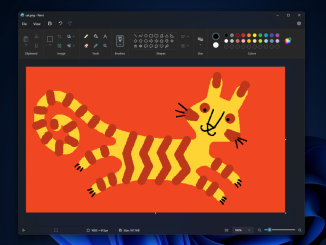
Updated Paint app for Windows 11 begins rolling out to Windows Insiders with dark mode and zoom improvements Hello Windows Insiders, today we are beginning to roll out an update to the Paint app for Windows 11 to Windows Insiders in the Canary and Dev Channels (version 11.2304.17.0). This update includes a good set of changes and improvements we think the community will enjoy! With this update, we are introducing support for dark mode in Paint. By default, Paint will adapt to your system theme preferences, but you can change this option yourself on the brand-new settings page. We are also rolling out improvements to the zoom controls as well to give you more flexibility and control over the view of your content on the canvas. The classic presets are still available, but you can now also zoom in and [ more… ]

No Image

Announcing Windows 11 Insider Preview Build 22621.1830 and 22631.1830

2023-06-02 KENNETH 0

Announcing Windows 11 Insider Preview Build 22621.1830 and 22631.1830 Hello Windows Insiders, today we are releasing Windows 11 Insider Preview Build 22621.1830 and Build 22631.1830 (KB5026443) to the Beta Channel. Build 22631.1830 = New features rolling out. Build 22621.1830 = New features off by default. REMINDER: Insiders who were previously on Build 22624 will automatically get moved to Build 22631 via an enablement package. The enablement package artificially increments the build number for the update with new features getting rolled out and turned on to make it easier to differentiate from devices with the update with features off by default. This approach is being used for the Beta Channel only and is not indicative of any changes or plans for final feature rollouts. Insiders who landed in the group with new features turned off by default (Build 22621.xxxx) can check for [ more… ]

No Image

Announcing Windows 11 Insider Preview Build 23471

2023-06-02 KENNETH 0

Announcing Windows 11 Insider Preview Build 23471 Hello Windows Insiders, today we are releasing Windows 11 Insider Preview Build 23471 to the Dev Channel. What’s new in Build 23471 Add Phone Photos in File Explorer Gallery Accessing your phone’s camera roll from your PC is an important everyday task that is now easier with File Explorer Gallery. There is a new button in the Command Bar titled “Add Phone Photos” that will help with setting up your PC to be ready to show these photos in Gallery. Clicking this button today will open a URL with a QR code that you can scan with your phone to get started. NOTE: Users may need to opt into OneDrive’s Insider Program to get a version of the OneDrive sync client that handles the protocol invoked when clicking this button. To join the [ more… ]

Dev Drive: Performance, Security and Control for Developers

2023-06-02 KENNETH 0

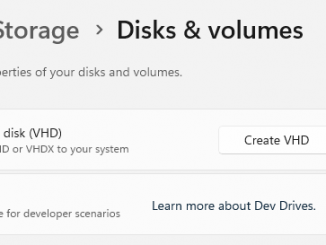
Dev Drive: Performance, Security and Control for Developers We are excited to introduce Dev Drive! A new storage volume optimized for developer workloads that delivers performance, security, and control. Dev Drive is built on the Resilient File System (ReFS) and combined with the new performance mode capability of Microsoft Defender Antivirus, provides up to 30% better performance for overall build times compared to current, in-market Windows 11 (22H2). Performance and Security We received feedback from developers that slow file io performance was disruptive to their workflow. In response, we analyzed the file system to understand where the bottlenecks were. Benchmarks were created across multiple end-to-end developer scenarios and across multiple languages. We then made optimizations to the file system and introduced a new performance capability for Microsoft Defender Antivirus. Now available in public preview, this new capability provides asynchronous scanning [ more… ]