
WordPress 5.7 Release Candidate

2021-02-24 KENNETH 0

WordPress 5.7 Release Candidate The first release candidate for WordPress 5.7 is now available! Please join us in celebrating this very important milestone in the community’s progress towards the final release! “Release Candidate” means that the new version is ready for release, but with millions of users and thousands of plugins and themes, it’s possible something was missed. WordPress 5.7 is slated for release on March 9, 2021, but your help is needed to get there—if you haven’t tried 5.7 yet, now is the time! You can test the WordPress 5.7 release candidate in two ways: Try the WordPress Beta Tester plugin (choose the “Bleeding edge” channel and Beta/RC Only” stream options) Or download the release candidate here (zip). Thank you to all of the contributors who tested the Beta releases and gave feedback. Testing for bugs is a critical part of polishing every release and a great [ more… ]

No Image

Releasing Windows Feature Experience Pack 120.2212.3030.0 to the Beta Channel

2021-02-24 KENNETH 0

Releasing Windows Feature Experience Pack 120.2212.3030.0 to the Beta Channel Hello Windows Insiders, Today, we are releasing Windows Feature Experience Pack 120.2212.3030.0 to Windows Insiders in the Beta Channel. This update is only available to Windows Insiders in the Beta Channel who are still on 20H2 (Build 19042.662 or higher). If you chose to move to 21H1 last week, you will not receive this Windows Feature Experience Pack update. We will be releasing Windows Feature Experience Pack updates for Insiders on 21H1 soon. This update includes the following improvement: We are improving the reliability of the handwriting input panel. These Windows Feature Experience Pack updates are delivered to Insiders through Windows Update just like builds and cumulative updates are. Insiders in the Beta Channel can go to Settings > Update & Security > Windows Update and check for updates to [ more… ]

No Image

Six time-saving tips for using the DevTools Console

2021-02-24 KENNETH 0

Six time-saving tips for using the DevTools Console Microsoft Edge DevTools engineer Patrick Brosset recently collected some of the web development community’s favorite tips for getting the most out of one of the most popular features of browser DevTools: the humble Console. We’ve collected a few highlights from Patrick’s blog post, as well as a few tips of our own, that can help you be more productive in the DevTools. But first: What is Console? In the Microsoft Edge DevTools, the Console tool has two main functions. The first is outputting messages and errors logged from a website’s Javascript. For example, if your website code has a line of Javascript that reads console.log(`My code is running!`);, you would expect to get the following output in the Console tab of DevTools. Console’s second function is serving as a Javascript REPL, meaning [ more… ]

No Image

What to know before you accept that cookie

2021-02-24 KENNETH 0

What to know before you accept that cookie The “accept cookies” pop-up is a familiar sight as we browse the internet. How do you know which are safe? And are they even necessary? The Windows Resource Center has broken cookies down into their main ingredients so you can make the best call. A new blog posts summarizes why cookies can be a good thing, helping your favorite websites get to know you so they can offer what you want and make browsing and shopping experiences smooth. It also shows how cookies can be bad, and points you to tools to help keep your private information private as you navigate sites that use cookies. Head on over to the blog post, and safe surfing to you! Source: What to know before you accept that cookie

Updated Lenovo ThinkPad Windows 10 laptops deliver enhanced connectivity and collaboration

2021-02-24 KENNETH 0

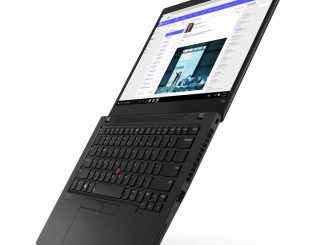
Updated Lenovo ThinkPad Windows 10 laptops deliver enhanced connectivity and collaboration Lenovo’s latest additions to its ThinkPad portfolio include a completely redesigned X13 and X13 Yoga with 16:10 aspect ratio displays and updated T and L series. The company also introduced a new premium display and refreshed ThinkPad mobile workstations with flexible processor options, discrete graphics and improved displays. You can tailor the new ThinkPad laptops to your needs, with options that include 11th Gen Intel Core vPro processors and the latest AMD Ryzen 5000 Series Mobile Processors. The ThinkPad T Series configuration options include specific healthcare configurations, such as the ThinkPad T14 i that has features designed for healthcare professionals, including an antimicrobial surface treatment. FIPS-201 compliant fingerprint reader with RFID reader and optional Privacy Guard displays provide extra protection for confidential patient data. Whether users are home-based or [ more… ]