WordPress 5.2 Beta 2

2019-04-09 KENNETH 0

WordPress 5.2 Beta 2 WordPress 5.2 Beta 2 is now available! This software is still in development, so we don’t recommend you run it on a production site. Consider setting up a test site to play with the new version. There are two ways to test the WordPress 5.2 beta: try the WordPress Beta Tester plugin (you’ll want to select the “bleeding edge nightlies” option), or you can download the beta here (zip). WordPress 5.2 is slated for release on April 30, and we need your help to get there! Thanks to the testing and feedback from everyone who tried beta 1, nearly 100 tickets have been closed since then. Here are the major changes and bug fixes: We’ve added support for Emoji 12! A brand-new wp_body_open() template tag (and corresponding wp_body_open action) will let themes (and plugins!) add content [ more… ]

클라우드 기반 미디어 생방송 품질 최적화 및 개선 방법 – 3) 비디어 플레이어 최적화

2019-04-09 KENNETH 0

클라우드 기반 미디어 생방송 품질 최적화 및 개선 방법 – 3) 비디어 플레이어 최적화 이 블로그 시리즈의 이전 부분에서는 클라우드 기반 미디어 생방송 품질 향상을 위해 1) 지연 시간의 정의와 측정 방법, 2) 인코딩, 패키징 및 CDN 전송 단계 최적화 방안에 대해 살펴봤습니다. 이 글에서는 지연 시간을 줄이는 데 있어서 가장 중요한 영역인 비디오 플레이어의 파라미터에 대해 살펴봅니다. 워크플로 파라미터를 업스트림으로 최적화한다 하더라도 비디오 플레이어가 짧은 지연 시간 중심의 메커니즘과 통합되지 않으면 이러한 노력이 무의미해집니다. 이 섹션에서는 오픈 소스 비디오 플레이어에 대한 최적화 제안에 대해 살펴보고 상용 플레이어의 경우 AWS Elemental 기술 파트너인 castLabs 및 Accedo의 접근 방식을 통해 이 주제에 관해 알아봅니다. 비디오 재생 최적화 비디오 플레이어는 스트림 지연 시간을 낮추는 것보다 버퍼 길이에 우선 순위를 둠으로써 최종 사용자에게 중단 없는 재생을 제공하도록 최적화됩니다. 이 말은 짧은 지연 시간을 활성화하는 옵션이 전혀 없다는 것이 아니라 각 플레이어의 초기화 설정에서 [ more… ]

[AWS Hero 특집] Docker, Amazon ECS 및 Spot Fleet의 환상적인 서비스 조합

2019-04-09 KENNETH 0

[AWS Hero 특집] Docker, Amazon ECS 및 Spot Fleet의 환상적인 서비스 조합 AWS 컨테이너 히어로, Tung Nguyen 가 기고한  글입니다. Tung 는 AWS 클라우드 인프라 및 소프트웨어에 초점을 맞춘 컨설팅 회사, BoltOps의 설립자 겸 대표입니다.  BoltOps Nuts and Bolts 블로그에도 컨테이너 관련 글을 올립니다. Amazon C2 스팟(Spot) 인스턴스를 사용하면 많은 할인을 받으면서 여분의 컴퓨팅 용량을 사용할 수 있습니다. AWS에서 워크로드를 실행하는 가장 좋은 방법 중 하나는, 스팟 인스턴스에서 Amazon ECS를 사용하는 것입니다. 스팟 인스턴스를 사용하면 Amazon EC2 인스턴스에서 비용을 50–90% 절감할 수 있습니다. 아마 블랙 프라이데이의 할인 행사처럼 특별한 기회가 있다면 모두 반길 것 같지요? 하지만 대부분의 사람들은 스팟 인스턴스에 대해 잘 알지 못하거나 주저하는 경향이 있습니다. 그 이유는 스팟에 대한 몇 가지 오해 때문입니다. 스팟에 대한 오해 AWS에서는 스팟 모델에서 언제라도 인스턴스를 제거할 수 있습니다. 유지 관리 업그레이드, 해당 인스턴스 유형에 대한 높은 수요, 이전 인스턴스 유형 또는 기타 [ more… ]

Releasing the May 2019 Update to the Release Preview ring

2019-04-09 KENNETH 0

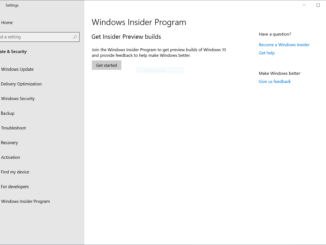
Releasing the May 2019 Update to the Release Preview ring Hello Windows Insiders, Last week, we announced how we are improving the Windows 10 update experience with the Windows 10 May 2019 Update in a blog post from Mike Fortin. As part of that blog post, Mike outlined how we plan to deploy the May 2019 Update to customers. Right now, the May 2019 Update (Build 18362.30) is being rolled out to the Release Preview ring starting with seekers. The May 2019 Update will remain in the Release Preview ring for an increased amount of time in order give us additional time and signals to detect any issues before broader deployment. Check your Windows Insider Program settings With the Windows 10 May 2019 Update being rolled out to the Release Preview ring today, we’re planning to move Windows Insiders in [ more… ]

Windows 10 Tip: Snip & Sketch

2019-04-09 KENNETH 0

Windows 10 Tip: Snip & Sketch Did you know easy snipping is just a single step away, thanks to the Windows 10 October 2018 Update?   Since it’s available in the Microsoft Store, Snip & Sketch (originally introduced as part of the Windows Ink Workspace under the name “Screen Sketch”) can update faster and more frequently. It’s already had four app updates with new features since it was introduced in the fall.  Unlike Screen Sketch, the Snip & Sketch app will show up on the taskbar and in the task switcher (Alt+tab), which makes it much easier to multi-task. You can also set the window size, and it even supports multiple windows.  To quickly snip and share a screenshot, press the Windows key + Shift + S to bring up a snipping toolbar – use it to snip a rectangle, something a bit more freeform, or full screen and it will go straight to your clipboard. If that’s all [ more… ]