No Image

Virtual Patching with the NGINX JavaScript Module

2018-11-20 KENNETH 0

Virtual Patching with the NGINX JavaScript Module table, th, tr, td { border: 0; padding: 0px !important; margin: 0px !important; } Virtual patching refers to fixing a problem with application code by making a change to related infrastructure rather than the code itself. In the security realm, it’s common to use ModSecurity to virtually patch a vulnerability, for example. But virtual patching can be applied to other types of bugs as well, such as the bugs in backend applications we often encounter in production environments. For various reasons it can be challenging to fix these bugs directly (for example, if the original developer has left the company) and virtual patching is a practical alternative. An NGINX Plus customer recently experienced an unusual issue: a client‑side app was making GET and POST requests in lowercase (as get and post). The backend application [ more… ]
No Image

Updated version of Windows 10 SDK now available with Visual Studio 15.9.1

2018-11-20 KENNETH 0

Updated version of Windows 10 SDK now available with Visual Studio 15.9.1 At Build 2018, I had the privilege of sharing with you some of the advancements for Microsoft 365 that centered on multi-sense and multi-device experiences. Today, developers can get the latest Windows 10 SDK and start using some of these amazing platform capabilities. What’s in this update: Windows UI Library (WinUI) allows you take advantage of the latest Fluent controls and styles for Windows 10 apps without having to wait for all your customers to update to the latest OS version. The WinUI nuget package is backward-compatible, down to Windows 10 version 1607 (Anniversary Update) and includes the same powerful, supported controls that Windows uses in its apps and experiences. UWP XAML hosting API (Preview) allows ‘islands’ of UWP XAML UI elements to be hosted in applications built [ more… ]

Windows 10 Tip: Find out how to setup and use Surface Headphones

2018-11-20 KENNETH 0

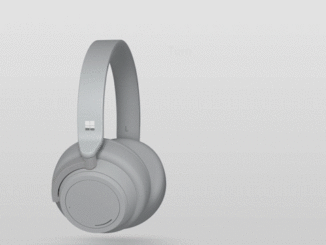
Windows 10 Tip: Find out how to setup and use Surface Headphones With Surface Headphones, you can tune in to what matters most by tuning out the world around you. With your Headphones and your Surface, your office, studio, or library is wherever you need to be. You’ve got the smarter way to listen. Surface Headphones can simultaneously connect with up to 10 devices, including your Windows 10 PC, and mobile devices running on iOS and Android. With it, you can listen to music while focusing at your Surface and seamlessly take a call from your phone. Setting up Surface Headphones To begin using your Surface Headphones, first pair them with your Windows PC or mobile phone. Press and release the power button quickly to turn your headphones on. They’ll be discoverable the first time you turn them on and [ more… ]

AWS 주간 소식 모음 – 2018년 11월 19일

2018-11-19 KENNETH 0

AWS 주간 소식 모음 – 2018년 11월 19일 안녕하세요! 여러분~ 매주 월요일 마다 지난 주에 업데이트된 국내 AWS관련 콘텐츠를 정리해 드립니다. AWS 클라우드에 대한 새로운 소식을 확인하시는데 많은 도움 되시길 바랍니다. 혹시 빠지거나 추가할 내용이 있으시면, 저에게 메일 주시면 추가 공유해 드리겠습니다. AWS코리아 블로그 AWS CloudFormation 드리프트 감지 기능 출시 (2018-11-17) EC2 Auto Scaling 그룹에서 다양한 인스턴스 유형 및 구매 옵션 활용 기능 출시 (2018-11-17) Amazon CloudFront와 AWS Media Services를 활용한 콘텐츠 전송 방법 (2018-11-17) Amazon EC2 스팟 인스턴스로 확장성 높은 웹 애플리케이션 운영하기 (2018-11-17) 분산 가용 그룹을 사용하여 AWS 기반 Microsoft SQL 하이브리드 솔루션 설계하기 (2018-11-17) AWS 신규 리전 출시 예고 – 이탈리아 밀라노 (2018-11-16) AWS GovCloud(미국 동부) 리전 공개 (2018-11-14) Amazon ElastiCache의 Redis 5.0 버전 출시 (2018-11-13) AWS코리아 발표 자료 6 backoffice migration aws cloud (2018-11-19) 데이터센터 1도모르는 개발자가 마이크로서비스를 만났을때 (안주은, MyMusicTaste) :: AWS DevDay 2018 (2018-11-16) AWS Cloud9과 Workspace만으로 PC없는 개발환경 활용기 (박성용, 허밍랩) :: AWS DevDay 2018 (2018-11-14) [ more… ]

AWS CloudFormation 드리프트 감지 기능 출시

2018-11-17 KENNETH 0

AWS CloudFormation 드리프트 감지 기능 출시 AWS CloudFormation을 사용하면 IaC(Infrastructure as Code)를 쉽게 구현할 수 있습니다. 템플릿을 사용해 원하는 AWS 리소스 구성을 정의한 다음 이 템플릿을 사용하여 CloudFormation 스택을 시작할 수 있습니다. 스택에는 템플릿에 정의된 리소스 세트가 포함되고 지정한 대로 구성됩니다. 구성을 변경해야 하는 경우 템플릿을 업데이트하고 CloudFormation 변경 세트를 사용해 변경을 적용하면 됩니다. 템플릿은 완전하고 정확하게 인프라를 지정하므로 언제든지 템플릿을 사용하여 새로운 리소스 세트를 생성할 수 있습니다. 하지만 이는 이상적인 경우입니다! 실제로는 여전히 많은 조직이 IaC의 완벽한 구현을 위해 직접 작업을 수행합니다. 직원을 교육하고 프로세스를 조정하는 등의 작업을 수행하는데 둘 다 어느 정도 시간이 걸립니다. 이 전환 기간 동안 템플릿을 업데이트하지 않고 AWS 리소스(및 리소스 속성)를 직접 변경하는 조직이 가끔 있습니다. 예를 들어 EC2 인스턴스 유형을 변경하거나, Auto Scaling 파라미터를 수정하거나, IAM 권한을 업데이트하기 위해 즉각적인 변경을 수행하게 될 수 있습니다. 이와 같이 관리되지 않은 변경은 새로 시작할 때 [ more… ]