
No Image

Find out how gamers with disabilities helped design the new Xbox Adaptive Controller’s packaging

2018-07-25 KENNETH 0

Find out how gamers with disabilities helped design the new Xbox Adaptive Controller’s packaging Packaging can be annoying for any consumer (see: wrap rage). But for people with disabilities, it often creates yet another challenge in a world riddled with them, an unnecessary obstacle that leads to frustration and a delay getting to the object inside. Recognizing that reality, Microsoft’s Packaging Design team faced a unique challenge in creating a box for the new Xbox Adaptive Controller, designed to accommodate gamers with limited mobility. The box for the device, which will be available for $99.99 in September through the Microsoft Store, needed to be as accessible as what was inside. It had to enable gamers with limited dexterity, who might be using just one hand or arm, to easily open the box and remove the controller. And it had to [ more… ]
No Image

Running SSL and Non-SSL Protocols over the Same Port with NGINX 1.15.2

2018-07-25 KENNETH 0

Running SSL and Non-SSL Protocols over the Same Port with NGINX 1.15.2 Today we are pleased to announce the availability of NGINX Open Source 1.15.2. One key feature in this release is the new $ssl_preread_protocol variable, which allows you to distinguish between SSL/TLS and other protocols when forwarding traffic using a TCP (stream) proxy. This is useful if you want to avoid firewall restrictions by (for example) running SSL/TLS and SSH services on the same port. The new feature will be available to NGINX Plus customers in the upcoming NGINX Plus R16 release. When and How to Use $ssl_preread_protocol When you terminate and decrypt SSL/TLS traffic, with either the http or stream modules, the $ssl_protocol (http, stream) variable captures the version of SSL or TLS used by the client. However, sometimes you might wish to simply forward SSL/TLS traffic without decrypting [ more… ]

The NGINX WAF Joins the Google Cloud Security Partner Ecosystem

2018-07-24 KENNETH 0

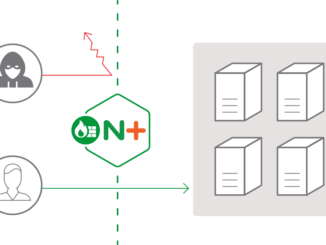
The NGINX WAF Joins the Google Cloud Security Partner Ecosystem We are pleased to announce that the NGINX Web Application Firewall (WAF) is now part of the Google Cloud Security Partner Ecosystem. The NGINX WAF has been validated by both NGINX, Inc. and Google as a solution for protecting Google Cloud Platform (GCP) applications from Layer 7 attacks, such as SQL injection (SQLi) and remote code execution (RCE). “We’re proud to be partnering with Google to bring the advanced capabilities of NGINX Plus to the Google Cloud Platform,” said Paul Oh, head of Business Development at NGINX. “NGINX was one of the inaugural members in the Google Cloud Marketplace and we look forward to continuing to collaborate on improving our capabilities for mutual customers.” What Is the NGINX WAF? The NGINX WAF is our build of the well‑known and respected ModSecurity software and loads directly [ more… ]

No Image

Windows UI Library Preview released!

2018-07-24 KENNETH 0

Windows UI Library Preview released! We’re excited to announce the first preview release of the Windows UI Library! The Windows UI Library (or WinUI for short) is a new way to get and use Fluent controls and styles for building Windows 10 UWP apps: via NuGet packages. The WinUI NuGet packages contain new and popular UWP XAML controls and features which are backward-compatible on a range of Windows 10 versions, from the latest insider flights down to the Anniversary Update (1607). Benefits of the Windows UI Library Previously, the UWP XAML app development framework was shipped and updated solely as part of Windows and the SDK. In order to get new features or fixes, you had to wait for a new version of Windows. And just as importantly, you had to wait for your users to update their OS as [ more… ]

Windows 10 Tip: Try reading on a full screen for a distraction-free experience in Microsoft Edge

2018-07-24 KENNETH 0

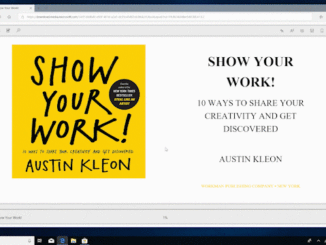
Windows 10 Tip: Try reading on a full screen for a distraction-free experience in Microsoft Edge Want to focus on a new book, report or story? But having a hard time because of the many other things vying for your attention on your computer screen? With the Windows 10 April 2018 Update, you can take books, PDFs and Reading view pages full-screen, for a distraction-free reading experience in Microsoft Edge. To do this, click on the double-arrow icon in the reading bar, or in the More menu, or hit F11 on your keyboard. Here’s how to do it: Take your reading to a full screen for a distraction free experience. If you like this, check out more Windows 10 Tips. Source: Windows 10 Tip: Try reading on a full screen for a distraction-free experience in Microsoft Edge