Announcing Windows 10 Insider Preview Build 17110 for Fast

2018-02-28 KENNETH 0

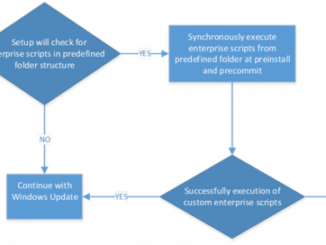
Announcing Windows 10 Insider Preview Build 17110 for Fast Hello Windows Insiders! Today, we are releasing Windows 10 Insider Preview Build 17110 (RS4) to Windows Insiders in the Fast ring. What’s new in Build 17110 Improvements for Enterprise Customers in RS4 Enterprises can now run custom actions during feature update: In RS4, we are adding a new feature that will enable your enterprise to run your own custom actions/scripts synchronously with setup. Setup will execute custom actions during two update phases controlled by using preinstall.cmd or precommit.cmd: Pre-install: This would be just before all the system and device compatibility scans run. Pre-commit: This would be just before the system reboots into the offline phase. Setup also migrates the scripts for future updates. In the event of an update failure or rollback, a failure.cmd script can be used to perform custom operations [ more… ]

Marvel vs. Capcom: Infinite available today on Windows 10!

2018-02-28 KENNETH 0

Marvel vs. Capcom: Infinite available today on Windows 10! Join your favorite heroes in Story Mode as they team up to battle the frightening Ultron Sigma, the merged form of Ultron and Sigma, who plans to unleash a virus that will decimate all organic life. Or, you can try your hand at Arcade Mode where every win will advance you towards a confrontation with the final boss in an epic showdown of skills. Download the Standard Edition or the Deluxe Edition from the Microsoft Store! In Mission Mode, you can complete a tutorial with 10 missions that focus on combos and special moves created to help you learn to play a specific character. In Training Mode, various parameters can be set to hone your skills, improve your fighting abilities, or discover new teams to play. Once you’ve completed your training, you [ more… ]

Microsoft doubles down on Windows 10 IoT with added support

2018-02-27 KENNETH 0

Microsoft doubles down on Windows 10 IoT with added support Companies making IoT devices have demanding expectations of their hardware and software. Microsoft is dedicated to delivering high quality, reliable IoT solutions for the devices which operate in harsh environments and are expected to last for many years. For decades, Microsoft has been serving customers in the embedded and IoT markets and we continue to increase our investment and commitment to this market. Through a broader hardware portfolio, customers have greater ability to quickly and securely develop devices to power our lives and our world. At the Embedded World Conference today, we announced an expansion of our supported silicon offering for Windows 10 IoT Core and committed that the next releases of Windows 10 IoT Core and Windows 10 IoT Enterprise will offer 10 years of support. Windows 10 IoT [ more… ]

Announcing new Ad Monetization policies and updates to Ad unit management UX

2018-02-27 KENNETH 0

Announcing new Ad Monetization policies and updates to Ad unit management UX Today, we are announcing new policy around ad unit decommissioning, user experience updates to manage active/inactive ad units, default policies around Ad network enablement, and changes to the Ad impression measurement methodology for Windows apps. You may be impacted if you are monetizing using Ads on your Windows app leveraging the Microsoft Advertising SDK (UWP or 8.x apps). 1) Auto enabling new ad networks for Manual ad units on UWP apps Our team continues to evaluate and onboard new Ad networks to improve yield and offer better variety of demand (formats, market specific demand) for our publishers. Today, when a new ad network is onboarded to our system, UWP ad units that are configured with the ‘Manual configuration’ option do not benefit from these networks as they are [ more… ]

No Image

Windows 10 Tip: Ask Cortana to shut down, restart or sleep your PC

2018-02-27 KENNETH 0

Windows 10 Tip: Ask Cortana to shut down, restart or sleep your PC {$inline_image} With the Windows 10 Fall Creators Update, you can shut down, restart, or sleep your PC simply by saying any of these: “Hey Cortana, lock my computer.” “Hey Cortana, shut down my computer.” “Hey Cortana, restart my computer.” Head over here to read more about what’s new in the Fall Creators Update, and have a great week! *Cortana available in select markets. Source: Windows 10 Tip: Ask Cortana to shut down, restart or sleep your PC