Announcing Windows 10 Insider Preview Build 18965

2019-08-22 KENNETH 0

Announcing Windows 10 Insider Preview Build 18965 Hello Windows Insiders, today we’re releasing Windows 10 Insider Preview Build 18965 (20H1) to Windows Insiders in the Fast ring. IMPORTANT: As is normal with builds early in the development cycle, these builds may contain bugs that might be painful for some. If you take this flight, you won’t be able to switch Slow or Release Preview rings without doing a clean-install on your PC. If you want a complete look at what build is in which Insider ring, head over to Flight Hub. You can also check out the rest of our documentation here including a complete list of new features and updates that have gone out as part of Insider flights for the current development cycle. Not seeing any of the features in this build? Check your Windows Insider Settings to [ more… ]

Sign-in and sync with work or school accounts in Microsoft Edge Insider builds

2019-08-22 KENNETH 0

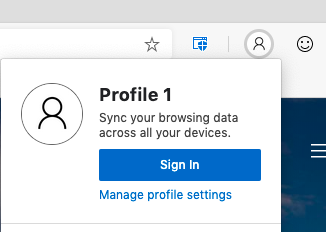
Sign-in and sync with work or school accounts in Microsoft Edge Insider builds A top piece of feedback we’ve heard from Microsoft Edge Insiders is that you want to be able to roam your settings and browsing data across your work or school accounts in Microsoft Edge. Today, we’re excited to announce that Azure Active Directory work and school accounts now support sign-in and sync in the latest Canary, Dev, and Beta channel preview builds of Microsoft Edge. By signing in with a work or school account, you will unlock two great experiences: your settings will sync across devices, and you’ll enjoy fewer sign-in prompts thanks to single sign-on (Web SSO). Personalized experiences across devices When signed in with an organizational account on any preview channel, Microsoft Edge is able to sync your browser data across all your devices that [ more… ]

IFA 2019: Dell adds new 10th Generation Intel Core processors to XPS 13 and Inspiron systems, makes XPS 13 2-in-1 available

2019-08-21 KENNETH 0

IFA 2019: Dell adds new 10th Generation Intel Core processors to XPS 13 and Inspiron systems, makes XPS 13 2-in-1 available Just before the IFA tradeshow in Berlin, Dell announces the expansion of its consumer portfolio with brand new form factors and the addition of new 10th Generation Intel Core processors, delivering performance gains needed for compute-intensive, demanding, multi-thread workloads – while still efficiently handling 4K content. XPS 13 Bingeing series or always working on the go? Turn to the XPS 13, which will now include Intel 10th Generation Core U series processors, with up to i7 hexacore chips (available in October). With the new Killer AX1650 (2×2) built on Intel Wi-Fi 6 Chipset, wireless connectivity is three times as fast as the previous generation. Along with Dell CinemaColor and Dolby Vision and an optional 4K Ultra HD InfinityEdge display, [ more… ]

No Image

USN-4108-1: Zstandard vulnerability

2019-08-21 KENNETH 0

USN-4108-1: Zstandard vulnerability libzstd vulnerability A security issue affects these releases of Ubuntu and its derivatives: Ubuntu 18.04 LTS Summary Zstandard could be made to execute arbitrary code if it received specially crafted input. Software Description libzstd – fast lossless compression algorithm – development files Details It was discovered that Zstandard incorrectly handled certain inputs. An attacker could possibly use this issue to execute arbitrary code. Update instructions The problem can be corrected by updating your system to the following package versions: Ubuntu 18.04 LTS libzstd1 – 1.3.3+dfsg-2ubuntu1.1 zstd – 1.3.3+dfsg-2ubuntu1.1 To update your system, please follow these instructions: https://wiki.ubuntu.com/Security/Upgrades. In general, a standard system update will make all the necessary changes. References CVE-2019-11922 Source: USN-4108-1: Zstandard vulnerability

Growing Web Template Studio

2019-08-21 KENNETH 0

Growing Web Template Studio We’re excited to announce Version 2.0 of Microsoft Web Template Studio a cross-platform extension for Visual Studio Code that simplifies and accelerates creating new full-stack web applications. What’s Web Template Studio? Web Template Studio (WebTS) is a user-friendly wizard to quickly bootstrap a web application and provides a ReadMe.md with step by step instructions to start developing. Best of all, Web Template Studio is open source on GitHub. Our philosophy is to help you focus on your ideas and bootstrap your app in a minimal amount of time. We also strive to introduce best patterns and practices. Web Template Studio currently supports React, Vue, and Angular for frontend and Node.js and Flask for backend. You can choose any combination of frontend/backend frameworks to quickly build your project. We want to partner with the community to see what else is useful and [ more… ]