RHBA-2017:1674-1: kernel bug fix update
RHBA-2017:1674-1: kernel bug fix update Red Hat Enterprise Linux: Updated kernel packages that one bug are now available for Red Hat Enterprise Linux 7. Source: RHBA-2017:1674-1: kernel bug fix update
RHBA-2017:1673-1: cockpit bug fix and enhancement update Red Hat Enterprise Linux: Updated cockpit packages that fix several bugs and add various enhancements are now available for Red Hat Enterprise Linux 7 Extras. Source: RHBA-2017:1673-1: cockpit bug fix and enhancement update
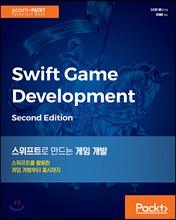
[도서] 스위프트로 만드는 게임 개발 분야별 신상품 – 국내도서 – 컴퓨터와 인터넷 [도서]스위프트로 만드는 게임 개발 스티븐 해니 저/장세윤 역 | 에이콘출판사 | 2017년 07월 판매가 22,500원 (10%할인) | YES포인트 1,250원(5%지급) 이벤트 : 주목 IT 신간&예약판매 사은품 이벤트 스위프트를 활용해 게임 개발을 시작하는 데 필요한 모든 내용을 다룬다. 개발 환경 설정부터 스프라이트, 카메라 설정, 물리, 컨트롤, 게임 아이템, 충돌 처리, 사운드 등 게임 개발에 필요한 내용을 모든 내용을 Source: [도서] 스위프트로 만드는 게임 개발
USN-3347-1: Libgcrypt vulnerabilities Ubuntu Security Notice USN-3347-1 3rd July, 2017 libgcrypt11, libgcrypt20 vulnerabilities A security issue affects these releases of Ubuntu and its derivatives: Ubuntu 17.04 Ubuntu 16.10 Ubuntu 16.04 LTS Ubuntu 14.04 LTS Summary Several security issues were fixed in Libgcrypt. Software description libgcrypt11 – LGPL Crypto library libgcrypt20 – LGPL Crypto library Details Daniel J. Bernstein, Joachim Breitner, Daniel Genkin, Leon GrootBruinderink, Nadia Heninger, Tanja Lange, Christine van Vredendaal, andYuval Yarom discovered that Libgcrypt was susceptible to an attack viaside channels. A local attacker could use this attack to recover RSAprivate keys. (CVE-2017-7526) It was discovered that Libgcrypt was susceptible to an attack viaside channels. A local attacker could use this attack to possibly recoverEdDSA private keys. This issue only applied to Ubuntu 16.04 LTS, Ubuntu16.10 and Ubuntu 17.04. (CVE-2017-9526) Update instructions The problem can be corrected by [ more… ]

Windows 10 Tip: Keep your apps organized with virtual desktops Happy Monday! We’ve showed you how you can easily view and manage all the apps and programs you have open at once with Task View and Snap – today, we’re going to show you how you can keep your open apps better organized with virtual desktops in Windows 10. Here’s how to get started with virtual desktops: To create a new virtual desktop, select the Task View button on the Windows Taskbar (or hit Windows key + Tab) – then, select New desktop near the lower-right corner of the screen. You can switch between virtual desktops by selecting the Task View button, and then the thumbnail for the virtual desktop you want. Move an app from one virtual desktop to another: Select the Task View button, and right-click on the [ more… ]
Copyright © 2026 | WordPress Theme by MH Themes