Premium Windows 10 PCs at a perfect price point

2017-05-09 KENNETH 0

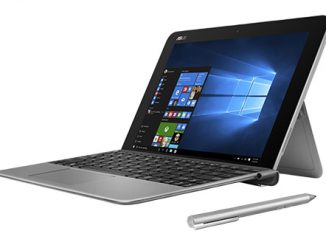
Premium Windows 10 PCs at a perfect price point When it’s time to shop for a new PC, we all want premium features, quality components, and the best performance possible. All of this used to only be available on high-end devices, but now you no longer have to make a trade-off between a high-end PC experience and a perfect price point – you can have both. Our partners are bringing to life amazing, affordable devices, with many of the bells and whistles of the Creators Update. They are fusing the capabilities of Windows 10 and powerful Intel processors with the magic of their hardware to deliver the perfect balance of cost and capabilities. Here are a few great options: With the Creators Update, there are all kinds of cool things people can do with a pen, including using Windows Ink Workspace, [ more… ]

No Image

4022344 – Security Update for Microsoft Malware Protection Engine – Version: 1.0

2017-05-09 KENNETH 0

4022344 – Security Update for Microsoft Malware Protection Engine – Version: 1.0 Severity Rating: CriticalRevision Note: V1.0 (May 8, 2017): Advisory published.Summary: Microsoft is releasing this security advisory to inform customers that an update to the Microsoft Malware Protection Engine addresses a security vulnerability that was reported to Microsoft. Source: 4022344 – Security Update for Microsoft Malware Protection Engine – Version: 1.0

Windows 10 Tip: Lower the blue light emitted from your PC with Night light

2017-05-09 KENNETH 0

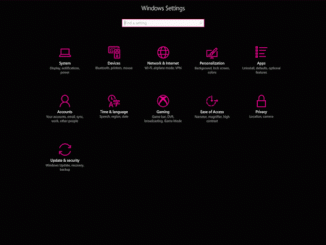
Windows 10 Tip: Lower the blue light emitted from your PC with Night light By reducing the blue light emitted by your screen, the Night light feature helps you sleep better. With Night light, when you’re working late, your brain is better ready to power down for a good night’s sleep. Smartphone users love this feature and now, it’s coming to Windows 10 with the Creators Update. Here’s how to get started with Night light: Go to Settings (or Windows key + I), click on System, and, under Display, click to turn Night light on or off. You can also customize the color temperature or schedule by clicking “Night light settings.” Have a great week! Source: Windows 10 Tip: Lower the blue light emitted from your PC with Night light

Harman Kardon Invoke featuring Cortana: Captivating sound meets personal digital assistant

2017-05-08 KENNETH 0

Harman Kardon Invoke featuring Cortana: Captivating sound meets personal digital assistant The Harman Kardon Invoke speaker combines the rich, captivating sound that Harman Kardon is known for with your personal digital assistant, Cortana, in an innovative and beautifully designed speaker for the home. In addition to premium 360 sound, at the heart of Invoke is Cortana. With Cortana on the Invoke speaker, you can play your favorite music, manage calendars and activities, set reminders, check traffic, and deliver the latest news and much more. With Skype integration, you can make calls to cell phones, landlines and other Skype-enabled devices. You can also voice control your compatible smart home devices to do things like turn out the lights or control the temperature. We want Cortana to be available wherever you may need assistance being more productive, and the Invoke speaker from [ more… ]

No Image

RHSA-2017:1202-1: Important: bind security update

2017-05-08 KENNETH 0

RHSA-2017:1202-1: Important: bind security update Red Hat Enterprise Linux: An update for bind is now available for Red Hat Enterprise Linux 6. Red Hat Product Security has rated this update as having a security impact of Important. A Common Vulnerability Scoring System (CVSS) base score, which gives a detailed severity rating, is available for each vulnerability from the CVE link(s) in the References section. CVE-2017-3139 Source: RHSA-2017:1202-1: Important: bind security update