
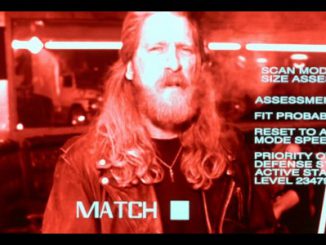
Building the Terminator Vision HUD in HoloLens

2017-03-07 KENNETH 0

Building the Terminator Vision HUD in HoloLens James Cameron’s 1984 film The Terminator introduced many science-fiction idioms we now take for granted. One of the most persistent is the thermal head-up-display (HUD) shot that allows the audience to see the world through the eyes of Arnold Schwarzenegger’s T-800 character. In design circles, it is one of the classic user interfaces that fans frequently try to recreate both as a learning tool and as a challenge. In today’s post, you’ll learn how to recreate this iconic interface for the HoloLens. To sweeten the task, you’ll also hook up this interface to Microsoft Cognitive Services to perform an analysis of objects in the room, face detection and even some Optical Character Recognition (OCR). While on the surface this exercise is intended to just be fun, there is a deeper level. Today, most [ more… ]
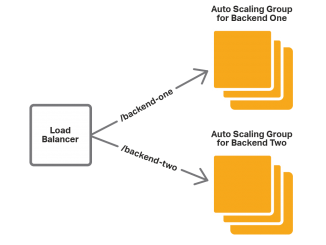
Load Balancing AWS Auto Scaling Groups with NGINX Plus

2017-03-07 KENNETH 0

Load Balancing AWS Auto Scaling Groups with NGINX Plus table, th, td { border: 1px solid black; } th { background-color: #d3d3d3; align: left; padding-left: 5px; padding-bottom: 2px; padding-top: 2px; line-height: 120%; } td { padding-left: 5px; padding-bottom: 5px; padding-top: 5px; line-height: 120%; } td.center { text-align: center; padding-bottom: 5px; padding-top: 5px; line-height: 120%; } One of the most beneficial features of the cloud is the ability to automatically scale the number of computing instances. With AWS Auto Scaling, you can change the number of EC2 instances in an Auto Scaling group, either manually or automatically, based on schedule or demand. Auto Scaling helps reduce cost by adjusting the number of instances to the right number for the current workload. Additionally, Auto Scaling restarts failed instances, which adds resilience to your applications. Load balancing is crucial when using Auto Scaling. AWS provides load balancing of [ more… ]