Windows 10 Tip: Enable “Hey Cortana” and teach Cortana to recognize your voice

2017-01-03 KENNETH 0

Windows 10 Tip: Enable “Hey Cortana” and teach Cortana to recognize your voice Today, we’re showing you how you can enable “Hey Cortana” so you can simply ask Cortana for whatever it is you need with your voice! “Hey Cortana” lets you interact with Cortana hands-free so you can master multitasking. You can even use “Hey Cortana” to interact with Cortana above your lock screen so you don’t even have to login to your computer to have Cortana help you out. Here’s how to enable “Hey Cortana:” To get started, click on the Search bar, then click on the Settings icon and find the button to enable Hey Cortana. Here are a couple things you can ask for when you say, “Hey Cortana:” Ask Cortana to set a reminder for a specific time Ask Cortana about local services, such as [ more… ]


No Image

RHSA-2017:0001-1: Moderate: ipa security update

2017-01-02 KENNETH 0

RHSA-2017:0001-1: Moderate: ipa security update Red Hat Enterprise Linux: An update for ipa is now available for Red Hat Enterprise Linux 7. Red Hat Product Security has rated this update as having a security impact of Moderate. A Common Vulnerability Scoring System (CVSS) base score, which gives a detailed severity rating, is available for each vulnerability from the CVE link(s) in the References section. CVE-2016-7030, CVE-2016-9575 Source: RHSA-2017:0001-1: Moderate: ipa security update

[도서] 사물의 미래

2017-01-02 KENNETH 0

[도서] 사물의 미래 분야별 신상품 – 국내도서 – 컴퓨터와 인터넷 [도서]사물의 미래 하이브리드미래문화연구소 저 | 연필의힘 | 2017년 01월 판매가 12,600원 (10%할인) | YES포인트 140원(1%지급) 사물이 서로 정보를 주고받는 시대, 사물인터넷 시대는 뉴스를 통해 그리고 주식시장은 물론이고 우리 손 안에 있는 스마트폰을 통해서도 이미 우리의 일상 속에 들어와 있다. 하지만 아직 우리는 사회가 어떻게 변 Source: [도서] 사물의 미래

Moving to NGINX Plus: Highlights from Our Blog

2016-12-31 KENNETH 0

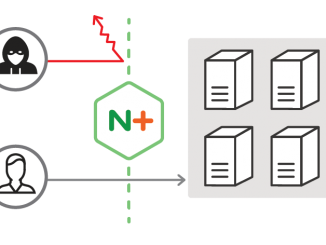
Moving to NGINX Plus: Highlights from Our Blog Over the past year we’ve seen tremendous growth in NGINX Plus, from adding many new enterprise customers to our first ever inclusion in the Gartner Magic Quadrant. NGINX Plus extends the open source NGINX software with advanced functionality and award‑winning support, giving our customers a complete application delivery solution. There a number of great reasons to move to NGINX Plus, and in this blog post we will highlight three: cost savings, new features, and “evergreen” features. 1. Cost Savings One of the most popular use cases for NGINX Plus is load balancing. In most enterprises today this is handled by hardware appliances such as the F5 BIG-IP and Citrix Netscaler. Though these appliances have served enterprises well for 30 years, they are now limiting, in terms of features, flexibility, and functionality, and [ more… ]

This Week on Windows: tips, tricks & the best of Windows 10 for your new PC!

2016-12-31 KENNETH 0

This Week on Windows: tips, tricks & the best of Windows 10 for your new PC! If you got a new Windows 10 PC this holiday, we’re here to show you the latest features to keep you productive and having fun! Here are a few ways you can get started with Windows 10: Head over here to read more about the Get Started app Learn more about all the current features available on Windows 10. Set up Windows Hello on your PC Get the most out of Microsoft Edge and write on the web with Microsoft Edge. Learn how to search your PC and the web with Cortana. Read up on everything you need to know about getting started with Xbox Play Anywhere. Get started with Windows Ink Workspace. Check out our weekly tips for more on getting started with Windows 10 with Cortana, Microsoft [ more… ]