

Scaling Web Applications with NGINX – Part II: Caching and Monitoring

2015-12-29 KENNETH 0

The following is adapted from a talk given by Matt Williams at nginx.conf 2015, held in San Francisco in September. This blog post is the second of two parts, and is focused on caching and monitoring; the first part, focused on load balancing, can be found here. You can view the presentation slides or watch the video of the complete talk. Table of Contents – Part I, Load Balancing (previous post) 1:45 Benefits of Load Balancing/Caching 2:58 Load Balancing Methods 7:02 Which Method Should You Choose? 10:58 FYI Load Balancing 15:05 How to Ensure Session Persistence Table of Contents – Part II, Caching and Monitoring (this post) 17:08 Caching 19:33 FYI Caching 21:09 FYI Tuning 23:46 How to Find the Right Configuration 25:17 Why Monitor 26:30 Datadog 27:50 NGINX Monitoring Tools 28:40 Tools to Test With 29:45 Key Metrics 30:29 [ more… ]

No Image

iptables port redirection

2015-12-29 KENNETH 1

iptables 를 이용한 포트 리다이렉션   원하는 내용 OS : linux 기본 smtp 포트는 25번을 사용하되, 587에서의 접근을 허용하고자 함 다만, 메일엔진에서 설정하지 않고 리눅스의 iptables만을 가지고 처리 하고 싶다면…   설정 echo "net.ipv4.ip_forward = 1" >> /etc/sysctl.conf echo 1 > /proc/sys/net/ipv4/ip_forward iptables -t nat -A PREROUTING -p tcp –dport 587 -j REDIRECT –to-port 25 기존에 작동하는 25번 포트는 변동 사항이 없으며 추가로 587 포트에 대해서 접근을 요청시 25포트로 리다이렉션 해줌   테스트 사용툴 : terminal & telnet # telnet 192.168.0.111 587 Trying 192.168.0.111… Connected to 192.168.0.111. Escape character is ‘^]’. 220 office.ilaya.com ESMTP Sendmail 8.14.7/8.14.7; Tue, 29 Dec 2015 11:39:37 +0900

Monitoring NGINX Plus Statistics with ELK

2015-12-29 KENNETH 0

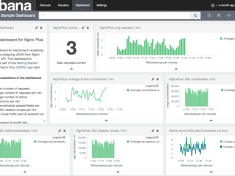
In today’s world, having a scalable and reliable web infrastructure is crucial to your site’s success. Monitoring NGINX Plus performance and the health of your load-balanced applications is critical, and acting on these metrics enables you to provide a reliable and satisfying user experience. Knowing how much traffic your virtual servers are receiving and keeping an eye on error rates allows you to triage your applications effectively. NGINX Plus includes enterprise-ready features such as advanced HTTP and TCP load balancing, session persistence, health checks, live activity monitoring, and management to give you the freedom to innovate without being constrained by infrastructure. The live activity monitoring feature (implemented in the NGINX Plus Status module) makes it easy to get key load and performance metrics in real time. The large amount of useful data about the traffic flowing through NGINX Plus is available both on the built-in [ more… ]

No Image

Using NGINX and NGINX Plus to Load Balance Oracle WebLogic Server

2015-12-24 KENNETH 0

Oracle WebLogic Server is one of the world’s most popular enterprise-level Java EE platforms. The resilient, event-driven architecture of NGINX and NGINX Plus make them a reliable, scalable, and high-performance solution for effectively load balancing your WebLogic Server applications. The open source NGINX software acts as a reverse proxy, load balancer, and content cache, as well as providing an extra layer of security and handling termination of SSL traffic for your WebLogic Server applications. NGINX Plus builds on NGINX with advanced load‑balancing algorithms, application‑specific health checks, dynamic scalability with the on‑the‑fly reconfiguration API, and a live activity monitoring dashboard and API that provides valuable metrics about the traffic flowing through NGINX Plus. To help customers get the most out of their WebLogic deployments, NGINX, Inc. has published a new deployment guide, Using NGINX and NGINX Plus to Load Balance Oracle WebLogic Server. This guide [ more… ]

No Image

jsp 에서 사용자가 생성한 java class 호출 하기

2015-12-23 KENNETH 1

jsp 에서 사용자가 생성한 java class 호출 하기   사전 주의사항 java에서 기본적으로 지원하는 class 가 아닌 사용자가 직접 생성한 class 를 호출하기 위해서는 반드시 package 화 되어 있어야 한다고… 한다. 이 글에서는 apache + tomcat 연동 가상호스트(도메인 이라고도 표시할 수 있고)의 설정이 완료되었음을 전제로 한다.   서버 환경 OS : linux WEB : httpd-2.4 WAS : tomcat-7.0 / java-1.7 뭐.. 중요 하진 않다.   class 선언 환경 document_root : apache,tomcat 에 지정한 대로 사용 class package name : jsptest class name : HelloTest jsp file name : hellotest.jsp document_root 에 WEB-INF/classes 디렉토리 생성 WEB-INF/classes 하단에 ”class package name” 으로 사용될 디렉토리 생성 (즉, document_root/WEB-INF/classes/jsptest 가 되겠다)   class 생성 위치 : document_root/WEB-INF/classes/jsptest 파일이름 : HelloTest.java package jsptest; public class HelloTest { private String name=”HelloTest : 한글.. hello!!!”; public void setName(String name) { this.name=name; } public String getName() { return name; [ more… ]