
No Image

Releasing Windows 10 Build 19044.1320 (21H2) to Release Preview Channel

2021-10-27 KENNETH 0

Releasing Windows 10 Build 19044.1320 (21H2) to Release Preview Channel Hello Windows Insiders, today we’re releasing Windows 10, version 21H2 Build 19044.1320 (KB5006738) to the Release Preview Channel for those Insiders who are on Windows 10, version 21H2. This update includes the improvements from Build 19044.1319 plus the following additional change: We fixed a known issue that might prevent the successful installation of printers using the Internet Printing Protocol (IPP). To check and see if you’re running Windows 10, version 21H2, just type “winver” into the Windows search box on the Taskbar. It should show as “Version 21H2”. For all the details on the 21H2 release – check out John Cable’s blog post. Thanks, The Windows Insider Program Team Source: Releasing Windows 10 Build 19044.1320 (21H2) to Release Preview Channel
No Image

Releasing Windows 10 Build 19043.1320 (21H1) to Release Preview Channel

2021-10-27 KENNETH 0

Releasing Windows 10 Build 19043.1320 (21H1) to Release Preview Channel Hello Windows Insiders, today we’re releasing Windows 10, version 21H1 Build 19043.1320 (KB5006738) to the Release Preview Channel for those Insiders who are on Windows 10, version 21H1. This update includes the improvements from Build 19043.1319 plus the following additional change: We fixed a known issue that might prevent the successful installation of printers using the Internet Printing Protocol (IPP). To check and see if you’re running Windows 10, version 21H1, just type “winver” into the Windows search box on the Taskbar. It should show as “Version 21H1”. Thanks, The Windows Insider Program Team Source: Releasing Windows 10 Build 19043.1320 (21H1) to Release Preview Channel

No Image

With Min Spec Mode, more PC players can experience Age of Empires IV

2021-10-26 KENNETH 0

With Min Spec Mode, more PC players can experience Age of Empires IV Millions of real-time strategy fans around the world have enjoyed playing the Age of Empires series for nearly 25 years. With a focus on real historical events dating all the way back to the Stone Age, the series tasks players with determining how those events played out, allowing them to experience history as it was or create a new history of their own. Now with Min Spec Mode, players on older and lower-powered machines can experience the latest in the series: Age of Empires IV. “When looking to bring this new game to the franchise, we knew we needed to support a diverse set of PC configuration,” said Michael Mann, executive producer at World’s Edge. “Even looking forward to the next few years, we expect 50% or more [ more… ]

Preparing the Windows 10 November 2021 Update for Release

2021-10-22 KENNETH 0

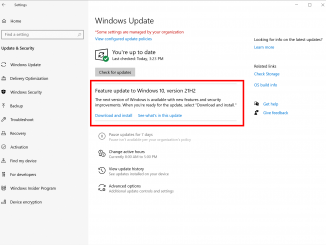
Preparing the Windows 10 November 2021 Update for Release Hello Windows Insiders! We are preparing the Windows 10 November 2021 Update (Windows 10, version 21H2) for release. We believe that Build 19044.1288 is the final build for the November 2021 Update, and the ISO for this build can be downloaded here. We will continue to improve the overall experience of the November 2021 Update on customers’ PCs through our usual servicing cadence. We are now offering the Windows 10 November 2021 Update to all Windows Insiders in the Release Preview Channel on Windows 10 via our “seeker” experience in Windows Update. This means Insiders currently on Windows 10, version 21H1 (or lower) in the Release Preview Channel will need to go to Settings > Update & Security > Windows Update and choose to download and install Windows 10, version 21H2. Once an Insider updates their PC [ more… ]

Improved authoring and debugging experiences in Microsoft Edge DevTools and Visual Studio Code

2021-10-22 KENNETH 0

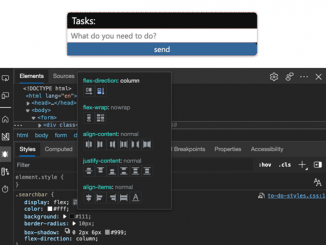
Improved authoring and debugging experiences in Microsoft Edge DevTools and Visual Studio Code As web developers we spend a lot of time authoring our code in an editing environment. We then jump over to the browser to use the in-built developer tools to debug and tweak the product UI. The problem with this is that results of the tweaking and debugging aren’t reflected in the source code.  In Microsoft Edge, we are currently working on a couple of solutions that are open for discussion, and we’d love your feedback on them If you prefer to watch a video instead of reading, here is a three minute introduction: The current problem with tweaks and changes in Developer Tools Today, browser DevTools provide highly sophisticated visual tools that teach you – for example – CSS syntax whilst you use them. These tools [ more… ]