
The future of Internet Explorer on Windows 10 is in Microsoft Edge

2021-05-20 KENNETH 0

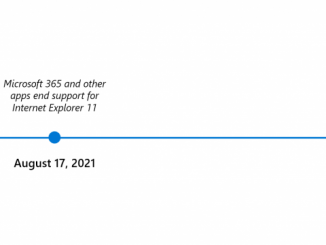
The future of Internet Explorer on Windows 10 is in Microsoft Edge 한국어 블로그와 FAQ는, 여기를 참조하세요. 本ブログの日本語版はこちらです。 Over the last year, you may have noticed our movement away from Internet Explorer (“IE”) support, such as an announcement of the end of IE support by Microsoft 365 online services. Today, we are at the next stage of that journey: we are announcing that the future of Internet Explorer on Windows 10 is in Microsoft Edge. Not only is Microsoft Edge a faster, more secure and more modern browsing experience than Internet Explorer, but it is also able to address a key concern: compatibility for older, legacy websites and applications. Microsoft Edge has Internet Explorer mode (“IE mode”) built in, so you can access those legacy Internet Explorer-based websites and applications straight from Microsoft Edge. With Microsoft Edge capable of assuming [ more… ]

No Image

How to get the Windows 10 May 2021 Update

2021-05-19 KENNETH 0

How to get the Windows 10 May 2021 Update Today marks the beginning of Windows 10, version 21H1 availability. As I noted when we first announced the May 2021 Update in February, we grounded this update on the needs expressed by you, our customers, over the past year of continued remote work, learning and play. The May 2021 Update is purposely scoped to deliver important features that improve security, remote access and quality—and engineered to provide a fast update experience. We have released and evaluated preview builds through the Windows Insider Program over the past months and, based on the feedback gathered from our Insider community, we are now ready to begin a phased rollout. My post today shares details on our measured rollout approach, how you can get the update and some overall information on Windows. Our approach to [ more… ]

No Image

Announcing Windows 10 Insider Preview Build 21382

2021-05-15 KENNETH 0

Announcing Windows 10 Insider Preview Build 21382 Hello Windows Insiders, today we are releasing Windows 10 Insider Preview Build 21382 to Windows Insiders in the Dev Channel. What’s new in Build 21382 Bringing HDR support to color managed apps HDR mode changes the behavior of some creative and artistic apps that use International Color Consortium (ICC) display color profiles, such as Adobe Photoshop, Adobe Lightroom Classic, and CorelDraw (amongst others). In the past, these apps were limited to targeting the sRGB color gamut. We have added a new feature that lets these apps get accurate color and access the full gamut of your HDR display. To turn this feature on, close your application, right-click the app’s icon and click in Properties > Compatibility tab and then under Settings select “Use legacy display ICC color management”. This flag only has an [ more… ]

No Image

HP’s new ZBook G8 mobile workstations aim for collaborative hybrid work environments

2021-05-12 KENNETH 0

HP’s new ZBook G8 mobile workstations aim for collaborative hybrid work environments Anticipating that working from home – or at least, not in the office – will continue for the foreseeable future, HP has unveiled the latest ZBook Studio G8, ZBook Fury G8 and ZBook Power G8, which all run on Windows 10. The HP ZBook Studio is designed for performance workflows. Animate in seconds and render or visualize in real time with up to NVIDIA RTX A5000 or GeForce RTX 3080 laptop GPUs and 11th Gen Intel Core i9 vPro processors. HP DreamColor displays with a 120Hz refresh rate provide certainty that your design is right the first time, with 100% DCI-P3 and end-to-end color accuracy with Pantone validation. HP Sound Calibration helps make the the office anywhere you want to work with crisp audio and automatic blocking of unwanted [ more… ]

No Image

Take flight with DreamWorks How to Train Your Dragon DLC, now available for Minecraft

2021-05-12 KENNETH 0

Take flight with DreamWorks How to Train Your Dragon DLC, now available for Minecraft Dragon riders! Grab your shiniest shield and tighten your braids to take off for the island of Berk – and all the islands in the Barbaric Archipelago. The DreamWorks How to Train Your Dragon downloadable content is now available for Minecraft for Windows 10. You can fly with all the different dragons, but if you want a change of pace or just prefer a stroll, you can explore on foot as well. A free in-game item is also available. Find out more on Minecraft.net. Source: Take flight with DreamWorks How to Train Your Dragon DLC, now available for Minecraft