
No Image

Announcing Windows 10 Insider Preview Build 21337

2021-03-18 KENNETH 0

Announcing Windows 10 Insider Preview Build 21337 Hello Windows Insiders, today we are releasing Windows 10 Insider Preview Build 21337 (RS_PRERELEASE) to Windows Insiders in the Dev Channel. What’s new in Build 21337 Reorder and customize your Virtual Desktops We’ve heard your feedback asking for more control over Virtual Desktops. Starting with Build 21337, we are bringing the ability to reorder and customize the backgrounds for each of your Virtual Desktops! You can access your Virtual Desktops via Task View (Win + Tab). Virtual Desktops help you cognitively separate different tasks on your PC, including helping to create work-life separation. They can be swapped into view, letting you shift your work from one desktop to another. Instead of juggling multiple windows, you can switch between Virtual Desktops to multitask. Here are the steps you can take to try these new [ more… ]
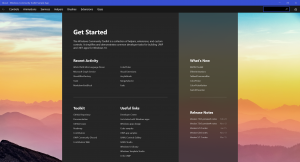
Announcing Windows Community Toolkit v7.0

2021-03-17 KENNETH 0

Announcing Windows Community Toolkit v7.0 After many months of invigorating the Windows Community Toolkit with a multitude of improvements and features; we are happy to announce version 7.0 is available today! Made possible again with the support and contributions of our developer community.🎉  If you are new to the Toolkit, the Windows Community Toolkit is a collection of helpers, extensions, and custom controls. It simplifies and demonstrates common developer tasks for building UWP and .NET apps for Windows 10. The toolkit is part of the .NET Foundation. You can download our Sample App playground to discover and try Toolkit components before getting started on a project.  This new update includes a whole new .NET Standard MVVM library, easier to use Toast Notification helpers for both .NET and UWP, a completely revamped composition Animation system for C# & XAML, new controls, and more!!!  This is one of the largest releases of the Toolkit ever as we embarked to optimize and streamline the Toolkit for the future. However, it also contains [ more… ]

No Image

Releasing Windows 10 Build 19043.899 (21H1) to Beta Channel

2021-03-16 KENNETH 0

Releasing Windows 10 Build 19043.899 (21H1) to Beta Channel Hello Windows Insiders, today we’re releasing 21H1 Build 19043.899 (KB5000842) to the Beta Channel for those Insiders who are on 21H1 (Click here for the 21H1 announcement). This update includes the following improvements: We fixed an issue with zoom that occurs when using Microsoft Edge IE Mode on devices that use multiple high-DPI monitors. We enabled administrators to use a Group Policy to enable extended keyboard shortcuts, including Ctrl+S, for users in Microsoft Edge IE Mode. We fixed an issue that prevents the icon for a Toast collection from appearing in the Action Center if the icon file’s URI contains spaces. We fixed an issue that makes high dynamic range (HDR) screens appear much darker than expected. We fixed an issue that causes video playback to be out of sync in [ more… ]

No Image

Password pointers for stronger security

2021-03-16 KENNETH 0

Password pointers for stronger security We all know the feeling of password fatigue. Like when you go to make an online bill payment and can’t remember which combination of your childhood pets, random letters and special characters you chose. This fatigue can lead to some bad decisions. The more passwords you have to remember, the more likely you are to choose bad ones, like p@ssword and 123456. Head over to the Windows Resource Center to learn some ways to better manage your passwords. You’ll find out about stronger passwords, password generators like the one in Microsoft Edge and even using your face – yes your face – as a password. Source: Password pointers for stronger security

No Image

Serving our customers more effectively with new release cycles for Microsoft Edge

2021-03-13 KENNETH 0

Serving our customers more effectively with new release cycles for Microsoft Edge Innovation has been part of Microsoft Edge since day one, whether you’re seamlessly accessing corporate apps online for work or saving money shopping with built-in coupons. As contributors to the Chromium project, we look forward to the new 4-week major release cycle cadence that Google announced, to help deliver that innovation to our customers even faster. For many, innovation can’t come fast enough! But that is not the case for all customers, particularly our enterprise customers who manage complex environments and must balance delivering new innovations against rigorous planning and testing. To help our enterprise customers looking for an extended timeline to manage updates, Microsoft Edge will offer an Extended Stable option aligned to a longer, 8-week major release cycle; if this option is not selected, the 4-week [ more… ]