
No Image

Making Service Workers easier to debug for Progressive Web Applications and more

2021-02-23 KENNETH 0

Making Service Workers easier to debug for Progressive Web Applications and more With Service Workers, you are in control of telling the browser what to load from the internet and what to get from the local device. Adding service workers to your app allows you to add offline support without breaking the site for legacy browsers – following the principle of “Progressive Enhancement” that makes up the “Progressive” in Progressive Web Apps (PWA). Service Workers enable you to create better apps, but they can also be overwhelming. We worked closely with web developers to find opportunities to simplify the experience of debugging Service Workers. Based on these conversations, we’ve rolled out new improvements to Service Worker debugging that are available in Microsoft Edge 88, now in the Stable channel. When debugging them in the Network and Application panes, we found [ more… ]
No Image

Announcing Windows 10 Insider Preview Build 21318

2021-02-20 KENNETH 0

Announcing Windows 10 Insider Preview Build 21318 Hello Windows Insiders, today we are releasing Windows 10 Insider Preview Build 21318 (RS_PRERELEASE) to Windows Insiders in the Dev Channel. This build will also be offered to ARM64 devices. What’s new in Build 21318 Paste as plain text in clipboard history Simply open clipboard history (WIN + V) and click the … button next to any text-based entry in your clipboard history – you will now see a “Paste as plain text” option alongside pin and delete! When you use this action in clipboard history, it pastes the text content of the clipboard without its original formatting (font, color, size etc.), allowing it to match the formatting of the destination document. We look forward to you trying it! Please file any feedback you have for clipboard history under Input and Language > [ more… ]

No Image

Releasing Windows 10 Build 19042.844 (20H2) to Beta and Release Preview Channels

2021-02-18 KENNETH 0

Releasing Windows 10 Build 19042.844 (20H2) to Beta and Release Preview Channels Hello Windows Insiders, today we’re releasing 20H2 Build 19042.844 (KB4601382) to the Beta and Release Preview Channels for those Insiders who are on 20H2 (Windows 10 October 2020 Update). For Insiders in the Beta Channel only who are interested in moving up to 21H1, see this blog post. This update includes the following improvements: We fixed an issue with a memory leak in Internet Explorer 11 that occurs when you use the Chinese language pack. We fixed an issue with certain COM+ callout policies that cause a deadlock in certain applications. We fixed an issue that prevents certain Win32 apps from opening as a different user when you use the runas We fixed an issue that displays unexpected screens during the Windows Out of Box Experience (OOBE). We [ more… ]

Announcing Windows 10 Insider Preview Build 19043.844 (21H1)

2021-02-18 KENNETH 0

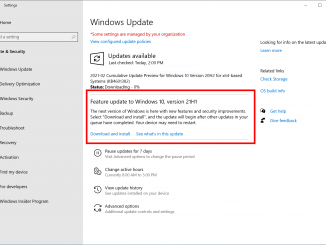
Announcing Windows 10 Insider Preview Build 19043.844 (21H1) Hello Windows Insiders, today we are announcing Windows 10 version 21H1 as the next feature update for Windows 10. As part of today’s announcement, we’re also releasing 21H1 Build 19043.844 (KB4601382) to the Beta Channel. We are releasing this build to the Beta Channel via our “seeker” experience in Windows Update. This means Insiders in the Beta Channel will need to go to Settings > Update & Security > Windows Update and choose to download and install 21H1. 21H1 Build 19043.844 includes all the fixes noted here as well as the following new features as highlighted in John Cable’s blog post: Windows Hello multi-camera support to allow users to choose an external camera priority when using high end displays with integrated cameras. Windows Defender Application Guard performance improvements including optimizing document opening scenario times. [ more… ]

No Image

Introducing the next feature update to Windows 10, version 21H1

2021-02-18 KENNETH 0

Introducing the next feature update to Windows 10, version 21H1 Today, we are introducing the next feature update to Windows 10, version 21H1. As people continue to rely on Windows more than ever to work, learn and have fun, we understand the importance of providing the best possible update experience to help people and organizations stay protected and productive. It is a responsibility we do not take lightly and why for the first time an H1 (first half of the calendar year) feature update release will be delivered in an optimized way using servicing technology, while continuing our semi-annual feature update cadence. In today’s blog I will cover details on how we plan to service the release, its scope, and next steps. Fast and focused Based on feedback and learnings during the past year of extensive remote work, learning and [ more… ]