No Image

Announcing Windows 10 Insider Preview Build 20180

2020-07-30 KENNETH 0

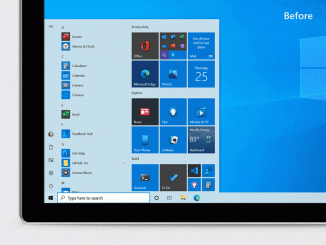
Announcing Windows 10 Insider Preview Build 20180 Hello Windows Insiders, today we’re releasing Windows 10 Insider Preview Build 20180 to Windows Insiders in the Dev Channel. IMPORTANT NOTE: Insider Preview Builds 20161 and below will expire on July 31st. To avoid hitting this expiration, please update to Insider Preview Builds 20170 or newer. What’s new in Build 20180 We are turning on much of the new features mentioned on July 1st in Build 20161 including theme-aware tiles on Start. The new pinned sites capability mentioned with last week’s flight of Build 20175 is still only available to a subset of Insiders. Updates for developers The Windows SDK is now flighting continuously with the Dev Channel. Whenever a new OS build is flighted to the Dev Channel, the corresponding SDK will also be flighted. You can always install the latest Insider [ more… ]

New Developer Landing Page and Issues Repo

2020-07-29 KENNETH 0

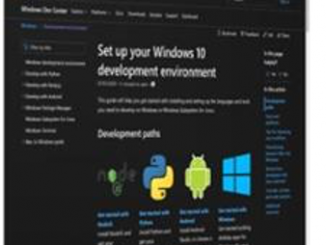
New Developer Landing Page and Issues Repo We are excited to announce two new online resources for developers using Windows: A new docs landing-page for developers building and deploying apps and systems running on non-Microsoft operating systems like Linux and Android A new GitHub issues repo for filing developer-oriented issues with Windows Let’s dig into these two announcements: New Landing Page for Developers on Windows Are you a developer using Windows, but working with cross-platform web, Node, React, Java, Kotlin, Python, Xamarin, Android Studio, etc.? And do you primarily deploy your sites, services, and systems to Linux-based cloud environments or Android devices? If so, we’re very excited to announce that we’ve just published a new landing-page to help you get your development environment setup and optimize your workflow when running Windows. We want you, and every developer running on Windows, [ more… ]

Now available: Grounded, a new survival adventure game

2020-07-29 KENNETH 0

Now available: Grounded, a new survival adventure game Grounded, the new survival adventure game from Obsidian Entertainment, is now available through Steam Early Access and Xbox Game Preview with Xbox Game Pass, so you can also play on PC. In this game, players wake up in a suburban backyard after being mysteriously shrunken to the size of an ant. Guided by a robot named BURG.L, players must explore, build and survive while confronting new dangers and perils. Find more details at Xbox Wire. The post Now available: Grounded, a new survival adventure game appeared first on Windows Blog. Source: Now available: Grounded, a new survival adventure game

3 ways to use tech to make a good impression in your job hunt

2020-07-28 KENNETH 0

3 ways to use tech to make a good impression in your job hunt There’s a lot of competition out there for good jobs, but the good news is that with a little preparation and tools from Microsoft, you can make a solid first impression. Learn how to do so in a new post on the Windows Home and Family Resources Blog. There you’ll find info and resources for creating a well-designed, well-written résumé with Word, establishing your professional identity with a great LinkedIn profile, and preparing for your interview with Presenter Coach. Check it out, and good luck on your search! The post 3 ways to use tech to make a good impression in your job hunt appeared first on Windows Blog. Source: 3 ways to use tech to make a good impression in your job hunt

Announcing Windows 10 Insider Preview Build 19042.421 (20H2)

2020-07-25 KENNETH 0

Announcing Windows 10 Insider Preview Build 19042.421 (20H2) Hello Windows Insiders, today we’re releasing 20H2 Build 19042.421 (KB4568831) to Windows Insiders in the Beta Channel. What’s new in Build 19042.421 Theme-aware tiles in Start We are freshening up the Start menu with a more streamlined design that removes the solid color backplates behind the logos in the apps list and applies a uniform, partially transparent background to the tiles. This design creates a beautiful stage for your apps, especially the Fluent Design icons for Office and Microsoft Edge, as well as the redesigned icons for built-in apps like Calculator, Mail, and Calendar that we started rolling out earlier this year. This refined Start design looks great in both dark and light theme, but if you’re looking for a splash of color, first make sure to turn on Windows dark theme and [ more… ]