No Image

Introducing the Microsoft Edge enterprise roadmap and release schedule

2020-07-24 KENNETH 0

Introducing the Microsoft Edge enterprise roadmap and release schedule Since releasing the new Microsoft Edge, we’ve heard feedback that customers, especially in enterprise environments, need more visibility into our feature roadmap and release schedule so they can plan deployments and prepare for upcoming changes. Today, we are announcing the availability of Microsoft Edge enterprise features on the Microsoft 365 Roadmap portal, and a new Microsoft Edge release schedule for Beta & Stable channel releases. The M365 roadmap portal lets you view upcoming Microsoft Edge enterprise features—you can filter by “Microsoft Edge” in the Products field, or by “Beta channel” and “Stable channel” in the Release Phase field. Developers should continue to reference our Platform Status page for information on supported and upcoming platform features. The Microsoft Edge team plans to push public updates to the Beta and Stable channels every six [ more… ]

You can now pre-order Tell Me Why’s first chapter

2020-07-24 KENNETH 0

You can now pre-order Tell Me Why’s first chapter The first chapter of Tell Me Why, the latest narrative adventure from Dontnod Entertainment and Xbox Game Studios, is now available for pre-order for PC for Windows 10, Xbox One and Steam. Its scheduled release is Aug. 27. This game focuses on the story of twins Alyson and Tyler Ronan, who reunite for the first time in 10 years after their mother’s death. Upon returning to their childhood home in rural Alaska, the Ronans realize that their shared past may not be as they remember it. Tell Me Why seeks to drive inclusive storytelling within the AAA gaming space, as it used on-the-ground research and partnered closely with cultural, mental health and gender advocates to ensure that the game is truly representative of the identities it represents. Get all the details on Xbox [ more… ]

Reducing distractions with quiet notification requests

2020-07-24 KENNETH 0

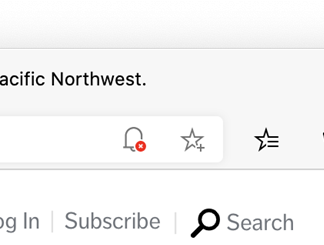
Reducing distractions with quiet notification requests Earlier this year, we met with users to understand how they felt about permissioned web features, such as requests to send notifications or access the camera or microphone. The individuals we spoke with made it clear they find notification requests bothersome and distracting—except when they don’t. These users were typically bothered if they couldn’t understand the value of notifications from a given site, or if the prompt appeared immediately upon visiting the site. However, many of these same users want or even depend upon notifications from a site that’s important to them: for example, meeting alerts from a calendar web app or updates from their favorite media subscriptions. Because we know that notifications are a key part of valuable web app scenarios, we continue to invest in a great end-to-end notification experience with open [ more… ]

Announcing Windows 10 Insider Preview Build 20175

2020-07-23 KENNETH 0

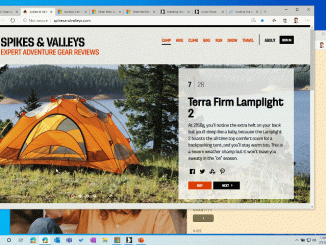
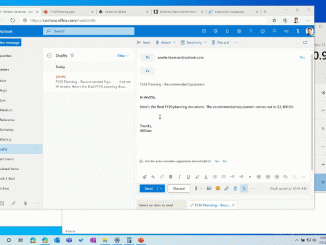
Announcing Windows 10 Insider Preview Build 20175 Hello Windows Insiders, today we’re releasing Windows 10 Insider Preview Build 20175 to Windows Insiders in the Dev Channel. Windows Insiders with PCs that have AMD processors will be able to receive this build. IMPORTANT NOTE: Insider Preview Builds 20161 and below will expire on July 31st. To avoid hitting this expiration, please update to Insider Preview Builds 20170 or newer. What’s new in Build 20175 Improving pinned sites in Microsoft Edge Earlier this month, we announced ALT + TAB between apps and sites, the first of our new productivity enhancements coming to Microsoft Edge on Windows 10. Today, we’re announcing another feature we’ve been working on to make you more efficient when browsing the web: quick access to tabs for your pinned sites. Clicking a pinned site on the Taskbar will now [ more… ]

Multitasking improvements in Windows 10 and Microsoft Edge

2020-07-23 KENNETH 0

Multitasking improvements in Windows 10 and Microsoft Edge Web browsing doesn’t happen in isolation, and users frequently multitask between their web browser and other apps using the Taskbar and Alt + Tab. Traditionally, these surfaces have been almost exclusively focused on apps, forcing users to take additional steps to get to the tab they need—until now. With the latest Insider versions of Windows 10 and Microsoft Edge, your tabs now appear in Alt + Tab, allowing you to quickly switch between both apps and sites. You can also easily access the tabs for your most important sites directly on the Taskbar. The changes are just the first of many designed to make you more productive and save you time while multitasking. Browser tabs in Alt + Tab Have you ever tried to use the Alt + Tab keyboard shortcut only [ more… ]