No Image

Announcing Windows 10 Insider Preview Build 19635

2020-05-29 KENNETH 0

Announcing Windows 10 Insider Preview Build 19635 Hello Windows Insiders, today we’re releasing Windows 10 Insider Preview Build 19635 to Windows Insiders in the Fast ring. You can check out our Windows Insider Program documentation here, including a list of all the new features and updates released in builds so far. Not seeing any of the features in this build? Check your Windows Insider Settings to make sure you’re on the Fast ring. Submit feedback here to let us know if things weren’t working the way you expected. If you want a complete look at what build is in which Insider ring, head over to Flight Hub. Please note, there will be a slight delay between when a build is flighted and when Flight Hub is updated. Fixes We fixed an issue resulting in the apostrophes in the Location not [ more… ]

Introducing an improved spellcheck experience in Microsoft Edge

2020-05-29 KENNETH 0

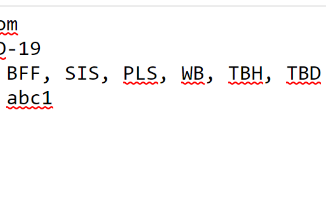
Introducing an improved spellcheck experience in Microsoft Edge Beginning with Microsoft Edge 83, we’ve introduced a new spellcheck experience for Windows users, powered by Windows Spellcheck. The feature is supported on Windows 8.1 and above. Previously, on Windows, Microsoft Edge and other Chromium browsers used open-source proofing tools for spell checking. Moving to Windows Spellcheck has a number of benefits, including support for additional languages and dialects, a shared custom dictionary, and better support for URLs, acronyms, and email addresses. Based on early feedback from preview users, this represents an overall improvement in the quality of spell checking in Microsoft Edge, as illustrated in the examples below. Hunspell Spellcheck Windows Spellcheck Generic Patterns: Generic Patterns: Markdown editor: Markdown editor: How to use spellcheck in Microsoft Edge For most users, no action is required to set up spell checking – it [ more… ]

Creators: You can push boundaries with new Razer Blade 15 Studio Edition laptop

2020-05-29 KENNETH 0

Creators: You can push boundaries with new Razer Blade 15 Studio Edition laptop If you’re looking for a powerful, portable device that can handle big creative projects, check out the new Razer Blade 15 Studio Edition laptop, a mobile-workstation tailored to meet the needs of anyone from an audio engineer to VFX artist. It comes with the latest 8-Core 10th Gen Intel processor capable of up to 5.1 GHz clock speeds when utilizing Intel Thermal Velocity Boost technology. The increased core count over the previous generation paired with the higher boost clock speeds provides significant performance gains in CPU intensive applications. It’s also equipped with the NVIDIA Quadro RTX 5000 GPU for creators and technical professionals working with dense 3D models or complex VFX designs. It includes 16GB of GDDR6 memory for multi-app creative workflows and 48 RT Cores for improved real-time ray tracing performance. At the software level, the Quadro RTX 5000 takes advantage of RTX acceleration in more than 45 of the world’s top [ more… ]

How to get the Windows 10 May 2020 Update

2020-05-28 KENNETH 0

How to get the Windows 10 May 2020 Update Windows 10 continues to play a key role in how we learn, live and work during these unique times, and we want to ensure a high quality and reliable experience, while also delivering you the latest innovations. In mid-April, we announced the initial availability of the Windows 10 May 2020 Update through the Windows Insider Program’s Release Preview ring, allowing us to both monitor and improve the quality of the release. Based on affirmative preview feedback, today we are pleased to announce that we are starting to make the May 2020 Update available. In this blog, we will cover how you can get the update and choose when to install, and availability for commercial organizations to begin targeted deployments. How to get the Windows 10 May 2020 Update To ensure you [ more… ]

What’s new in the Windows 10 May 2020 Update

2020-05-28 KENNETH 0

What’s new in the Windows 10 May 2020 Update The Windows 10 May 2020 Update has started to become available to customers around the world as a free update. Since the beginning of this year, we have seen the world significantly change all around us. People, families and businesses are adjusting to new ways of working, learning and connecting. For many, our dining rooms have become home offices, our living rooms have turned into classrooms, and our kitchens social gathering spots and breakrooms. Amidst these changes, our needs to connect with one another and be productive from anywhere have never been more critical. More than ever people are turning to Windows PCs to support fundamental human experiences. Students and professionals are using Office and Microsoft Teams for remote learning and collaboration, and whether they are down the street or across [ more… ]