

Improving DevTools accessibility in Microsoft Edge

2020-03-12 KENNETH 0

Improving DevTools accessibility in Microsoft Edge More than ever, web developers are recognizing that the web must be accessible and inclusive in order to create great experiences for everyone. Nearly half of computer users in the US also use some form of assistive technology (AT). Users of AT may have physical or cognitive disabilities, temporary injuries, hearing or vision loss, or other conditions that necessitate different experiences on the web. Other users may not have an impairment but benefit from the convenience of features such as keyboard navigation. Driven by this knowledge and Microsoft’s commitment to inclusivity and accessibility, our team of developers, designers, and accessibility experts worked together to bring new accessibility features and improvements to the Microsoft Edge Developer Tools. Engineers from the Microsoft Edge DevTools team Developers who use DevTools via the keyboard or with screen readers [ more… ]

Ori and the Will of the Wisps now available with Xbox Game Pass and for Xbox One, Windows 10 PC and Steam

2020-03-11 KENNETH 0

Ori and the Will of the Wisps now available with Xbox Game Pass and for Xbox One, Windows 10 PC and Steam Xbox Game Studios on Wednesday welcomed gamers to a brand new adventure as Ori and the Will of the Wisps celebrated its worldwide release with Xbox Game Pass and for Xbox One, Windows 10 PC and Steam. “Ori and the Will of the Wisps is a game that everyone at Moon Studios has poured their hearts and souls into developing over the last five years so that our community can play the best version of the game possible,” said Thomas Mahler, Co-Founder of Moon Studios. “We believe we’ve delivered on that promise to players and are looking forward to the response from the community.” Players will be immersed in the beautiful visuals the Ori series is known for, [ more… ]

Microsoft Emulator and Windows 10X Emulator Image (Preview) build 19578 available now!

2020-03-11 KENNETH 0

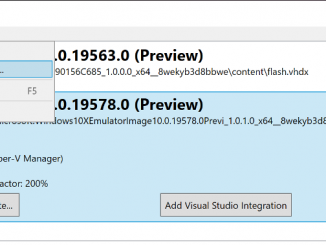
Microsoft Emulator and Windows 10X Emulator Image (Preview) build 19578 available now! Today we released new versions of both the Microsoft Emulator and the Windows 10X Emulator Image (Preview) to the Microsoft Store. The updated Microsoft Emulator is version 1.1.54.0 and the updated Windows 10X Emulator Image is version 10.0.19578. This refresh includes many updates to Windows 10X including the Win32 Container. Information on installation and requirements can be found at Get Windows dev tools. We want your feedback so please use the Feedback Hub! Features and Issues in this release: Check for new images in the Emulator! The Microsoft Emulator version 1.1.54.0 now includes the ability to query the Store for updated images and install them. On first run of the emulator, if there are no images installed, it will prompt to download an image. The developer can also [ more… ]

No Image

Latest ‘Simply Windows’ video can help you make your PC easier to use

2020-03-10 KENNETH 0

Latest ‘Simply Windows’ video can help you make your PC easier to use The newest “Simply Windows” video is now available, focusing on ways to customize the settings on your PC.  If you’re new to Windows 10 or want to learn more about how to get the most out of it, this video series can help you get up to speed on using it.  In this episode, writers Jackie Tidwell and Doug Thomas help viewers change the size of text in Windows 10, increase contrast on their screens and show you how Microsoft Edge can read webpages to you, among other things you can personalize in the Ease of Access settings.  Find out more about “Simply Windows” and check out a playlist of previous shows.  And if you like this, check out other Windows 10 Tips.  The post Latest ‘Simply Windows’ video can help you make your PC easier to use appeared first on [ more… ]

Announcing Windows 10 Insider Preview Build 19577

2020-03-06 KENNETH 0

Announcing Windows 10 Insider Preview Build 19577 Hello Windows Insiders, today we’re releasing Windows 10 Insider Preview Build 19577 to Windows Insiders in the Fast ring. You can check out our Windows Insider Program documentation here, including a list of all the new features and updates released in builds so far. Not seeing any of the features in this build? Check your Windows Insider Settings to make sure you’re on the Fast ring. Submit feedback here to let us know if things weren’t working the way you expected. If you want a complete look at what build is in which Insider ring, head over to Flight Hub. Please note, there will be a slight delay between when a build is flighted and when Flight Hub is updated. What’s new in Build 19577 Diagnostic data changes in Settings As part of [ more… ]