Halo: Combat Evolved Anniversary now available for PC with Halo: The Master Chief Collection

2020-03-04 KENNETH 0

Halo: Combat Evolved Anniversary now available for PC with Halo: The Master Chief Collection Players who want to continue their Spartan saga can, with the PC release of Halo: Combat Evolved Anniversary, the second installment of Halo: The Master Chief Collection, now available with Xbox Game Pass for PC (Beta), Windows 10 PC and Steam. It’s the remastered version of the original Halo campaign, where you can switch between the classic game graphics and the fully enhanced version to experience the rise of Spartan, the Master Chief. The Master Chief’s saga on PC comes equipped with new features, optimizations and customizations built for the platform. PC players will have a few different avenues to obtain Halo: Combat Evolved Anniversary, depending on their platform: Xbox Game Pass for PC (Beta) and through Microsoft Store or Steam. Get all the details at [ more… ]
Cortana in the upcoming Windows 10 release: focused on your productivity with enhanced security and privacy

2020-02-29 KENNETH 0

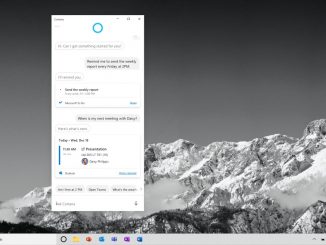
Cortana in the upcoming Windows 10 release: focused on your productivity with enhanced security and privacy AI in Microsoft 365 is driving a significant shift in how people interact with Microsoft 365 applications. Our experiences personalize and adapt to you, support you and help amplify your skills. You can see this shift in the personalized experiences we are enabling through Cortana, your personal productivity assistant in Microsoft 365. Cortana helps you stay on top of your day, save time and do your best work. Today, Microsoft is announcing an updated Cortana experience in Windows 10 that will deliver more help from your assistant in Microsoft 365. This next step in Cortana’s evolution will bring enhanced, seamless personal productivity assistance as a free update to the latest version of Windows 10 coming this spring. Through this updated Cortana experience, we will [ more… ]

No Image

Releasing Windows 10 Insider Preview Build 19041.113 to the Slow ring

2020-02-28 KENNETH 0

Releasing Windows 10 Insider Preview Build 19041.113 to the Slow ring Hello Windows Insiders, today we’re releasing 20H1 Build 19041.113 (KB4540409) to Windows Insiders in the Slow ring. This Cumulative Update includes quality improvements. Key changes include: Addresses an issue that might block digital rights management (DRM) video playback in apps that depend on the Windows 8.0 or later PlayReady Store Framework for content protection. Updates the copyright date for Windows 10, version 2004 to the year 2020. Addresses an issue that causes the Notepad icon to appear on the Start menu after uninstalling the Feature-on-Demand (FOD) version of Notepad. Addresses an issue that might cause some systems to stop responding at sign in because several background services are being hosted in the same service host process. Addresses an issue with the Your Phone app that might cause the copying [ more… ]

Welcome to Babylon.js 4.1

2020-02-28 KENNETH 0

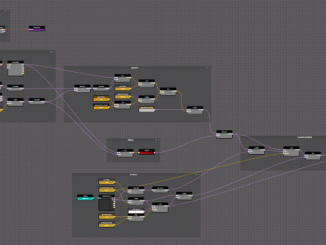
Welcome to Babylon.js 4.1 Our mission is to create one of the most powerful, beautiful, and simple Web rendering engines in the world. Our passion is to make it completely open and free for everyone. Today, we are thrilled to announce the official release of Babylon.js 4.1! Before diving into more detail, we also want to humbly thank the awesome community of 250+ contributors for their efforts to help build this framework. Up to 3 times smaller and 12% faster, Babylon.js 4.1 includes countless performance optimizations, continuing our lineage of a high-performance engine. With the new Node Material Editor, a truly cross-platform development experience with Babylon Native, Cascaded Shadows, Navigation Mesh, updated WebXR and glTF support, and much more, Babylon.js 4.1 brings even more power to your web development toolbox. Node Material Editor Introducing the powerful and simple Node Material [ more… ]

Protecting users from potentially unwanted applications in Microsoft Edge

2020-02-28 KENNETH 0

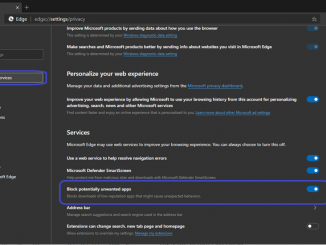
Protecting users from potentially unwanted applications in Microsoft Edge Our customer feedback tells us that when users search for free versions of software, they often find applications with a poor reputation being installed on the machine at the same time. This pattern indicates that the user has downloaded an application which shows offers (or bundles) for potentially unwanted applications (PUA). Potentially unwanted applications can make the user less productive, make the user’s machine less performant, and lead to a degraded Windows experience. Examples of PUA include software that creates extra advertisements, applications that mine cryptocurrency, applications that show offers for other software and applications that the AV industry considers having a poor reputation. In the new Microsoft Edge (beginning with 80.0.338.0), we’ve introduced a new feature to prevent downloads that may contain potentially unwanted apps (PUA), by blocking those apps [ more… ]