Microsoft 365 Developer Day: Dual-screen experiences

2020-02-12 KENNETH 0

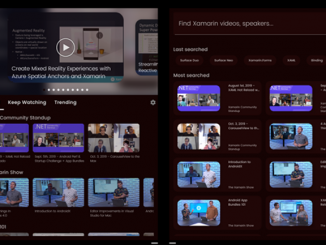
Microsoft 365 Developer Day: Dual-screen experiences Today at Microsoft 365 Developer Day: Dual-screen experiences, we showed you our vision for dual screens. We shared how dual-screen devices are optimized for the way you naturally work and want to get things done. We created a device experience that gives you the option to benefit from a larger screen and have two defined screens so you can do more on a single device. We shared how your apps work and how you can optimize for three dual-screen patterns whether you are building apps for Windows, Android, or the Web. Expansive workspaces. This is an opportunity to show more detail as your app spans across two screens and allows you to highlight your content on a bigger, more expansive, canvas. Whether your users are reading an article, scrolling a feed, or browsing a gallery, having more [ more… ]

Windows Insider Newsbits for the Week of February 7

2020-02-08 KENNETH 0

Windows Insider Newsbits for the Week of February 7 Hello Windows Insiders! We are trying something new today with a end-of-the-week summary of updates across Microsoft we think are relevant to Insiders. Windows 10 Insider Preview Build 19559 We released Insider Preview Build 19559 to the Fast ring earlier this week. For all the details on what’s included in this build and known issues – check out our blog post here. Remember, if you want a complete look at what build is in which Insider ring including the latest SDKs and Server Insider Preview builds, head over to Flight Hub. Windows Insider Podcast Episode 27 Check out Episode 27 of the Windows Insider Podcast with Jason! In this episode – Jason interviews Ian Todd, the interim lead of the Windows Insider Program. As the ongoing search for our new leadership continues, [ more… ]

No Image

Announcing Windows 10 Insider Preview Build 19559

2020-02-06 KENNETH 0

Announcing Windows 10 Insider Preview Build 19559 Hello Windows Insiders, today we’re releasing Windows 10 Insider Preview Build 19559.1000 to Windows Insiders in the Fast ring. If you want a complete look at what build is in which Insider ring, head over to Flight Hub. You can also check out the rest of our documentation here, including a list of new features and updates. Not seeing any of the features in this build? Check your Windows Insider Settings to make sure you’re on the Fast ring. Submit feedback here to let us know if things weren’t working the way you expected. General changes, improvements, and fixes for PC We fixed an issue with the IME candidate window for East Asian IMEs (Simplified Chinese, Traditional Chinese, and the Japanese IME) not opening sometimes on recent builds. We fixed an issue that [ more… ]

Bringing the Microsoft Edge DevTools to more languages

2020-02-05 KENNETH 0

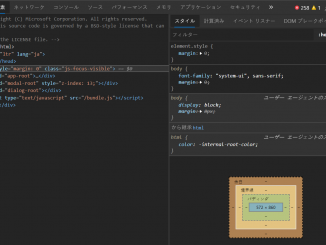
Bringing the Microsoft Edge DevTools to more languages We know inclusivity makes us work better and we love when we find ways to put that knowledge into practice. On the Edge team, we believe—and usage and research show—that developer experiences are more productive when they fit our language and location preferences. Today, we’re excited to move in that direction by announcing that the new Microsoft Edge now features DevTools localized in 10 languages (in addition to English): Chinese (Simplified) – 中文(简体)(简体) Chinese (Traditional) – 中文(繁體)(繁體) French – français German – deutsch Italian – italiano Portuguese – português Korean – 한국어 Japanese – 日本語 Russian – русский Spanish – español This adds our new browser tools to a long list of other localized Microsoft developer experiences including VS Code, Azure Portal, and more. This release is the result of collaboration over [ more… ]

No Image

Announcing Windows 10 Insider Preview Build 19555

2020-01-31 KENNETH 0

Announcing Windows 10 Insider Preview Build 19555 Hello Windows Insiders, today we’re releasing Windows 10 Insider Preview Build 19555.1001 to Windows Insiders in the Fast ring. If you want a complete look at what build is in which Insider ring, head over to Flight Hub. You can also check out the rest of our documentation here, including a list of new features and updates. Not seeing any of the features in this build? Check your Windows Insider Settings to make sure you’re on the Fast ring. Submit feedback here to let us know if things weren’t working the way you expected. General changes, improvements, and fixes for PC We’ve resolved an issue where certain external USB 3.0 drives ended up in an unresponsive state with Start Code 10 after they were attached. The cloud recovery option for Reset this PC [ more… ]