
No Image

TraceProcessor 0.3.0

2020-01-29 KENNETH 0

TraceProcessor 0.3.0 TraceProcessor version 0.3.0 is now available on NuGet with the following package ID: Microsoft.Windows.EventTracing.Processing.All This release contains some feature additions and bug fixes since version 0.2.0. (A full changelog is below). Basic usage is still the same as in version 0.1.0. The focus of this release has been in preparation for a forthcoming version 1.0.0, including many minor changes to naming and data types moving towards a finalized version 1 API. Also, this release adds trace.UseStreaming(), which supports accessing multiple types of trace data in a streaming manner (processing data as it is read from the trace file, rather than buffering that data in memory). For example, a syscalls trace can be quite large, and buffering the entire list of syscalls in a trace can be quite expensive. The following code shows accessing syscall data in the normal, [ more… ]
No Image

Announcing Windows Server vNext Insider Preview Build 19551

2020-01-29 KENNETH 0

Announcing Windows Server vNext Insider Preview Build 19551 Hello Windows Insiders! Today we are pleased to release a new Insider preview build of the Windows Server VNext Semi-Annual Channel Datacenter and Standard editions. What’s New This build includes a fix that enlightens National Language Support (NLS) components to be container-aware. NLS state is now instanced per container. This fix addresses some scenarios where a container OS components attempts to access data that is unavailable in the container due to instancing. Available Content Windows Server vNext Semi-Annual Preview The Server Core Datacenter and Standard Editions are available in the 18 supported Server languages in ISO format and in VHDX format in English only. Matching Windows Server Core App Compatibility FoD Preview Matching Windows Server Language Packs Symbols are available on the public symbol server – see Update on Microsoft’s Symbol Server [ more… ]

No Image

Announcing Windows 10 Insider Preview Build 19551

2020-01-24 KENNETH 0

Announcing Windows 10 Insider Preview Build 19551 Hello Windows Insiders, today we’re releasing Windows 10 Insider Preview Build 19551.1005 to Windows Insiders in the Fast ring.  If you want a complete look at what build is in which Insider ring, head over to Flight Hub. You can also check out the rest of our documentation here, including a list of new features and updates.  Not seeing any of the features in this build? Check your Windows Insider Settings to make sure you’re on the Fast ring. Submit feedback here to let us know if things weren’t working the way you expected.   Other updates for Insiders We’re continuing to look at ways we can improve the update experience on Windows 10 PCs for our customers. As part of this effort, we are conducting an experiment related to how we deliver driver [ more… ]

Debug z-index stacking content with 3D View in the Microsoft Edge DevTools

2020-01-24 KENNETH 0

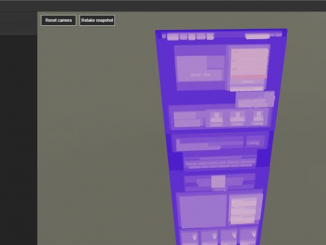
Debug z-index stacking content with 3D View in the Microsoft Edge DevTools We are thrilled to announce the next iteration of 3D View in the Microsoft Edge DevTools, with a new feature to help debug z-index stacking context. The general 3D View shows a representation of the DOM (Document Object Model) depth using color and stacking, and the z-Index view helps you isolate the different stacking contexts of your page. 3D view is enabled by default in the Canary branch – to enable it in other branches, open the DevTools “Experiments” settings (Ctrl-Shift-P -> “Experiments“) and turn on “Enable 3D View.” If you don’t see that item, navigate to edge://flags and make sure you have enabled “Developer Tools experiments.” Once 3D view is enabled, you can find it under the “More tools” menu (or via search: Ctrl-Shift-P -> “3D View“). [ more… ]

Announcing dual-screen preview SDKs and Microsoft 365 Developer Day

2020-01-23 KENNETH 0

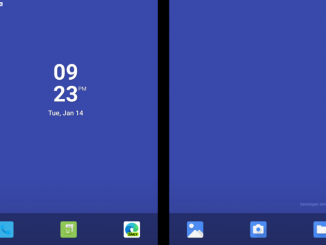
Announcing dual-screen preview SDKs and Microsoft 365 Developer Day In November, we shared our vision for dual-screen devices and how this new device category will help people get more done on smaller and more mobile form factors. Today, we are excited to give you an update on how you can get started and optimize for dual-screen devices by: Exploring preview SDKs and standards proposals for apps and websites Embracing dual-screen experiences Learning more at Microsoft 365 Developer Day 1) Exploring preview SDKs and standards proposals for apps and websites We are happy to announce the availability of the preview SDK for Microsoft Surface Duo, and availability in the coming weeks for the preview SDK for Windows 10. We are also excited to announce new web standards proposals to enable dual-screen experiences for websites and PWAs on both Android and Windows [ more… ]