No Image

Announcing Windows Server vNext Insider Preview Build 18995

2019-10-09 KENNETH 0

Announcing Windows Server vNext Insider Preview Build 18995 Hello Windows Insiders! Today we are pleased to release a new Insider preview build of the Windows Server VNext Semi-Annual Channel editions. Available Content Windows Server vNext Semi-Annual Preview The Server Core Edition is available in the 18 supported Server languages in ISO format and in VHDX format in English only. Windows Server Core App Compatibility FoD Preview Windows Server Language Packs Windows Admin Center 1909 Symbols are available on the public symbol server – see Update on Microsoft’s Symbol Server blog post and Using the Microsoft Symbol Server. Matching Windows Server container images will be available via Docker Hub. For more information about Windows Server containers and Insider builds, click here. The following keys allow for unlimited activations of Windows Server Semi-Annual Channel Previews Server Standard: V6N4W-86M3X-J77X3-JF6XW-D9PRV Server Datacenter: B69WH-PRNHK-BXVK3-P9XF7-XD84W This [ more… ]

New app and game limits empower parents with more specific settings

2019-10-09 KENNETH 0

New app and game limits empower parents with more specific settings Screen time is something so many families think about every day, including me, both at work as the product and strategy lead for family at Microsoft, and at home as a mother of two. I’m excited to share the next step in our efforts to empower families to strike the right balance of technology use in their lives with new app and game limits. Starting today, you can access this new feature in preview within our existing family settings across Windows 10, Xbox One and Android via Microsoft Launcher.   You may already be familiar with our existing device screen time feature, which allows parents to set limits at the device level. For instance, I can give my kids one hour of screen time on their Windows 10 PC [ more… ]

No Image

Windows Insider leadership update

2019-10-08 KENNETH 0

Windows Insider leadership update Our Windows Insider community plays a critical role in the momentum we have seen for Windows 10. You show up constantly. Your engagement each week with new builds and the feedback you give us are instrumental in helping deliver a great experience for our customers. You engage with us on social media and you show up at our events. We love shaping Windows with you. Thank you for your continued dedication. Most of you know Dona Sarkar – our Chief #NinjaCat of the Windows Insider Program. She’s been a steward for the program and tireless advocate for the community and the important role you play. Though bittersweet, today I’m proud to announce that Dona will be moving to a new role at the company. She will be joining the Microsoft Developer Relations team to lead advocacy for Citizen Developers, especially how they use the Power Platform (Microsoft Flow, [ more… ]

Announcing Windows 10 Insider Preview Build 18995

2019-10-04 KENNETH 0

Announcing Windows 10 Insider Preview Build 18995 Hello Windows Insiders, today we’re releasing Windows 10 Insider Preview Build 18995 (20H1) to Windows Insiders in the Fast ring. IMPORTANT: As is normal with pre-release builds, these builds may contain bugs that might be painful for some. If you take this flight, you won’t be able to switch Slow or Release Preview rings without doing a clean-install on your PC. If you want a complete look at what build is in which Insider ring, head over to Flight Hub. You can also check out the rest of our documentation here including a complete list of new features and updates that have gone out as part of Insider flights for the current development cycle. Not seeing any of the features in this build? Check your Windows Insider Settings to make sure you’re on [ more… ]

Introducing Windows 10X: enabling dual-screen PCs in 2020

2019-10-03 KENNETH 0

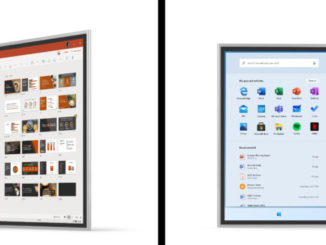
Introducing Windows 10X: enabling dual-screen PCs in 2020 [Pre-release product shown, screens simulated and subject to change] Windows 10 is now on more than 900 million devices and we want to thank all of our customers around the world who use Windows 10 every day. Whether it is to run your business, browse the web, collaborate on documents, play games, create or learn, you inspire us and push us to continue to innovate and improve Windows 10. As long as we have been building it, Windows has also evolved based on the possibilities enabled by hardware innovation. Both with Surface and our ecosystem partners, we strive to bring the best of hardware and software together into experiences that better serve your needs. Windows 10X: designed for dual-screen PCs Today in New York we took another step in that journey and shared our vision for [ more… ]