Surface reveals new holiday lineup and introduces a new category of dual-screen devices built for mobile productivity

2019-10-03 KENNETH 0

Surface reveals new holiday lineup and introduces a new category of dual-screen devices built for mobile productivity Today in New York we announced our broadest Surface lineup ever – with five new products coming this holiday and two new dual-screen devices, Surface Neo and Surface Duo, coming in Holiday 2020. When we started Surface, we had a vision to remove the conflict between the tablet and laptop. What started as an effort to create the two-in-one evolved into a full line of products that are more versatile, more adaptable and more personal. We know that to be your best, you need devices that adapt to you to help you accomplish your goals. These new products are about empowering you to be your most productive, and your most creative. With that in mind we are bringing more performance and new designs [ more… ]

Bringing the security and manageability of Windows for IoT to the intelligent edge

2019-10-02 KENNETH 0

Bringing the security and manageability of Windows for IoT to the intelligent edge The intelligent edge continues to expand the possibilities for businesses of all sizes, enabling them to gain new insights in real time and translate them into powerful business intelligence on site. With the growth of the intelligent edge comes increasing demand for connected devices, and this creates new opportunities for developers with expertise in security, cloud, systems engineering and hardware programming. But building IoT devices and connected systems also poses fresh challenges. The IoT in Action event series is a great opportunity for you to learn to build new IoT experiences and drive rapid innovation in your business with the intelligent edge. Join Microsoft in Santa Clara on Oct. 10 to learn more. How the intelligent edge is influencing needed developer skills For embedded developers—those tasked with [ more… ]

No Image

Windows 10 SDK Preview Build 18990 available now!

2019-10-02 KENNETH 0

Windows 10 SDK Preview Build 18990 available now! Today, we released a new Windows 10 Preview Build of the SDK to be used in conjunction with Windows 10 Insider Preview (Build 18990 or greater). The Preview SDK Build 18990 contains bug fixes and under development changes to the API surface area. The Preview SDK can be downloaded from developer section on Windows Insider. For feedback and updates to the known issues, please see the developer forum. For new developer feature requests, head over to our Windows Platform UserVoice. Things to note: This build works in conjunction with previously released SDKs and Visual Studio 2017 and 2019. You can install this SDK and still also continue to submit your apps that target Windows 10 build 1903 or earlier to the Microsoft Store. The Windows SDK will now formally only be supported by Visual Studio 2017 [ more… ]

Announcing the webhint v1 browser extension for Microsoft Edge

2019-10-01 KENNETH 0

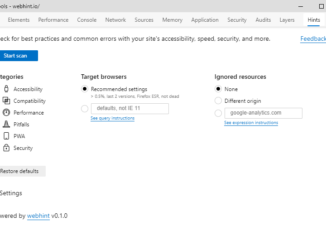
Announcing the webhint v1 browser extension for Microsoft Edge We are thrilled to announce that the webhint browser extension has moved from beta to its v1 release and is now available for Insider builds of Microsoft Edge, as well as for Chrome and Firefox! The webhint browser extension allows you to easily scan a website and get feedback on accessibility, browser compatibility, security, performance, and more within the browser DevTools. Read more at https://webhint.io/. Try the webhint browser extension Once you’ve installed the extension for your browser, simply open DevTools and select the Hints tab. From here, you’ll be able to run a customizable site scan. You can select what browsers are relevant to you by using the browserslist syntax. (browserslist is the defacto standard for creating browser support matrix, and it’s used by tools such as autoprefixer.) You can also ignore certain cross-origin resources in [ more… ]

No Image

Windows 10 WinRT API Packs released

2019-10-01 KENNETH 0

Windows 10 WinRT API Packs released With the announcement of the release of .NET Core 3.0, we are pleased to announce we have posted on nuget.org the released versions of the Windows 10 WinRT API Pack. The Windows 10 WinRT API Pack allows your WPF or Winforms application to quickly and easily access Windows functionality like Geolocation, Windows AI, Machine Learning, Bluetooth and much more.  Accessing these APIs in your project is as simple as adding the NuGet to your project. Getting Started Step 1: Configure your project to support Package Reference  Step 2: Add the Microsoft.Windows.SDK.Contracts NuGet package to your project  Open the NuGet Package Manager Console  Install the package that includes the Windows 10 Contracts you want to target. Currently the following are supported: Windows 10 version 1803  Install-Package Microsoft.Windows.SDK.Contracts -Version 10.0.17134.1000 Windows 10 version 1809  Install-Package Microsoft.Windows.SDK.Contracts [ more… ]