
No Image

TraceProcessor 0.2.0

2019-08-08 KENNETH 0

TraceProcessor 0.2.0 TraceProcessor version 0.2.0 is now available on NuGet with the following package ID: Microsoft.Windows.EventTracing.Processing.All This release contains minor feature additions and bug fixes since version 0.1.0. (A full changelog is below). There are a couple of project settings we recommend using with TraceProcessor: We recommend running exes as 64-bit. The Visual Studio default for a new C# console application is Any CPU with Prefer 32-bit checked. Trace processing can be memory-intensive, especially with larger traces, and we recommend changing Platform target to x64 (or unchecking Prefer 32-bit) in exes that use TraceProcessor. To change these settings, see the Build tab under Properties for the project. To change these settings for all configurations, ensure that the Configuration dropdown is set to All Configurations, rather than the default of the current configuration only. We also suggest using NuGet with the [ more… ]
No Image

Windows 10 SDK Preview Build 18950 available now!

2019-08-07 KENNETH 0

Windows 10 SDK Preview Build 18950 available now! Today, we released a new Windows 10 Preview Build of the SDK to be used in conjunction with Windows 10 Insider Preview (Build 18950 or greater). The Preview SDK Build 18950 contains bug fixes and under development changes to the API surface area. The Preview SDK can be downloaded from developer section on Windows Insider. For feedback and updates to the known issues, please see the developer forum. For new developer feature requests, head over to our Windows Platform UserVoice. Things to note: This build works in conjunction with previously released SDKs and Visual Studio 2017 and 2019. You can install this SDK and still also continue to submit your apps that target Windows 10 build 1903 or earlier to the Microsoft Store. The Windows SDK will now formally only be supported by Visual Studio 2017 [ more… ]

Windows 10 Tip: Clipboard

2019-08-06 KENNETH 0

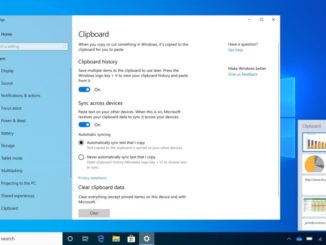
Windows 10 Tip: Clipboard Editor’s note: We’re back with the summer batch of weekly Windows 10 tips posts, which highlight some of the many helpful features that come with the Windows 10 May 2019 Update. We’ve been working hard behind the scenes to make your daily life easier with a streamlined update process, as well as clean and simple experiences for your desktop. Thanks to the Windows 10 May 2019 Update, you’ll find that your Clipboard can do more. Hold down the Windows key + V to check it out. You’ll find a history of the past 25 things you’ve copied, including URLs, text from web pages and docs – and even screenshots. See it in action: Find out more about Clipboard through this Windows Community video and article. If you like this, check out more Windows 10 Tips. The [ more… ]

Announcing Windows 10 Insider Preview Build 18950

2019-08-01 KENNETH 0

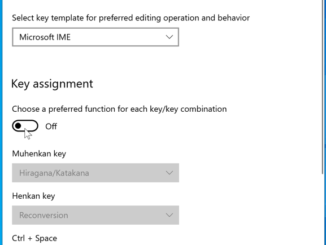
Announcing Windows 10 Insider Preview Build 18950 Hello Windows Insiders, today we’re releasing Windows 10 Insider Preview Build 18950 (20H1) to Windows Insiders in the Fast ring. IMPORTANT: As is normal with builds early in the development cycle, these builds may contain bugs that might be painful for some. If you take this flight, you won’t be able to switch Slow or Release Preview rings without doing a clean-install on your PC. If you want a complete look at what build is in which Insider ring, head on over to Flight Hub. You can also check out the rest of our documentation here including a complete list of new features and updates that have gone out as part of Insider flights for the current development cycle. What’s new in Build 18950 Japanese IME Improvements Thank you everyone who’s shared feedback [ more… ]

No Image

Announcing Windows Server vNext Insider Preview Build 18945

2019-07-31 KENNETH 0

Announcing Windows Server vNext Insider Preview Build 18945 Hello Windows Insiders! Today we are pleased to release a new Insider preview build of the Windows Server VNext Semi-Annual Channel editions. What’s New Extending support for FIDO2 security keys to hybrid environments We’re adding the capability for modern passwordless credentials, such as FIDO2 security keys, to authenticate and provide seamless Single Sign-On (SSO) to on-premises environments. Please refer to this blog entry that discusses this capability for cloud environments. Addition of this new capability will extend this feature to hybrid environments. Available Content Windows Server vNext Semi-Annual Preview The Server Core Edition is available in the 18 supported Server languages in ISO format and in VHDX format in English only. Windows Server Core App Compatibility FoD Preview Windows Server Language Packs Windows Admin Center 1907 Symbols are available on the public [ more… ]