No Image

Announcing Windows 10 Insider Preview Build 18890

2019-05-02 KENNETH 0

Announcing Windows 10 Insider Preview Build 18890 Hello Windows Insiders, today we are releasing Windows 10 Insider Preview Build 18890 (20H1) to Windows Insiders in the Fast ring. Last month, we moved the Fast ring forward to 20H1 and merged the small group of Insiders who opted-in to Skip Ahead back into the Fast ring, which means Insiders in the Fast ring and those who opted-in to Skip Ahead are receiving the same builds for now. IMPORTANT: As is normal with builds early in the development cycle, these builds may contain bugs that might be painful for some. If you take this flight, you won’t be able to switch Slow or Release Preview rings without doing a clean-install on your PC. If you wish to remain on 19H1, please change your ring settings via Settings > Update & Security > [ more… ]
No Image

Calling Windows 10 APIs From a Desktop Application just got easier

2019-05-01 KENNETH 0

Calling Windows 10 APIs From a Desktop Application just got easier Today, we are pleased to announce we posted on nuget.org a preview of the Windows 10 WinRT API Pack. By using these NuGet packages, you can quickly and easily add new Windows functionality to your applications like Geolocation, Windows AI, Machine Learning, and much more.  We have posted 3 packages:  Windows 10 version 1803  Windows 10 version 1809  Windows 10 version 1903  Each package includes all of the Windows Runtime (WinRT) APIs included with each specific Windows release. These are preview packages, so please give us feedback and watch for updates to the known issues on our repository.     How can this help me?  Previously, in order to access the Windows API surface from your WPF or Winforms app, you needed to specifically add contract files and other reference assemblies [ more… ]

Enhancing Non-packaged Desktop Apps using Windows Runtime Components

2019-05-01 KENNETH 0

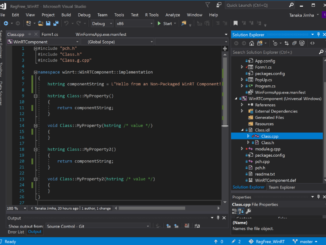
Enhancing Non-packaged Desktop Apps using Windows Runtime Components Windows 10 Version 1903, May 2019 Update adds support for non-packaged desktop apps to make use of user-defined (3rd party) Windows Runtime (WinRT) Components. Previously, Windows only supported using 3rd party Windows Runtime components in a packaged app (UWP or Desktop Bridge). Trying to call a user-defined Windows Runtime Component in a non-packaged app would fail because of the absence of package identity in the app, no way to register the component with the System and in turn no way for the OS to find the component at runtime. The restrictions blocking this application scenario have now been lifted with the introduction of Registration-free WinRT (Reg-free WinRT). Similar to the classic Registration-free COM feature, Reg-Free WinRT activates a component without using a registry mechanism to store and retrieve information about the component. [ more… ]

Announcing Windows Vision Skills (Preview)

2019-05-01 KENNETH 0

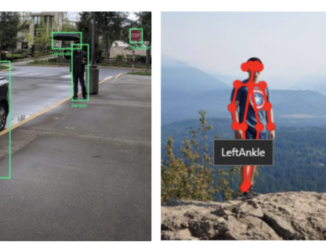
Announcing Windows Vision Skills (Preview) Today, we’re announcing the preview of Windows Vision Skills, a set of NuGet packages that make it easy for application developers to solve complex computer vision problems using a simple set of APIs. Figure 1- From left to right, you are seeing in action the Object Detector, Skeletal Detector, and Emotion Recognizer skills. With Windows Vision Skills, An app developer can use out-of-box WinRT APIs to add pre-built vision skills like object detection, skeletal detection and face sentiment analysis in their Windows applications (.NET, Win32, and UWP). A computer vision developer can leverage hardware acceleration frameworks on Windows devices by packaging their solution as a Vision Skill – without worrying about low-level APIs. All Windows Vision Skills inherit the base classes and interfaces in Microsoft.AI.Skills.SkillInterfacePreview. This open framework can easily be extended to work with [ more… ]

Dell announces latest additions to its portfolio

2019-05-01 KENNETH 0

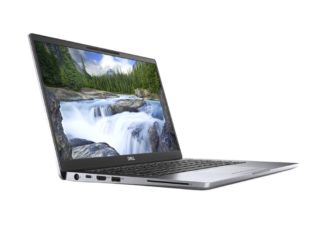
Dell announces latest additions to its portfolio At Dell Technologies World 2019, Dell announced the launch of the latest additions to its portfolio: 10th generation of Latitude commercial PCs, the Dell Precision 3540 and 3541 mobile workstations, as well as two new Vostro laptops. Dell Latitude 7400 Devices in the Latitude line — which run on Windows 10 Pro – have been completely reimagined to address the needs of the evolving workforce. The new portfolio of Dell mobile business PCs is designed with IT departments in mind and aims to get business users productive faster and keep them productive longer, no matter when, where or how they work. The Latitude series includes next-gen biometric sign-in and Multi-Factor Authentication (MFA) security options, as well as Express technology options to boost employee productivity. Designed for students and professionals with heavy Excel workbook, [ more… ]