
No Image

Windows 10 SDK Preview Build 18362 available now!

2019-04-03 KENNETH 0

Windows 10 SDK Preview Build 18362 available now! Today, we released a new Windows 10 Preview Build of the SDK to be used in conjunction with Windows 10 Insider Preview (Build 18362 or greater). The Preview SDK Build 18362 contains bug fixes and under development changes to the API surface area. The Preview SDK can be downloaded from developer section on Windows Insider. For feedback and updates to the known issues, please see the developer forum. For new developer feature requests, head over to our Windows Platform UserVoice. Things to note: This build works in conjunction with previously released SDKs and Visual Studio 2017. You can install this SDK and still also continue to submit your apps that target Windows 10 build 1809 or earlier to the Microsoft Store. The Windows SDK will now formally only be supported by Visual Studio 2017 and greater. You can [ more… ]

Windows 10 Tip: Dark theme in File Explorer

2019-04-02 KENNETH 0

Windows 10 Tip: Dark theme in File Explorer Did you know you can change File Explorer to a theme that’s easier on the eyes, thanks to the Windows 10 October 2018 Update?   As the Windows Insider blog explains, “Adding a dark theme to File Explorer has long been a top Insider request,” but it meant “breaking new ground to provide a dark theme to legacy parts of the shell.”  The post goes on to explain the process of creating and refining the UI design, with the help of Windows Insiders’ feedback.  “For example, Insiders told us that they’d like to see more use of grey tones — which we added to areas like the view pane. We also adjusted the address bar and ribbon colors. (The effect is that your eye is drawn more to the content in the center of the screen.) And [ more… ]

No Image

Announcing Windows 10 Insider Preview Build 18865

2019-03-28 KENNETH 0

Announcing Windows 10 Insider Preview Build 18865 Hello Windows Insiders, today we are releasing 20H1 Build 18865 to Windows Insiders who have opted into Skip Ahead. Remember – these builds are from the 20H1 development branch. Some things we are working on in 20H1 require a longer lead time. IMPORTANT: As is normal with builds early in the development cycle, these builds may contain bugs that might be painful for some. If you take this flight, you won’t be able to switch back to the Fast or Slow rings without doing a clean-install on your PC and starting over. If you are looking for a complete look at what build is in which Insider ring – head on over to Flight Hub. You can also check out the rest of our documentation here including a complete list of new features [ more… ]

No Image

Windows 10 SDK Preview Build 18361 available now!

2019-03-27 KENNETH 0

Windows 10 SDK Preview Build 18361 available now! Today, we released a new Windows 10 Preview Build of the SDK to be used in conjunction with Windows 10 Insider Preview (Build 18361 or greater). The Preview SDK Build 18361 contains bug fixes and under development changes to the API surface area. The Preview SDK can be downloaded from developer section on Windows Insider. For feedback and updates to the known issues, please see the developer forum. For new developer feature requests, head over to our Windows Platform UserVoice. Things to note: This build works in conjunction with previously released SDKs and Visual Studio 2017. You can install this SDK and still also continue to submit your apps that target Windows 10 build 1809 or earlier to the Microsoft Store. The Windows SDK will now formally only be supported by Visual Studio 2017 and greater. You can [ more… ]

Announcing Windows Admin Center Preview 1903

2019-03-27 KENNETH 0

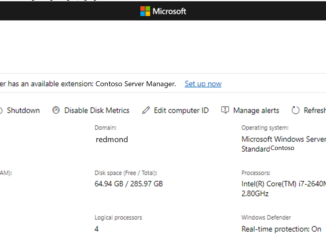
Announcing Windows Admin Center Preview 1903 Hello Windows Insiders! Thank you for your continued interest in Windows Admin Center! In this release, we have added a few new tools and functionality, all based on our top user feedback. Email notifications in Windows Admin Center is the #1 user request. We are enabling this with new Azure Monitor integration in Windows Admin Center. More details and setup instructions are below. A new tool to manage Active Directory Users and Groups is the #2 user request. The #5 request is a new tool to manage DHCP, and the #7 request is a new tool to manage DNS. These three preview tools are not included in the Windows Admin Center installer; you must install them from the Extensions manager in Settings. With these tools on the extension feed, they can be easily updated [ more… ]