No Image

Windows 10 SDK Preview Build 18298 available now!

2018-12-20 KENNETH 0

Windows 10 SDK Preview Build 18298 available now! Today, we released a new Windows 10 Preview Build of the SDK to be used in conjunction with Windows 10 Insider Preview (Build 18298 or greater). The Preview SDK Build 18298 contains bug fixes and under development changes to the API surface area. The Preview SDK can be downloaded from developer section on Windows Insider. For feedback and updates to the known issues, please see the developer forum. For new developer feature requests, head over to our Windows Platform UserVoice. Things to note: This build works in conjunction with previously released SDKs and Visual Studio 2017. You can install this SDK and still also continue to submit your apps that target Windows 10 build 1809 or earlier to the store. The Windows SDK will now formally only be supported by Visual Studio 2017 and greater. You can download [ more… ]

No Image

Announcing Windows Server vNext Insider Preview Build 18298

2018-12-19 KENNETH 0

Announcing Windows Server vNext Insider Preview Build 18298 Hello Windows Insiders! Today we are pleased to release a new Insider build of the Windows Server vNext Semi-Annual Channel release. What’s New In this preview build we are adding support for Network Policies using Tigera Calico for Windows Containers.  The latest Tigera Calico for Windows bits are included in Tigera Essentials — for access to the latest release, contact Tigera by email at [email protected] We’re releasing the full set of 38 server language packs to Insiders for the first time. Use DISM or LPKSETUP commands to install on Windows Server core. Language packs will only install on a matching build. We have new innovations in networking that we will announce in the early new year, please stay tuned. The expiration date for this preview is July 5th, 2019. Available Content Windows [ more… ]

Windows 10 Tip: Schedule items by dragging a task to your calendar

2018-12-17 KENNETH 0

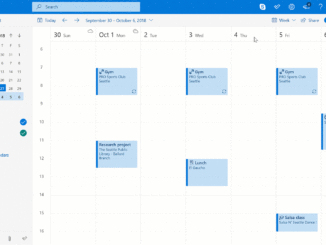
Windows 10 Tip: Schedule items by dragging a task to your calendar If you need to allot time to take care of the items on your to-do list, wouldn’t it be great if you could drag and drop those tasks right into your calendar? Now, you can. The new Tasks experience in Outlook.com helps you manage tasks without breaking your flow or leaving your inbox. Powered by To-Do, you can now create tasks by dragging and dropping an email to your task list. Or, easily schedule items by dragging a task to your calendar. Your tasks then travel with you on the To-Do app. Check it out in action: If you like this, check out more Windows 10 Tips and the Windows 10 October 2018 Update. The post Windows 10 Tip: Schedule items by dragging a task to your calendar [ more… ]

Announcing public preview of Windows 10 IoT Core on NXP SoCs

2018-12-15 KENNETH 0

Announcing public preview of Windows 10 IoT Core on NXP SoCs Earlier this year, Microsoft and NXP announced a private preview of Windows 10 IoT Core on NXP i.MX6 and i.MX7 applications processor families. Hundreds of participants expressed their interest in the combination of 10 years of Windows security updates and the flexibility and reliability of NXP silicon. During the preview, Microsoft and NXP engineers spent thousands of hours tuning and improving the board support package (BSP) based on input from the hundreds of commercial customers evaluating the solution. We worked with customers interested in modernizing legacy industrial controllers, developing new cloud-connected building automation solutions, and gateways with class-leading security such as trusted I/O. Interest in the private preview exceeded the capacity of the program, so today we are announcing the promotion of the i.MX6 and i.MX7 BSP to a [ more… ]

‘Draw’ your next great story with the new Samsung Notebook 9 Pen

2018-12-14 KENNETH 0

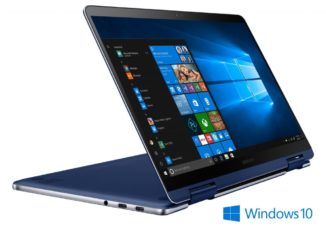
‘Draw’ your next great story with the new Samsung Notebook 9 Pen In 2019, look for Samsung’s new Notebook 9 Pen. Users can reach their true creative potential with this premium 2-in-1 PC with a built-in S Pen. It’s perfect for users who want a device that adapts to the way they work, with its combined style, power, flexibility and portability. With the S Pen, it’s easier than ever to jot notes, draw and even control the PC. The S pen reacts the moment it touches the vibrant display—as if putting an actual pen to paper—thanks to reduced latency (up to twice from the previous model). You can also customize options for the S Pen, so you can swap in your choice of up to three different pen tips to get the drawing feel you prefer. S Pen never needs [ more… ]