No Image

Announcing Open Source of WPF, Windows Forms, and WinUI at Microsoft Connect(); 2018

2018-12-05 KENNETH 0

Announcing Open Source of WPF, Windows Forms, and WinUI at Microsoft Connect(); 2018 At Build 2018, I outlined our approach to helping you be more productive when developing apps, including the introduction of .NET Core 3.0. We also started decoupling many parts of the Windows development platform, so you can adopt technologies incrementally. Today at Microsoft Connect(); 2018 Conference we shared the next steps – specifically to support innovations in UI: .NET Core 3.0 Preview 1 adds support for building client apps using Windows Presentation Foundation (WPF), Windows Forms, and XAML Islands. WPF, Windows Forms, and Windows UI XAML Library (WinUI) are now open source, so you can create experiences with the freedom you want. .NET Core 3.0 Preview 1 available As Scott Guthrie announced today, the first preview of .NET Core 3.0 is available. This version of .NET adds [ more… ]
Windows 10 Tip: Name your tile folders

2018-12-04 KENNETH 0

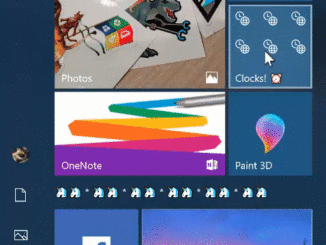
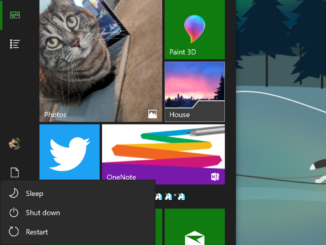
Windows 10 Tip: Name your tile folders Did you know you can now name your tile folders, thanks to the Windows 10 October 2018 Update? To create a tile folder in Start, just drag one tile on top of another for a second, then release. Continue dropping as many tiles into the folder as you’d like. When you expand the folder, you’ll see a new option to name it. Check it out in action: If you like this, check out more Windows 10 Tips. The post Windows 10 Tip: Name your tile folders appeared first on Windows Blog. Source: Windows 10 Tip: Name your tile folders

Announcing Windows 10 Insider Preview Build 18290

2018-11-29 KENNETH 0

Announcing Windows 10 Insider Preview Build 18290 Hello Windows Insiders, today we are releasing Windows 10 Insider Preview Build 18290 (19H1) to Windows Insiders in the Fast ring. REMINDER: As is normal with builds early in the development cycle, builds may contain bugs that might be painful for some. If this makes you uncomfortable, you may want to consider switching to the Slow ring. Slow ring builds will continue to be higher quality. If you are. looking for a complete look at what build is in which Insider ring – head on over to Flight Hub. You can also check out the rest of our documentation here including a complete list of new features and updates that have gone out as part of Insider flights for the current development cycle (which currently is 19H1). Builds expiring soon – update now! [ more… ]

TIDAL music streaming brings 60 million high-quality songs to the Microsoft Store for Windows 10

2018-11-29 KENNETH 0

TIDAL music streaming brings 60 million high-quality songs to the Microsoft Store for Windows 10 With more than 60 million tracks, 244,000 music videos, thousands of expertly curated playlists and hundreds of live events, TIDAL customers have access to an unparalleled music experience. Microsoft app users have the choice of a Premium membership for $9.99/month or HiFi membership for $19.99/month. Both subscription tiers give members access to an unlimited, ad-free listening experience while HiFi offers high fidelity, lossless sound quality – just as the musicians intended their work to sound. More than just a streaming service, TIDAL members connect with their favorite artists in unique ways. In the past year alone, members have been able to attend intimate listening parties, events and livestreamed concerts with deadmau5, Jack White, Juanes, Kaskade, Lil Wayne, Miguel, Nick Jonas, Nicki Minaj and more. Whatever [ more… ]

Windows 10 Tip: Five ways filling out forms online just got easier in Microsoft Edge

2018-11-27 KENNETH 0

Windows 10 Tip: Five ways filling out forms online just got easier in Microsoft Edge You may have already noticed that it’s easier than ever to fill out form details in websites, thanks to several improvements in Microsoft Edge via the Windows 10 October Update. This builds on the multi-field autofill launched in April that gave users the ability to fill out multiple related fields in website forms, such as contact info and credit card details, with one click*. Keep reading for five ways you can use autofill in Microsoft Edge: 1. Autofill for address fields You can fill out multiple related fields in website forms – be it your contact or your credit card details – with one click! Microsoft Edge can help you fill your contact information in addresses and related form fields. When filling in these fields [ more… ]