Introducing Component Firmware Update

2018-10-18 KENNETH 0

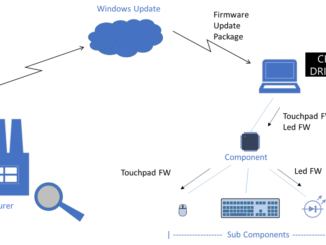
Introducing Component Firmware Update The is excited to announce the release of an open-source model for Component Firmware Update for Windows system developers – Component Firmware Update (CFU).  With CFU, you can easily deliver firmware updates for through Windows Update by using CFU drivers. Background Computers and peripherals have components running their own software preprogrammed in the factory.  However, over time, the factory software (“firmware”) must be updated to support new features or fix issues. Firmware updates for embedded components have three primary delivery mechanisms: Stand-alone tools Windows UEFI UpdateCapsule drivers Component-specific firmware update drivers Each of those mechanisms have its own advantages.  Stand-alone tools can support component-specific protocols but require the user to find and download the tools and find out if an update is available and applicable.  UEFI UpdateCapsule drivers can be pushed through Windows Update but can [ more… ]
Announcing Windows 10 Insider Preview Build 18262

2018-10-18 KENNETH 0

Announcing Windows 10 Insider Preview Build 18262 Hello Windows Insiders! Today, we are releasing Windows 10 Insider Preview Build 18262 (19H1) to Windows Insiders in the Fast ring AND those who have opted in to Skip Ahead. REMINDER: As is normal with builds early in the development cycle, builds may contain bugs that might be painful for some. If this makes you uncomfortable, you may want to consider switching to the Slow ring. Slow ring builds will continue to be higher quality. What’s new in Build 18262 See DPI Awareness in Task Manager Interested to know which of your running apps is DPI Aware? We’ve added a new optional column to the Details tab of Task Manager so you can find out the DPI awareness per process – here’s what it looks like: To show the column, right-click on any [ more… ]

Surface Pro 6 and Surface Laptop 2 available today

2018-10-16 KENNETH 0

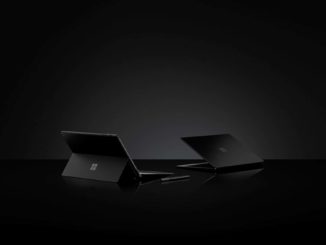
Surface Pro 6 and Surface Laptop 2 available today Today, we’re excited to launch the all new Surface Pro 6 and Surface Laptop 2 in markets around the world. We’ve seen great momentum already for these products and I can’t wait for our fans to experience them. When we started on this journey with Surface, we gave people the ability to choose a device that would adapt to their lives and help them accomplish more. As the way we work and live has changed around the world Surface and Microsoft have also evolved. We’ve grown to deliver a full, integrated portfolio of products to help you do more, dream more and achieve more. We’re a team of passionate product makers, putting our hearts into creating devices, software, apps and features to push you forward. Helping to maximize the ingenuity of [ more… ]

Modernizing TLS connections in Microsoft Edge and Internet Explorer 11

2018-10-15 KENNETH 0

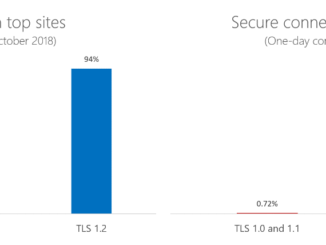
Modernizing TLS connections in Microsoft Edge and Internet Explorer 11 Today, we’re announcing our intent to disable Transport Layer Security (TLS) 1.0 and 1.1 by default in supported versions of Microsoft Edge and Internet Explorer 11 in the first half of 2020. This change, alongside similar announcements from other browser vendors, supports more performant, secure connections, helping advance a safer browsing experience for everyone. January 19th of next year marks the 20th anniversary of TLS 1.0, the inaugural version of the protocol that encrypts and authenticates secure connections across the web. Over the last 20 years, successor versions of TLS have grown more advanced, culminating with the publication of TLS 1.3, which is currently in development for a future version of Microsoft Edge. Two decades is a long time for a security technology to stand unmodified. While we aren’t aware [ more… ]

Fluent XAML Theme Editor Preview released!

2018-10-11 KENNETH 0

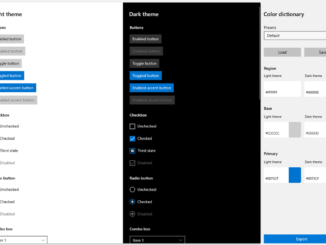
Fluent XAML Theme Editor Preview released! We’re excited to announce the preview release of the Fluent XAML Theme Editor application! As some of you may remember from our Build 2018 session this year, we previewed a tool using our new ColorPaletteResources API that allows you to set the color theme of your app through some simple color selections. This tool is now publicly available to insiders and those running on pre-release builds (Windows 10 SDK Preview Build 17723 or newer) to test out on our GitHub repository! How to use the Fluent XAML Theme Editor With the preview build, you can select three major colors for both the Light and Dark themes in the right-hand properties view labeled “Color Dictionary”: Region – The background that all the controls sit on, which is a separate resource that does not exist in our framework. Base – Represents all our controls’ backplates and their temporary state visuals like hover or press. In general, Base [ more… ]