No Image

Updated version of Windows 10 October 2018 Update released to Windows Insiders

2018-10-10 KENNETH 0

Updated version of Windows 10 October 2018 Update released to Windows Insiders Last week we paused the rollout of the Windows 10 October 2018 Update (version 1809) for all users as we investigated isolated reports of users missing files after updating. Given the serious nature of any data loss, we took the added precaution of pulling all 1809 media across all channels, including Windows Server 2019 and IoT equivalents.  We intentionally start each feature update rollout slowly, closely monitoring feedback before offering the update more broadly.  In this case the update was only available to those who manually clicked on “check for updates” in Windows settings.  At just two days into the rollout when we paused, the number of customers taking the October 2018 Update was limited.  While the reports of actual data loss are few (one one-hundredth of one [ more… ]
Windows 10 Tip: Update your tasks using ink

2018-10-09 KENNETH 0

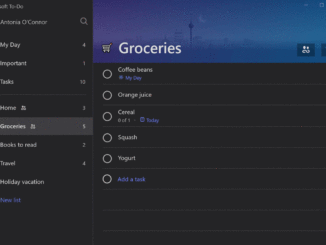
Windows 10 Tip: Update your tasks using ink To help you keep track of tasks using whatever mode is most comfortable to you, you can now update your tasks using ink, thanks to the Windows 10 October 2018 Update. With your digital pen and a touch enabled Windows device, simply add a task to your list using ink, and then strike out when complete. By signing in with your Microsoft Account, your tasks are then conveniently synced with the To-Do app across iOS, Android and Windows and the web. Check it out in action: If you like this, check out more Windows 10 Tips. Source: Windows 10 Tip: Update your tasks using ink

What’s new in Microsoft Edge in the Windows 10 October 2018 Update

2018-10-05 KENNETH 0

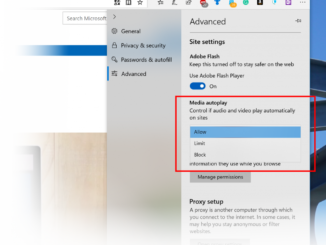
What’s new in Microsoft Edge in the Windows 10 October 2018 Update Yesterday, Yusuf Mehdi announced the Windows 10 October 2018 Update, the newest feature update for Windows 10. The October 2018 Update brings with it the best version of Microsoft Edge yet, with new features and enhancements, and updates the web platform to EdgeHTML 18. You can get the Windows 10 October 2018 Update yourself by checking for updates on your Windows 10 device. For developers on other platforms, we expect to offer updated EdgeHTML 18 virtual machines on the Microsoft Edge Dev Site shortly, as well as updated images for free remote testing via BrowserStack. We’ll update this post as soon as those resources are available. In this post, we’ll walk through some highlights of what’s new for end-users with the October 2018 Update, and the new capabilities [ more… ]

Windows 10 IoT delivers innovation and intelligence at the edge with the October 2018 Update

2018-10-05 KENNETH 0

Windows 10 IoT delivers innovation and intelligence at the edge with the October 2018 Update Windows 10 IoT powers commercial-grade IoT solutions. From the factory floors of prominent auto makers to advanced medical equipment in hospitals, Windows has a strong heritage of powering intelligent devices in industries across the globe, helping them transition to a smarter, more capable and more connected Internet of Things. The innovation roadmap for Windows 10 IoT takes another major step forward with the Windows 10 October 2018 Update, bringing edge intelligence with machine learning, industrial strength security, diverse silicon options and new monetization models for distributors and resellers. Commercialize your devices with long-term servicing IoT solutions can be challenging to manage over their extended lifecycles. This release of Windows 10 IoT simplifies this challenge by offering support through two servicing channels: the Semi-Annual Channel which [ more… ]

13 devices that utilize the best of the Windows 10 October 2018 Update

2018-10-05 KENNETH 0

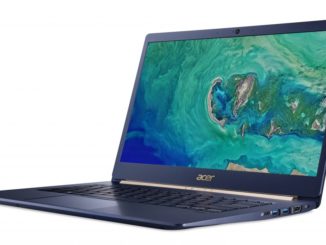
13 devices that utilize the best of the Windows 10 October 2018 Update Today we’re sharing 13 awesome Windows 10 PCs from our partners Acer, ASUS, Dell, HP, Huawei, Lenovo, MSi and Samsung that light up with the Windows 10 October 2018 Update. There’s always so much to choose from with Windows 10 PCs – from a range of different form factors, to the best Windows features like Windows Hello, Windows Ink, Cortana and more. Take advantage of the new experiences and capabilities in the Windows 10 October 2018 Update like the Your Phone App that lets you snap a pic on your Android phone and see it on your PC, or design PowerPoint slides with a digital pen. The features in this release provide modern solutions for on-the-go, ever-changing lifestyles. Helping you make the most of every second, minute, [ more… ]