
No Image

Announcing Windows 10 Insider Preview Build 17741

2018-08-18 KENNETH 0

Announcing Windows 10 Insider Preview Build 17741 Hello Windows Insiders! Today, we are releasing Windows 10 Insider Preview Build 17741 (RS5) to Windows Insiders in the Fast ring. What’s New in Build 17741 An easier way to get to Your Phone app Android phone users, check it out and keep the feedback coming. Your Phone app is intended for Windows insiders, we brought it first to you because we need you to help us test and perfect this app! Build 17723+ is highly recommended for the best experience. Your Phone app is also live for Insiders who are in Skip Ahead running 19H1 builds. Coming today for Build 17741, we’ve added a new entry point to Your Phone app. Notice a desktop pin? It’ll take you directly to Your Phone app – for quicker access to your phone’s content. Or [ more… ]
No Image

Windows 10 SDK Preview Build 17733 available now!

2018-08-17 KENNETH 0

Windows 10 SDK Preview Build 17733 available now! Today, we released a new Windows 10 Preview Build of the SDK to be used in conjunction with Windows 10 Insider Preview (Build 17733 or greater). The Preview SDK Build 17733 contains bug fixes and under development changes to the API surface area. The Preview SDK can be downloaded from developer section on Windows Insider. For feedback and updates to the known issues, please see the developer forum. For new developer feature requests, head over to our Windows Platform UserVoice. Things to note: This build works in conjunction with previously released SDKs and Visual Studio 2017. You can install this SDK and still also continue to submit your apps that target Windows 10 build 1803 or earlier to the Store. The Windows SDK will now formally only be supported by Visual Studio 2017 and greater. You can download [ more… ]

No Image

Announcing Windows 10 Insider Preview Build 18219

2018-08-17 KENNETH 0

Announcing Windows 10 Insider Preview Build 18219 Hello Windows Insiders! Today, we are releasing Windows 10 Insider Preview Build 18219 (19H1) to Windows Insiders who have opted in to Skip Ahead. What’s new in Build 18219 Narrator Improvements We have made the following changes and improvements: Reliability: We have made improvements in Narrator reliability. Scan Mode: Reading and navigating while in Scan Mode has been improved. Selecting text in Scan Mode has also been improved. Selecting forward in Edge has some known issues that we are actively investigating. QuickStart: The link in settings to relaunch the QuickStart should now reliably be working and will launch from the very first Welcome page. The QuickStart should also more reliably take focus when Narrator is launched, which means Narrator should start reading it automatically. Providing Feedback: The keystroke to provide feedback has changed. [ more… ]

Introducing Driver Module Framework

2018-08-16 KENNETH 0

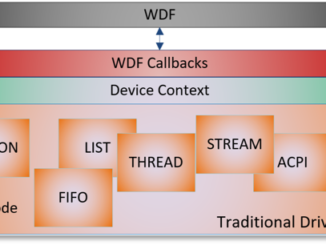
Introducing Driver Module Framework The Microsoft Devices team is excited to announce the release of an open source framework for Windows driver developers — Driver Module Framework (DMF). With DMF, not only can you easily develop simple and structured Windows Driver Framework (WDF) drivers but also share code amongst your drivers. Background Over the years Surface organization developed many products such as Pro, Studio, Laptop, Book with unique, innovative hardware capabilities. To light up these capabilities, we often needed to write drivers and firmware. Even though these products had commonalities in terms of how they interfaced with the hardware, individual product teams worked in isolation and built either their own drivers from scratch or copied based on their awareness of existing code and modified to suit their needs. This did help in meeting their immediate business priorities, but led to [ more… ]

Announcing Windows Admin Center Preview 1808

2018-08-15 KENNETH 0

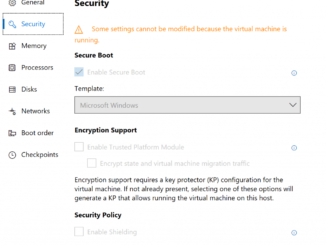
Announcing Windows Admin Center Preview 1808 Hello Windows Insiders! Thank you for your continued interest in the Windows Admin Center insider preview! If you are new to the preview, check out the previous posts for the 1806 and 1807 releases. Release Summary Much of the work in this release was under the hood – we are implementing new infrastructure to support future scenarios and improving the experience for the Azure Site Recovery and Azure Update Management hybrid scenarios. Server settings such as environment variables, remote desktop and RBAC settings are now available as a standalone tool at the bottom of the tool list in the Server Manager solution. Hyper-V host settings are also available on standalone servers and clusters with Hyper-V enabled. The Hyper-V host settings on a cluster allows you to change configurations across all cluster nodes at once! [ more… ]