Announcing Windows 10 Insider Preview Build 17733

2018-08-09 KENNETH 0

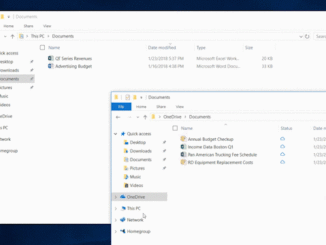
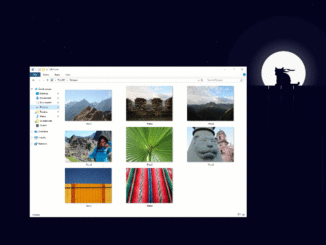
Announcing Windows 10 Insider Preview Build 17733 Hello Windows Insiders! Today, we are releasing Windows 10 Insider Preview Build 17733 (RS5) to Windows Insiders in the Fast ring. What’s new in Build 17733 Dark Theme in File Explorer With Build 17666 we started our journey bringing dark theme to File Explorer. Today’s build marks the turning point where we’ve finished what we set out to do for this release. Thank you to all Insiders that have shared feedback during this time! General changes, improvements, and fixes for PC Thanks everyone for your feedback about the XAML shadows we added recently. We’re taking them offline for the moment while we work on addressing some of the things you shared with us. You will also notice that the acrylic has been removed from some popup controls. They will be back in a [ more… ]
Announcing Windows Community Toolkit v4.0

2018-08-09 KENNETH 0

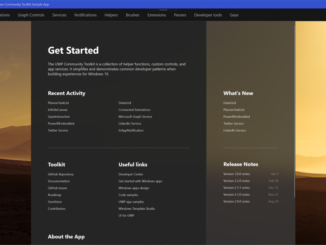
Announcing Windows Community Toolkit v4.0 The Windows Community Toolkit recently reached over 1 million downloads across all nuget packages. This is a very big milestone for the community and I’m very excited to announce yet another major update to the Windows Community Toolkit, version 4.0. With the help of the Windows community, this update introduces several new additions and improvements, specifically: New DataGrid with fluent design for all UWP developers Two new Microsoft Graph controls. PowerBIEmbedded enables embedding PowerBI dashboards in your UWP apps and PlannerTasksList allows users to work with Microsoft Planner tasks The Twitter, LinkedIn, and Microsoft Translator services have moved to the .NET Standard services package and available to even more developers, including desktop and Xamarin developers Strong-named packages for those developers that require strong-named assemblies Dark theme support for the sample app and theme chooser for [ more… ]

What’s your monetization strategy?

2018-08-08 KENNETH 0

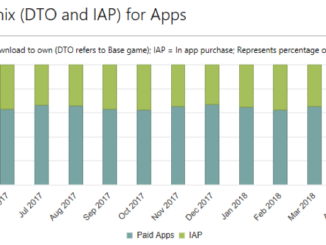
What’s your monetization strategy? Selecting how to monetize your app is a big part of any development process. Different kinds of apps can have very different opportunities and needs—so your monetization strategy can inform not just your business model, but your app’s final design, content, and code. Microsoft Store offers a variety of different ways to add monetization to your app. Here’s a quick breakdown of our 4 biggest earners and how they can work for you. Base price Charging an up-front base price is a one-time transaction: you offer a product and the user pays for it. Microsoft Store allows you to change your base price at any time, in any market, so you can always experiment with your numbers and see how your target audience responds. A general rule of thumb for setting a base price is to scope out [ more… ]

Bring your film libraries together through Movies Anywhere, now available on Xbox and Windows 10

2018-08-07 KENNETH 0

Bring your film libraries together through Movies Anywhere, now available on Xbox and Windows 10 When you connect your Microsoft account with your Movies Anywhere account, you can enjoy all of your eligible movies from Microsoft across your favorite screens at no extra cost. This includes Xbox and Windows, iOS and Android, smart TVs and streaming devices. You’ll also be able to watch eligible movies you previously bought from other participating digital retailers through the Movies & TV app on Xbox and Windows 10. As part of this launch, you can add “X-Men: Days of Future Past” for free to your digital collection, for a limited time, if you connect your Microsoft account to Movies Anywhere for the first time. Head over to Xbox Wire to find out more. Source: Bring your film libraries together through Movies Anywhere, now available [ more… ]

Save your files to OneDrive for expanded ransomware protection

2018-08-07 KENNETH 0

Save your files to OneDrive for expanded ransomware protection If you want an additional layer of protection from ransomware, try saving your files in OneDrive. It’s part of the new experiences that arrived with the Windows 10 April 2018 Update. Here’s how it works: If a ransomware threat is found on a device, Windows Defender will notify you of the threat, help you remove the ransomware from your device, and give you options to recover your OneDrive files to the state they were in before the attack occurred. Save your files to OneDrive   For Office 365 Home subscribers, Office 365 Personal subscribers, and OneDrive for Business users, that includes OneDrive Files Restore, which can be used to restore your OneDrive to a previous point in time within the last 30 days. The date and time that Windows Defender detected [ more… ]