Announcing Windows 10 Insider Preview Build 17692

2018-06-15 KENNETH 0

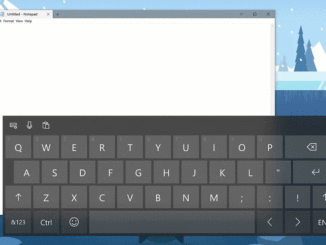
Announcing Windows 10 Insider Preview Build 17692 Hello Windows Insiders! Today, we are releasing Windows 10 Insider Preview Build 17692 (RS5) to Windows Insiders in the Fast ring in addition to those who opted in to Skip Ahead. What’s new in Build 17692 SwiftKey intelligence comes to Windows SwiftKey gives you more accurate autocorrections and predictions by learning your writing style – including the words, phrases and emoji that matter to you. It’s available for Android and iOS, and starting with today’s build SwiftKey will now power the typing experience on Windows when using the touch keyboard to write in English (United States), English (United Kingdom), French (France), German (Germany), Italian (Italy), Spanish (Spain), Portuguese (Brazil), or Russian. Please take a moment to try typing and shapewriting on the touch keyboard in this build and let us know what you [ more… ]
AI powers Windows 10 April 2018 Update rollout

2018-06-15 KENNETH 0

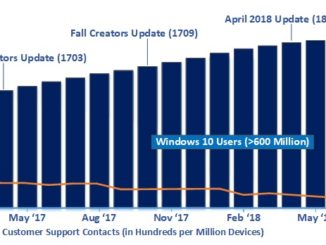
AI powers Windows 10 April 2018 Update rollout Artificial Intelligence (AI) continues to be a key area of investment for Microsoft, and we’re pleased to announce that for the first time we’ve leveraged AI at scale to greatly improve the quality and reliability of the Windows 10 April 2018 Update rollout.  Our AI approach intelligently selects devices that our feedback data indicate would have a great update experience and offers the April 2018 Update to these devices first.  As our rollout progresses, we continuously collect update experience data and retrain our models to learn which devices will have a positive update experience, and where we may need to wait until we have higher confidence in a great experience.  Our overall rollout objective is for a safe and reliable update, which means we only go as fast as is safe. Early [ more… ]

Windows Template Studio 2.2 released!

2018-06-14 KENNETH 0

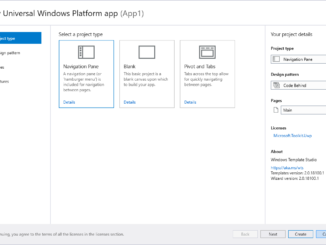
Windows Template Studio 2.2 released! We’re extremely excited to announce the Windows Template Studio 2.2!  For the next few releases, we are doing smaller updates to add in new pages and fixes. The reason being is we are working toward multi-project solution support for 3.0 and adjusting our templates to support that. This is a large sum of work but want to be sure we are still improving where we can now. As always, we love how the community is helping. If you’re interested, please head over to head over to WTS’s Github. What’s new: For the full list of adjustments in the 2.2 release, WTS’s Github has a full changelog. Included in this version: 3D Launcher feature Wizard enhancements Improved documentation Improved testing Bug fixes Dev platform updates: Updated Microsoft.NETCore.UniversalWindowsPlatform to 6.15 Updated Newtonsoft.Json to 11.0.2 Updated Microsoft.Toolkit.Uwp, Microsoft.Toolkit.Uwp.Notifications [ more… ]

E3 2018: Six Lenovo gaming PCs powered by Windows 10 announced this week

2018-06-14 KENNETH 0

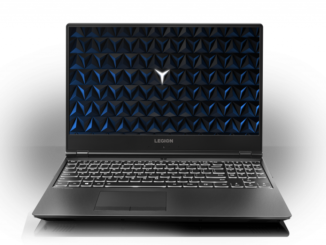
E3 2018: Six Lenovo gaming PCs powered by Windows 10 announced this week This week at E3, Lenovo announced six new gaming devices powered by Windows 10 that arrive with simple, built-in Mixer streaming for low-latency, interactive moments for viewers and streamers to engage with other gamers, plus the latest in gaming technology from Intel and NVIDIA. With Xbox Play Anywhere, you can buy a game once and play it on both your Xbox One and any of these Windows 10 PCs. Let’s take a closer look at these devices: Lenovo Legion Y530 Laptop Between 24.2mm to 25.2mm thin and 2.3 kg light, up to the latest generation Intel processors, NVIDIA GPUs, DDR4 memory and more, the Lenovo Legion Y530 Laptop is thermally optimized to run cooler and quieter while being perfectly balanced between performance and portability. The 15″ FHD display with optional 144 [ more… ]

No Image

Three user experience updates Office announced today

2018-06-13 KENNETH 0

Three user experience updates Office announced today For an overview of these changes, check out this video by Jon Friedman, our Chief Designer for Office.  Here are some highlights from their post: “Office is used by more than a billion people every month, so while we’re excited about these changes, we also recognize how important it is to get things right.  These updates are exclusive to Office.com and Office 365 – the always up-to-date versions of our apps and services. But they won’t happen all at once. Instead, over the next several months we will deploy new designs to select customers in stages and carefully test and learn. We’ll move them into production only after they’ve made it through rigorous rounds of validation and refinement. The initial set of updates includes three changes.  Simplified Ribbon.  A new, updated version of the ribbon is designed to help users focus on their work and collaborate naturally with others.  People who prefer to dedicate more screen space to the commands will still be able to expand the ribbon to the classic 3-line view. The first app to get this [ more… ]