Computex 2018: ASUS introduces the new ScreenPad and devices powered by Windows 10

2018-06-05 KENNETH 0

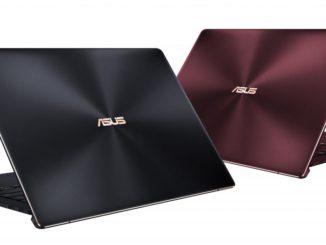
Computex 2018: ASUS introduces the new ScreenPad and devices powered by Windows 10 Today at Computex 2018, ASUS announced a new ZenBook Pro series with an interactive ScreenPad, the ZenBook S – a new 13.3-inch ultraportable notebook built with military-grade durability – two new gaming laptops, a convertible laptop with a 360° display and more. Let’s take a closer look at these devices. ZenBook Pro series The new ZenBook Pro Series is a family of high-performance laptops for professionals that introduces the ScreenPad – a new way to work and interact with your laptop. ScreenPad combines a touchpad with a high-resolution, full-color touchscreen, and is fully customizable to allow you to personalize their experience. ZenBook Pro 15 with ScreenPad is the first ScreenPad-enabled model in the series, featuring a 15-inch 4K UHD display, up to an Intel Core i9 processor [ more… ]
Windows 10 Tip: How to start creating in Paint 3D

2018-06-05 KENNETH 0

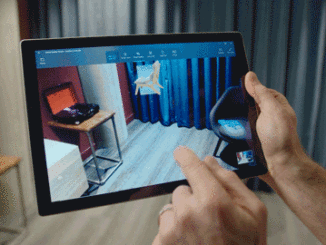
Windows 10 Tip: How to start creating in Paint 3D Paint 3D is a built-in creative application that comes free with Windows 10*. You don’t need any design experience – Paint 3D makes it easy to customize models from the built-in 3D library or create 3D designs from scratch. Here’s a couple of tips for how you can get started quickly in creating in 3D. How to edit a 3D model The easiest way to get started is to start by searching our 3D library** for a model to edit and customize. Simply click on 3D Library and browse through our staff picks of top models or type in the search bar a model you are looking for. Click on the tile to import the 3D model into your project. You now have a fully rotatable 3D model that you [ more… ]

Announcing Windows 10 Insider Preview Build 17682

2018-06-01 KENNETH 0

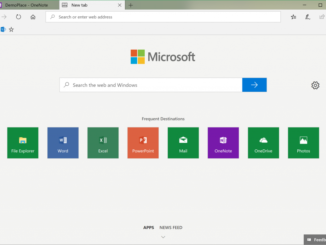
Announcing Windows 10 Insider Preview Build 17682 Hello Windows Insiders! Today, we are releasing Windows 10 Insider Preview Build 17682 (RS5) to Windows Insiders in the Fast ring in addition to those who opted in to Skip Ahead. What’s new in Build 17682 Sets Improvements We’ve heard your feedback and have been hard at work updating the new tab page to make it more obvious you can launch apps. When you click the plus button in a Sets window, you will now see apps included in your frequent destinations list. You’ll also find that we’ve integrated the all apps list into this page so you can browse your apps, rather than just using the search box – apps that support Sets will launch into a tab when clicked. If you have News Feed selected, simply click the “Apps” link next [ more… ]

Microsoft gives parents peace of mind with new family features across devices

2018-06-01 KENNETH 0

Microsoft gives parents peace of mind with new family features across devices We live in a time of both great opportunity and great responsibility. Our children have access to more information, entertainment and more ways to connect than ever before, but with that comes plenty of new things that parents like you and I need to worry about and new ways to distract their attention. Today, we are excited to introduce new features that make it easier and safer for families to interact with technology and, each other, across devices and platforms. Creating tools and features that empower both parents and kids has always been an important part of our work and is becoming increasingly vital, not only to us as a business, but to us as individuals – parents, aunts and uncles, siblings and friends. As a mother to [ more… ]

Announcing Windows Community Toolkit v3.0

2018-05-31 KENNETH 0

Announcing Windows Community Toolkit v3.0 I’m excited to announce the largest update to the Windows Community Toolkit yet, version 3.0. As announced a few weeks ago, we recently changed the name of the community toolkit to better align with all Windows developers, and today we are releasing our biggest update yet which introduces: A new package for WPF and WinForms developers that includes the new Edge WebView A new package for all XAML UWP developer to enable usage of eye gaze APIs in XAML A new package for all .NET UWP developers to help in writing runtime API checks A new package introducing new controls to access the Microsoft Graph New controls and APIs in existing packages Fluent updates to existing controls with support for light and dark theme Updated documentation, including code examples in Visual Basic Many improvements and [ more… ]